Compare commits
104 Commits
| Author | SHA1 | Date | |
|---|---|---|---|

|
85e20a5cf4 | ||
|
|
da5aed6bef | ||
|
|
acb9cf12c4 | ||
|
|
ade3bdf7e7 | ||
|
|
83bc0b9e80 | ||
|
|
29ebb99b1f | ||
|
|
355f075b57 | ||
|
|
c2ca57c8f4 | ||
|
|
5c8b23ccff | ||
|
|
13a8d1681c | ||
|
|
b30d0361c5 | ||
|
|
063a74b660 | ||
|
|
3ff635b9a8 | ||
|
|
2c98c4dd4e | ||
|
|
8c66c5aa9b | ||
|
|
b7dc2eb9ab | ||
|
|
00fc35539d | ||
|
|
65c9da5a65 | ||
|
|
d1819f02df | ||
|
|
e1cdfdc0e7 | ||
|
|
97c18bfbc4 | ||
|
|
0e76b27661 | ||
|
|
bd4c66a26b | ||
|
|
7c57efaaf9 | ||
|
|
d4dc2a577f | ||
|
|
92839f8a09 | ||
|
|
907c1c64cf | ||
|
|
8b9e3e9979 | ||
|
|
6600f32d35 | ||
|
|
e9fa41631c | ||
|
|
91efcfb43a | ||
|
|
24f59c2d72 | ||
|
|
398a7e5b3f | ||
|
|
48db3ad6ef | ||
|
|
12b43f55d6 | ||
|
|
6d6340a82b | ||
|
|
67beec5e94 | ||
|
|
09a53d1aa3 | ||
|
|
4f9e5d4cde | ||
|
|
cf17a8eb95 | ||
|
|
207b17bc4d | ||
|
|
1baa99c647 | ||
|
|
e9e6054ee7 | ||
|
|
4e4a3449a7 | ||
|
|
7c17b87215 | ||
|
|
62ceb46e9d | ||
|
|
2c0201e80f | ||
|
|
51509ec07b | ||
|
|
b215bc3aba | ||
|
|
0928496220 | ||
|
|
a8904d47b7 | ||
|
|
32a47e7af4 | ||
|
|
b27c20d204 | ||
|
|
b87895dc12 | ||
|
|
2344b6865a | ||
|
|
3d45861216 | ||
|
|
e184da91a6 | ||
|
|
d36d5ecfad | ||
|
|
7baeaae9bb | ||
|
|
c85e010d45 | ||
|
|
097df6afdb | ||
|
|
6574ac52ad | ||
|
|
751a1789b5 | ||
|
|
ac7b1d0bf3 | ||
|
|
7369e195c2 | ||
|
|
30f4b4d763 | ||
|
|
9236c3a9d0 | ||
|
|
c2dd19de51 | ||
|
|
6d88794960 | ||
|
|
7a710fb426 | ||
|
|
c8b35b6230 | ||
|
|
995464cb9c | ||
|
|
45c73b13e1 | ||
|
|
9b85bd68a4 | ||
|
|
ce91b36c5d | ||
|
|
2521b970e5 | ||
|
|
598c392709 | ||
|
|
4d218566cc | ||
|
|
a4b2baa2ba | ||
|
|
4b80ee46f8 | ||
|
|
9b398a8f31 | ||
|
|
c30170b868 | ||
|
|
39b483ad32 | ||
|
|
88ebf92184 | ||
|
|
8d792cfb5f | ||
|
|
bd1b51cbd1 | ||
|
|
3028662fa3 | ||
|
|
aea2d6845a | ||
|
|
a502ce43c3 | ||
|
|
b0e30862d6 | ||
|
|
146873fd8e | ||
|
|
b3b617633c | ||
|
|
9ae8a45197 | ||
|
|
a8bb5840ad | ||
|
|
d353fcb99c | ||
|
|
f0bde7906d | ||
|
|
24b0cda3e8 | ||
|
|
1ab8f969f6 | ||
|
|
58af0305f5 | ||
|
|
c7cc20918b | ||
|
|
924573ece2 | ||
|
|
5f06fce2c5 | ||
|
|
4b13c49578 | ||
|
|
98642ca028 |
@@ -250,7 +250,10 @@ There are a few different ways to set handedness for split keyboards (listed in
|
||||
* `#define SPLIT_HAND_PIN B7`
|
||||
* For using high/low pin to determine handedness, low = right hand, high = left hand. Replace `B7` with the pin you are using. This is optional, and if you leave `SPLIT_HAND_PIN` undefined, then you can still use the EE_HANDS method or MASTER_LEFT / MASTER_RIGHT defines like the stock Let's Split uses.
|
||||
|
||||
* `#define EE_HANDS` (only works if `SPLIT_HAND_PIN` is not defined)
|
||||
* `#define SPLIT_HAND_MATRIX_GRID <out_pin>,<in_pin>`
|
||||
* The handedness is determined by using the intersection of the keyswitches in the key matrix, which does not exist. Normally, when this intersection is shorted (level low), it is considered left. If you define `#define SPLIT_HAND_MATRIX_GRID_LOW_IS_RIGHT`, it is determined to be right when the level is low.
|
||||
|
||||
* `#define EE_HANDS` (only works if `SPLIT_HAND_PIN` and `SPLIT_HAND_MATRIX_GRID` are not defined)
|
||||
* Reads the handedness value stored in the EEPROM after `eeprom-lefthand.eep`/`eeprom-righthand.eep` has been flashed to their respective halves.
|
||||
|
||||
* `#define MASTER_RIGHT`
|
||||
|
||||
@@ -61,4 +61,4 @@ This page describes my cool feature. You can use my cool feature to make coffee
|
||||
|KC_SUGAR||Order Sugar|
|
||||
```
|
||||
|
||||
Place your documentation into `docs/feature_<my_cool_feature>.md`, and add that file to the appropriate place in `docs/_sidebar.md`. If you have added any keycodes be sure to add them to `docs/keycodes.md` with a link back to your feature page.
|
||||
Place your documentation into `docs/feature_<my_cool_feature>.md`, and add that file to the appropriate place in `docs/_summary.md`. If you have added any keycodes be sure to add them to `docs/keycodes.md` with a link back to your feature page.
|
||||
|
||||
@@ -1,4 +1,4 @@
|
||||
# Backlighting
|
||||
# Backlighting :id=backlighting
|
||||
|
||||
Many keyboards support backlit keys by way of individual LEDs placed through or underneath the keyswitches. This feature is distinct from both the [RGB underglow](feature_rgblight.md) and [RGB matrix](feature_rgb_matrix.md) features as it usually allows for only a single colour per switch, though you can obviously install multiple different single coloured LEDs on a keyboard.
|
||||
|
||||
@@ -6,103 +6,106 @@ QMK is able to control the brightness of these LEDs by switching them on and off
|
||||
|
||||
The MCU can only supply so much current to its GPIO pins. Instead of powering the backlight directly from the MCU, the backlight pin is connected to a transistor or MOSFET that switches the power to the LEDs.
|
||||
|
||||
## Feature Configuration
|
||||
|
||||
Most keyboards have backlighting enabled by default if they support it, but if it is not working for you, check that your `rules.mk` includes the following:
|
||||
|
||||
```makefile
|
||||
BACKLIGHT_ENABLE = yes
|
||||
```
|
||||
|
||||
## Keycodes
|
||||
Once enabled the following keycodes below can be used to change the backlight level.
|
||||
## Keycodes :id=keycodes
|
||||
|
||||
|Key |Description |
|
||||
|---------|------------------------------------------|
|
||||
|`BL_TOGG`|Turn the backlight on or off |
|
||||
|`BL_STEP`|Cycle through backlight levels |
|
||||
|`BL_ON` |Set the backlight to max brightness |
|
||||
|`BL_OFF` |Turn the backlight off |
|
||||
|`BL_INC` |Increase the backlight level |
|
||||
|`BL_DEC` |Decrease the backlight level |
|
||||
|`BL_BRTG`|Toggle backlight breathing |
|
||||
Once enabled, the following keycodes below can be used to change the backlight level.
|
||||
|
||||
## Backlight Functions
|
||||
|Key |Description |
|
||||
|---------|-----------------------------------|
|
||||
|`BL_TOGG`|Turn the backlight on or off |
|
||||
|`BL_STEP`|Cycle through backlight levels |
|
||||
|`BL_ON` |Set the backlight to max brightness|
|
||||
|`BL_OFF` |Turn the backlight off |
|
||||
|`BL_INC` |Increase the backlight level |
|
||||
|`BL_DEC` |Decrease the backlight level |
|
||||
|`BL_BRTG`|Toggle backlight breathing |
|
||||
|
||||
|Function |Description |
|
||||
|----------|-----------------------------------------------------------|
|
||||
|`backlight_toggle()` |Turn the backlight on or off |
|
||||
|`backlight_enable()` |Turn the backlight on |
|
||||
|`backlight_disable()` |Turn the backlight off |
|
||||
|`backlight_step()` |Cycle through backlight levels |
|
||||
|`backlight_increase()` |Increase the backlight level |
|
||||
|`backlight_decrease()` |Decrease the backlight level |
|
||||
|`backlight_level(x)` |Sets the backlight level to specified level |
|
||||
|`get_backlight_level()` |Return the current backlight level |
|
||||
|`is_backlight_enabled()`|Return whether the backlight is currently on |
|
||||
## Functions :id=functions
|
||||
|
||||
### Backlight Breathing Functions
|
||||
These functions can be used to change the backlighting in custom code:
|
||||
|
||||
|Function |Description |
|
||||
|----------|---------------------------------------------------|
|
||||
|`breathing_toggle()` |Turn the backlight breathing on or off |
|
||||
|`breathing_enable()` |Turns on backlight breathing |
|
||||
|`breathing_disable()` |Turns off backlight breathing |
|
||||
|Function |Description |
|
||||
|------------------------|--------------------------------------------|
|
||||
|`backlight_toggle()` |Turn the backlight on or off |
|
||||
|`backlight_enable()` |Turn the backlight on |
|
||||
|`backlight_disable()` |Turn the backlight off |
|
||||
|`backlight_step()` |Cycle through backlight levels |
|
||||
|`backlight_increase()` |Increase the backlight level |
|
||||
|`backlight_decrease()` |Decrease the backlight level |
|
||||
|`backlight_level(x)` |Sets the backlight level to specified level |
|
||||
|`get_backlight_level()` |Return the current backlight level |
|
||||
|`is_backlight_enabled()`|Return whether the backlight is currently on|
|
||||
|
||||
## Driver Configuration
|
||||
If backlight breathing is enabled (see below), the following functions are also available:
|
||||
|
||||
|Function |Description |
|
||||
|---------------------|--------------------------------------|
|
||||
|`breathing_toggle()` |Turn the backlight breathing on or off|
|
||||
|`breathing_enable()` |Turns on backlight breathing |
|
||||
|`breathing_disable()`|Turns off backlight breathing |
|
||||
|
||||
## Configuration :id=configuration
|
||||
|
||||
To select which driver to use, configure your `rules.mk` with the following:
|
||||
|
||||
```makefile
|
||||
BACKLIGHT_DRIVER = software # Valid driver values are 'pwm,software,no'
|
||||
BACKLIGHT_DRIVER = software
|
||||
```
|
||||
|
||||
See below for help on individual drivers.
|
||||
Valid driver values are `pwm`, `software`, `custom` or `no`. See below for help on individual drivers.
|
||||
|
||||
## Common Driver Configuration
|
||||
To configure the backlighting, `#define` these in your `config.h`:
|
||||
|
||||
To change the behavior of the backlighting, `#define` these in your `config.h`:
|
||||
|Define |Default |Description |
|
||||
|---------------------|-------------|-------------------------------------------------------------------------------------|
|
||||
|`BACKLIGHT_PIN` |*Not defined*|The pin that controls the LED(s) |
|
||||
|`BACKLIGHT_LEVELS` |`3` |The number of brightness levels (maximum 31 excluding off) |
|
||||
|`BACKLIGHT_CAPS_LOCK`|*Not defined*|Enable Caps Lock indicator using backlight (for keyboards without dedicated LED) |
|
||||
|`BACKLIGHT_BREATHING`|*Not defined*|Enable backlight breathing, if supported |
|
||||
|`BREATHING_PERIOD` |`6` |The length of one backlight "breath" in seconds |
|
||||
|`BACKLIGHT_ON_STATE` |`1` |The state of the backlight pin when the backlight is "on" - `1` for high, `0` for low|
|
||||
|
||||
|Define |Default |Description |
|
||||
|---------------------|-------------|--------------------------------------------------------------------------------------|
|
||||
|`BACKLIGHT_LEVELS` |`3` |The number of brightness levels (maximum 31 excluding off) |
|
||||
|`BACKLIGHT_CAPS_LOCK`|*Not defined*|Enable Caps Lock indicator using backlight (for keyboards without dedicated LED) |
|
||||
|`BACKLIGHT_BREATHING`|*Not defined*|Enable backlight breathing, if supported |
|
||||
|`BREATHING_PERIOD` |`6` |The length of one backlight "breath" in seconds |
|
||||
|`BACKLIGHT_ON_STATE` |`0` |The state of the backlight pin when the backlight is "on" - `1` for high, `0` for low |
|
||||
Unless you are designing your own keyboard, you generally should not need to change the `BACKLIGHT_PIN` or `BACKLIGHT_ON_STATE`.
|
||||
|
||||
### Backlight On State
|
||||
### Backlight On State :id=backlight-on-state
|
||||
|
||||
Most backlight circuits are driven by an N-channel MOSFET or NPN transistor. This means that to turn the transistor *on* and light the LEDs, you must drive the backlight pin, connected to the gate or base, *high*.
|
||||
Sometimes, however, a P-channel MOSFET, or a PNP transistor is used. In this case, when the transistor is on, the pin is driven *low* instead.
|
||||
|
||||
This functionality is configured at the keyboard level with the `BACKLIGHT_ON_STATE` define.
|
||||
|
||||
## AVR driver
|
||||
### AVR Driver :id=avr-driver
|
||||
|
||||
The `pwm` driver is configured by default, however the equivalent setting within `rules.mk` would be:
|
||||
|
||||
On AVR boards, the default driver currently sniffs the configuration to pick the best scenario. The driver is configured by default, however the equivalent setting within rules.mk would be:
|
||||
```makefile
|
||||
BACKLIGHT_DRIVER = pwm
|
||||
```
|
||||
|
||||
### Caveats
|
||||
#### Caveats :id=avr-caveats
|
||||
|
||||
Hardware PWM is supported according to the following table:
|
||||
On AVR boards, QMK automatically decides which driver to use according to the following table:
|
||||
|
||||
|Backlight Pin|AT90USB64/128|ATmega16/32U4|ATmega16/32U2|ATmega32A|ATmega328/P|
|
||||
|-------------|-------------|-------------|-------------|---------|----------|
|
||||
|`B1` | | | | |Timer 1 |
|
||||
|`B2` | | | | |Timer 1 |
|
||||
|`B5` |Timer 1 |Timer 1 | | | |
|
||||
|`B6` |Timer 1 |Timer 1 | | | |
|
||||
|`B7` |Timer 1 |Timer 1 |Timer 1 | | |
|
||||
|`C4` |Timer 3 | | | | |
|
||||
|`C5` |Timer 3 | |Timer 1 | | |
|
||||
|`C6` |Timer 3 |Timer 3 |Timer 1 | | |
|
||||
|`D4` | | | |Timer 1 | |
|
||||
|`D5` | | | |Timer 1 | |
|
||||
|-------------|-------------|-------------|-------------|---------|-----------|
|
||||
|`B1` | | | | |Timer 1 |
|
||||
|`B2` | | | | |Timer 1 |
|
||||
|`B5` |Timer 1 |Timer 1 | | | |
|
||||
|`B6` |Timer 1 |Timer 1 | | | |
|
||||
|`B7` |Timer 1 |Timer 1 |Timer 1 | | |
|
||||
|`C4` |Timer 3 | | | | |
|
||||
|`C5` |Timer 3 | |Timer 1 | | |
|
||||
|`C6` |Timer 3 |Timer 3 |Timer 1 | | |
|
||||
|`D4` | | | |Timer 1 | |
|
||||
|`D5` | | | |Timer 1 | |
|
||||
|
||||
All other pins will use software PWM. If the [Audio](feature_audio.md) feature is disabled or only using one timer, the backlight PWM can be triggered by a hardware timer:
|
||||
All other pins will use timer-assisted software PWM:
|
||||
|
||||
|Audio Pin|Audio Timer|Software PWM Timer|
|
||||
|---------|-----------|------------------|
|
||||
@@ -113,44 +116,9 @@ All other pins will use software PWM. If the [Audio](feature_audio.md) feature i
|
||||
|`B6` |Timer 1 |Timer 3 |
|
||||
|`B7` |Timer 1 |Timer 3 |
|
||||
|
||||
When both timers are in use for Audio, the backlight PWM will not use a hardware timer, but will instead be triggered during the matrix scan. In this case, breathing is not supported, and the backlight might flicker, because the PWM computation may not be called with enough timing precision.
|
||||
When both timers are in use for Audio, the backlight PWM cannot use a hardware timer, and will instead be triggered during the matrix scan. In this case, breathing is not supported, and the backlight might flicker, because the PWM computation may not be called with enough timing precision.
|
||||
|
||||
### AVR Configuration
|
||||
|
||||
To change the behavior of the backlighting, `#define` these in your `config.h`:
|
||||
|
||||
|Define |Default |Description |
|
||||
|---------------------|-------------|-------------------------------------------------------------------------------------------------------------|
|
||||
|`BACKLIGHT_PIN` |`B7` |The pin that controls the LEDs. Unless you are designing your own keyboard, you shouldn't need to change this|
|
||||
|`BACKLIGHT_PINS` |*Not defined*|experimental: see below for more information |
|
||||
|`BACKLIGHT_LEVELS` |`3` |The number of brightness levels (maximum 31 excluding off) |
|
||||
|`BACKLIGHT_CAPS_LOCK`|*Not defined*|Enable Caps Lock indicator using backlight (for keyboards without dedicated LED) |
|
||||
|`BACKLIGHT_BREATHING`|*Not defined*|Enable backlight breathing, if supported |
|
||||
|`BREATHING_PERIOD` |`6` |The length of one backlight "breath" in seconds |
|
||||
|`BACKLIGHT_ON_STATE` |`1` |The state of the backlight pin when the backlight is "on" - `1` for high, `0` for low |
|
||||
|
||||
### Backlight On State
|
||||
|
||||
Most backlight circuits are driven by an N-channel MOSFET or NPN transistor. This means that to turn the transistor *on* and light the LEDs, you must drive the backlight pin, connected to the gate or base, *high*.
|
||||
Sometimes, however, a P-channel MOSFET, or a PNP transistor is used. In this case, when the transistor is on, the pin is driven *low* instead.
|
||||
|
||||
This functionality is configured at the keyboard level with the `BACKLIGHT_ON_STATE` define.
|
||||
|
||||
### Multiple backlight pins
|
||||
|
||||
Most keyboards have only one backlight pin which control all backlight LEDs (especially if the backlight is connected to an hardware PWM pin).
|
||||
In software PWM, it is possible to define multiple backlight pins. All those pins will be turned on and off at the same time during the PWM duty cycle.
|
||||
This feature allows to set for instance the Caps Lock LED (or any other controllable LED) brightness at the same level as the other LEDs of the backlight. This is useful if you have mapped LCTRL in place of Caps Lock and you need the Caps Lock LED to be part of the backlight instead of being activated when Caps Lock is on.
|
||||
|
||||
To activate multiple backlight pins, you need to add something like this to your user `config.h`:
|
||||
|
||||
```c
|
||||
#define BACKLIGHT_LED_COUNT 2
|
||||
#undef BACKLIGHT_PIN
|
||||
#define BACKLIGHT_PINS { F5, B2 }
|
||||
```
|
||||
|
||||
### Hardware PWM Implementation
|
||||
#### Hardware PWM Implementation :id=hardware-pwm-implementation
|
||||
|
||||
When using the supported pins for backlighting, QMK will use a hardware timer configured to output a PWM signal. This timer will count up to `ICRx` (by default `0xFFFF`) before resetting to 0.
|
||||
The desired brightness is calculated and stored in the `OCRxx` register. When the counter reaches this value, the backlight pin will go low, and is pulled high again when the counter resets.
|
||||
@@ -159,7 +127,7 @@ In this way `OCRxx` essentially controls the duty cycle of the LEDs, and thus th
|
||||
The breathing effect is achieved by registering an interrupt handler for `TIMER1_OVF_vect` that is called whenever the counter resets, roughly 244 times per second.
|
||||
In this handler, the value of an incrementing counter is mapped onto a precomputed brightness curve. To turn off breathing, the interrupt handler is simply disabled, and the brightness reset to the level stored in EEPROM.
|
||||
|
||||
### Timer Assisted PWM Implementation
|
||||
#### Timer Assisted PWM Implementation :id=timer-assisted-implementation
|
||||
|
||||
When `BACKLIGHT_PIN` is not set to a hardware backlight pin, QMK will use a hardware timer configured to trigger software interrupts. This time will count up to `ICRx` (by default `0xFFFF`) before resetting to 0.
|
||||
When resetting to 0, the CPU will fire an OVF (overflow) interrupt that will turn the LEDs on, starting the duty cycle.
|
||||
@@ -168,81 +136,84 @@ In this way `OCRxx` essentially controls the duty cycle of the LEDs, and thus th
|
||||
|
||||
The breathing effect is the same as in the hardware PWM implementation.
|
||||
|
||||
## ARM Driver
|
||||
### ARM Driver :id=arm-configuration
|
||||
|
||||
While still in its early stages, ARM backlight support aims to eventually have feature parity with AVR. The `pwm` driver is configured by default, however the equivalent setting within `rules.mk` would be:
|
||||
|
||||
While still in its early stages, ARM backlight support aims to eventually have feature parity with AVR. The driver is configured by default, however the equivalent setting within rules.mk would be:
|
||||
```makefile
|
||||
BACKLIGHT_DRIVER = pwm
|
||||
```
|
||||
|
||||
### Caveats
|
||||
#### ChibiOS Configuration :id=arm-configuration
|
||||
|
||||
The following `#define`s apply only to ARM-based keyboards:
|
||||
|
||||
|Define |Default|Description |
|
||||
|-----------------------|-------|-----------------------------------|
|
||||
|`BACKLIGHT_PWM_DRIVER` |`PWMD4`|The PWM driver to use |
|
||||
|`BACKLIGHT_PWM_CHANNEL`|`3` |The PWM channel to use |
|
||||
|`BACKLIGHT_PAL_MODE` |`2` |The pin alternative function to use|
|
||||
|
||||
See the ST datasheet for your particular MCU to determine these values. Unless you are designing your own keyboard, you generally should not need to change them.
|
||||
|
||||
#### Caveats :id=arm-caveats
|
||||
|
||||
Currently only hardware PWM is supported, not timer assisted, and does not provide automatic configuration.
|
||||
|
||||
?> Backlight support for STMF072 has had limited testing, YMMV. If unsure, set `BACKLIGHT_ENABLE = no` in your rules.mk.
|
||||
?> Backlight support for STM32F072 has had limited testing, so YMMV. If unsure, set `BACKLIGHT_ENABLE = no` in your `rules.mk`.
|
||||
|
||||
### ARM Configuration
|
||||
### Software PWM Driver :id=software-pwm-driver
|
||||
|
||||
To change the behavior of the backlighting, `#define` these in your `config.h`:
|
||||
In this mode, PWM is "emulated" while running other keyboard tasks. It offers maximum hardware compatibility without extra platform configuration. The tradeoff is the backlight might jitter when the keyboard is busy. To enable, add this to your `rules.mk`:
|
||||
|
||||
|Define |Default |Description |
|
||||
|------------------------|-------------|-------------------------------------------------------------------------------------------------------------|
|
||||
|`BACKLIGHT_PIN` |`B7` |The pin that controls the LEDs. Unless you are designing your own keyboard, you shouldn't need to change this|
|
||||
|`BACKLIGHT_PWM_DRIVER` |`PWMD4` |The PWM driver to use, see ST datasheets for pin to PWM timer mapping. Unless you are designing your own keyboard, you shouldn't need to change this|
|
||||
|`BACKLIGHT_PWM_CHANNEL` |`3` |The PWM channel to use, see ST datasheets for pin to PWM channel mapping. Unless you are designing your own keyboard, you shouldn't need to change this|
|
||||
|`BACKLIGHT_PAL_MODE` |`2` |The pin alternative function to use, see ST datasheets for pin AF mapping. Unless you are designing your own keyboard, you shouldn't need to change this|
|
||||
|
||||
## Software PWM Driver :id=software-pwm-driver
|
||||
|
||||
Emulation of PWM while running other keyboard tasks, it offers maximum hardware compatibility without extra platform configuration. The tradeoff is the backlight might jitter when the keyboard is busy. To enable, add this to your rules.mk:
|
||||
```makefile
|
||||
BACKLIGHT_DRIVER = software
|
||||
```
|
||||
|
||||
### Software PWM Configuration
|
||||
|
||||
To change the behavior of the backlighting, `#define` these in your `config.h`:
|
||||
|
||||
|Define |Default |Description |
|
||||
|-----------------|-------------|-------------------------------------------------------------------------------------------------------------|
|
||||
|`BACKLIGHT_PIN` |`B7` |The pin that controls the LEDs. Unless you are designing your own keyboard, you shouldn't need to change this|
|
||||
|`BACKLIGHT_PINS` |*Not defined*|experimental: see below for more information |
|
||||
|
||||
### Multiple backlight pins
|
||||
#### Multiple Backlight Pins :id=multiple-backlight-pins
|
||||
|
||||
Most keyboards have only one backlight pin which control all backlight LEDs (especially if the backlight is connected to an hardware PWM pin).
|
||||
In software PWM, it is possible to define multiple backlight pins. All those pins will be turned on and off at the same time during the PWM duty cycle.
|
||||
This feature allows to set for instance the Caps Lock LED (or any other controllable LED) brightness at the same level as the other LEDs of the backlight. This is useful if you have mapped LCTRL in place of Caps Lock and you need the Caps Lock LED to be part of the backlight instead of being activated when Caps Lock is on.
|
||||
In software PWM, it is possible to define multiple backlight pins, which will be turned on and off at the same time during the PWM duty cycle.
|
||||
|
||||
To activate multiple backlight pins, you need to add something like this to your user `config.h`:
|
||||
This feature allows to set, for instance, the Caps Lock LED's (or any other controllable LED) brightness at the same level as the other LEDs of the backlight. This is useful if you have mapped Control in place of Caps Lock and you need the Caps Lock LED to be part of the backlight instead of being activated when Caps Lock is on, as it is usually wired to a separate pin from the backlight.
|
||||
|
||||
To activate multiple backlight pins, add something like this to your `config.h`, instead of `BACKLIGHT_PIN`:
|
||||
|
||||
```c
|
||||
#undef BACKLIGHT_PIN
|
||||
#define BACKLIGHT_PINS { F5, B2 }
|
||||
```
|
||||
|
||||
## Custom Driver
|
||||
### Custom Driver :id=custom-driver
|
||||
|
||||
To enable, add this to your rules.mk:
|
||||
If none of the above drivers apply to your board (for example, you are using a separate IC to control the backlight), you can implement a custom backlight driver using this simple API provided by QMK. To enable, add this to your `rules.mk`:
|
||||
|
||||
```makefile
|
||||
BACKLIGHT_DRIVER = custom
|
||||
```
|
||||
|
||||
When implementing the custom driver API, the provided keyboard hooks are as follows:
|
||||
Then implement any of these hooks:
|
||||
|
||||
```c
|
||||
void backlight_init_ports(void) {
|
||||
// Optional - Run on startup
|
||||
// - usually you want to configure pins here
|
||||
// Optional - runs on startup
|
||||
// Usually you want to configure pins here
|
||||
}
|
||||
void backlight_set(uint8_t level) {
|
||||
// Optional - Run on level change
|
||||
// - usually you want to respond to the new value
|
||||
// Optional - runs on level change
|
||||
// Usually you want to respond to the new value
|
||||
}
|
||||
|
||||
void backlight_task(void) {
|
||||
// Optional - Run periodically
|
||||
// - long running actions here can cause performance issues
|
||||
// Optional - runs periodically
|
||||
// Note that this is called in the main keyboard loop,
|
||||
// so long running actions here can cause performance issues
|
||||
}
|
||||
```
|
||||
|
||||
## Example Schematic
|
||||
|
||||
In this typical example, the backlight LEDs are all connected in parallel towards an N-channel MOSFET. Its gate pin is wired to one of the microcontroller's GPIO pins through a 470Ω resistor to avoid ringing.
|
||||
A pulldown resistor is also placed between the gate pin and ground to keep it at a defined state when it is not otherwise being driven by the MCU.
|
||||
The values of these resistors are not critical - see [this Electronics StackExchange question](https://electronics.stackexchange.com/q/68748) for more information.
|
||||
|
||||

|
||||
|
||||
@@ -7,9 +7,17 @@ DIP switches are supported by adding this to your `rules.mk`:
|
||||
and this to your `config.h`:
|
||||
|
||||
```c
|
||||
// Connects each switch in the dip switch to the GPIO pin of the MCU
|
||||
#define DIP_SWITCH_PINS { B14, A15, A10, B9 }
|
||||
```
|
||||
|
||||
or
|
||||
|
||||
```c
|
||||
// Connect each switch in the DIP switch to an unused intersections in the key matrix.
|
||||
#define DIP_SWITCH_MATRIX_GRID { {0,6}, {1,6}, {2,6} } // List of row and col pairs
|
||||
```
|
||||
|
||||
## Callbacks
|
||||
|
||||
The callback functions can be inserted into your `<keyboard>.c`:
|
||||
@@ -87,4 +95,10 @@ void dip_switch_update_mask_user(uint32_t state) {
|
||||
|
||||
## Hardware
|
||||
|
||||
### Connects each switch in the dip switch to the GPIO pin of the MCU
|
||||
|
||||
One side of the DIP switch should be wired directly to the pin on the MCU, and the other side to ground. It should not matter which side is connected to which, as it should be functionally the same.
|
||||
|
||||
### Connect each switch in the DIP switch to an unused intersections in the key matrix.
|
||||
|
||||
As with the keyswitch, a diode and DIP switch connect the ROW line to the COL line.
|
||||
|
||||
@@ -19,7 +19,7 @@ These functions allow you to activate layers in various ways. Note that layers a
|
||||
|
||||
### Caveats :id=caveats
|
||||
|
||||
Currently, `LT()` and `MT()` are limited to the [Basic Keycode set](keycodes_basic.md), meaning you can't use keycodes like `LCTL()`, `KC_TILD`, or anything greater than `0xFF`. Specifically, dual function keys like `LT` and `MT` use a 16 bit keycode. 4 bits are used for the function identifier, the next 12 are divided into the parameters. Layer Tap uses 4 bits for the layer (and is why it's limited to layers 0-16, actually), while Mod Tap does the same, 4 bits for the identifier, 4 bits for which mods are used, and all of them use 8 bits for the keycode. Because of this, the keycode used is limited to `0xFF` (0-255), which are the basic keycodes only.
|
||||
Currently, `LT()` and `MT()` are limited to the [Basic Keycode set](keycodes_basic.md), meaning you can't use keycodes like `LCTL()`, `KC_TILD`, or anything greater than `0xFF`. Specifically, dual function keys like `LT` and `MT` use a 16 bit keycode. 4 bits are used for the function identifier, the next 12 are divided into the parameters. Layer Tap uses 4 bits for the layer (and is why it's limited to layers 0-15, actually), while Mod Tap does the same, 4 bits for the identifier, 4 bits for which mods are used, and all of them use 8 bits for the keycode. Because of this, the keycode used is limited to `0xFF` (0-255), which are the basic keycodes only.
|
||||
|
||||
Expanding this would be complicated, at best. Moving to a 32-bit keycode would solve a lot of this, but would double the amount of space that the keymap matrix uses. And it could potentially cause issues, too. If you need to apply modifiers to your tapped keycode, [Tap Dance](feature_tap_dance.md#example-5-using-tap-dance-for-advanced-mod-tap-and-layer-tap-keys) can be used to accomplish this.
|
||||
|
||||
|
||||
@@ -294,3 +294,13 @@ To debug the mouse, add `debug_mouse = true` or enable via bootmagic.
|
||||
#define PS2_MOUSE_DEBUG_HID
|
||||
#define PS2_MOUSE_DEBUG_RAW
|
||||
```
|
||||
|
||||
### Movement Hook :id=movement-hook
|
||||
|
||||
Process mouse movement in the keymap before it is sent to the host. Example
|
||||
uses include filtering noise, adding acceleration, and automatically activating
|
||||
a layer. To use, define the following function in your keymap:
|
||||
|
||||
```c
|
||||
void ps2_mouse_moved_user(report_mouse_t *mouse_report);
|
||||
```
|
||||
|
||||
@@ -186,8 +186,16 @@ All RGB keycodes are currently shared with the RGBLIGHT system:
|
||||
|`RGB_VAD` | |Decrease value (brightness), increase value when Shift is held |
|
||||
|`RGB_SPI` | |Increase effect speed (does not support eeprom yet), decrease speed when Shift is held|
|
||||
|`RGB_SPD` | |Decrease effect speed (does not support eeprom yet), increase speed when Shift is held|
|
||||
|`RGB_MODE_PLAIN` |`RGB_M_P `|Static (no animation) mode |
|
||||
|`RGB_MODE_BREATHE` |`RGB_M_B` |Breathing animation mode |
|
||||
|`RGB_MODE_RAINBOW` |`RGB_M_R` |Full gradient scrolling left to right (uses the `RGB_MATRIX_CYCLE_LEFT_RIGHT` mode) |
|
||||
|`RGB_MODE_SWIRL` |`RGB_M_SW`|Full gradient spinning pinwheel around center of keyboard (uses `RGB_MATRIX_CYCLE_PINWHEEL` mode) |
|
||||
|
||||
* `RGB_MODE_*` keycodes will generally work, but are not currently mapped to the correct effects for the RGB Matrix system
|
||||
* `RGB_MODE_*` keycodes will generally work, but not all of the modes are currently mapped to the correct effects for the RGB Matrix system.
|
||||
|
||||
`RGB_MODE_PLAIN`, `RGB_MODE_BREATHE`, `RGB_MODE_RAINBOW`, and `RGB_MATRIX_SWIRL` are the only ones that are mapped properly. The rest don't have a direct equivalent, and are not mapped.
|
||||
|
||||
!> By default, if you have both the [RGB Light](feature_rgblight.md) and the RGB Matrix feature enabled, these keycodes will work for both features, at the same time. You can disable the keycode functionality by defining the `*_DISABLE_KEYCODES` option for the specific feature.
|
||||
|
||||
## RGB Matrix Effects :id=rgb-matrix-effects
|
||||
|
||||
@@ -385,6 +393,7 @@ These are defined in [`rgblight_list.h`](https://github.com/qmk/qmk_firmware/blo
|
||||
#define RGB_MATRIX_STARTUP_SAT 255 // Sets the default saturation value, if none has been set
|
||||
#define RGB_MATRIX_STARTUP_VAL RGB_MATRIX_MAXIMUM_BRIGHTNESS // Sets the default brightness value, if none has been set
|
||||
#define RGB_MATRIX_STARTUP_SPD 127 // Sets the default animation speed, if none has been set
|
||||
#define RGB_MATRIX_DISABLE_KEYCODES // disables control of rgb matrix by keycodes (must use code functions to control the feature)
|
||||
```
|
||||
|
||||
## EEPROM storage :id=eeprom-storage
|
||||
|
||||
@@ -64,6 +64,9 @@ Changing the **Value** sets the overall brightness.<br>
|
||||
|`RGB_MODE_GRADIENT`|`RGB_M_G` |Static gradient animation mode |
|
||||
|`RGB_MODE_RGBTEST` |`RGB_M_T` |Red, Green, Blue test animation mode |
|
||||
|
||||
!> By default, if you have both the RGB Light and the [RGB Matrix](feature_rgb_matrix.md) feature enabled, these keycodes will work for both features, at the same time. You can disable the keycode functionality by defining the `*_DISABLE_KEYCODES` option for the specific feature.
|
||||
|
||||
|
||||
## Configuration
|
||||
|
||||
Your RGB lighting can be configured by placing these `#define`s in your `config.h`:
|
||||
@@ -76,6 +79,7 @@ Your RGB lighting can be configured by placing these `#define`s in your `config.
|
||||
|`RGBLIGHT_LIMIT_VAL` |`255` |The maximum brightness level |
|
||||
|`RGBLIGHT_SLEEP` |*Not defined*|If defined, the RGB lighting will be switched off when the host goes to sleep|
|
||||
|`RGBLIGHT_SPLIT` |*Not defined*|If defined, synchronization functionality for split keyboards is added|
|
||||
|`RGBLIGHT_DISABLE_KEYCODES`|*not defined*|If defined, disables the ability to control RGB Light from the keycodes. You must use code functions to control the feature|
|
||||
|
||||
## Effects and Animations
|
||||
|
||||
|
||||
@@ -90,6 +90,24 @@ You can configure the firmware to read a pin on the controller to determine hand
|
||||
|
||||
This will read the specified pin. If it's high, then the controller assumes it is the left hand, and if it's low, it's assumed to be the right side.
|
||||
|
||||
#### Handedness by Matrix Pin
|
||||
|
||||
You can configure the firmware to read key matrix pins on the controller to determine handedness. To do this, add the following to your `config.h` file:
|
||||
|
||||
```c
|
||||
#define SPLIT_HAND_MATRIX_GRID D0, F1
|
||||
```
|
||||
|
||||
The first pin is the output pin and the second is the input pin.
|
||||
|
||||
Some keyboards have unused intersections in the key matrix. This setting uses one of these unused intersections to determine the handness.
|
||||
|
||||
Normally, when a diode is connected to an intersection, it is judged to be left. If you add the following definition, it will be judged to be right.
|
||||
|
||||
```c
|
||||
#define SPLIT_HAND_MATRIX_GRID_LOW_IS_RIGHT
|
||||
```
|
||||
|
||||
#### Handedness by EEPROM
|
||||
|
||||
This method sets the keyboard's handedness by setting a flag in the persistent storage (`EEPROM`). This is checked when the controller first starts up, and determines what half the keyboard is, and how to orient the keyboard layout.
|
||||
|
||||
@@ -1,8 +1,8 @@
|
||||
# QMK CLI :id=qmk-cli
|
||||
|
||||
<!---
|
||||
original document: 0.8.58:docs/cli.md
|
||||
git diff 0.8.58 HEAD -- docs/cli.md | cat
|
||||
original document: 0.9.19:docs/cli.md
|
||||
git diff 0.9.19 HEAD -- docs/cli.md | cat
|
||||
-->
|
||||
|
||||
## 概要 :id=overview
|
||||
@@ -11,25 +11,24 @@ QMK CLI を使用すると QMK キーボードの構築と作業が簡単にな
|
||||
|
||||
### 必要事項 :id=requirements
|
||||
|
||||
CLI は Python 3.5 以上を必要とします。我々は必要事項の数を少なくしようとしていますが、[`requirements.txt`](https://github.com/qmk/qmk_firmware/blob/master/requirements.txt) に列挙されているパッケージもインストールする必要があります。これらは QMK CLI をインストールするときに自動的にインストールされます。
|
||||
QMK は Python 3.6 以上を必要とします。我々は必要事項の数を少なくしようとしていますが、[`requirements.txt`](https://github.com/qmk/qmk_firmware/blob/master/requirements.txt) に列挙されているパッケージもインストールする必要があります。これらは QMK CLI をインストールするときに自動的にインストールされます。
|
||||
|
||||
### Homebrew を使ったインストール (macOS、いくつかの Linux) :id=install-using-homebrew
|
||||
|
||||
[Homebrew](https://brew.sh) をインストールしている場合は、タップして QMK をインストールすることができます:
|
||||
|
||||
```
|
||||
brew tap qmk/qmk
|
||||
brew install qmk
|
||||
brew install qmk/qmk/qmk
|
||||
export QMK_HOME='~/qmk_firmware' # オプション、`qmk_firmware` の場所を設定します
|
||||
qmk setup # これは `qmk/qmk_firmware` をクローンし、オプションでビルド環境をセットアップします
|
||||
```
|
||||
|
||||
### easy_install あるいは pip を使ってインストール :id=install-using-easy_install-or-pip
|
||||
### pip を使ってインストール :id=install-using-easy_install-or-pip
|
||||
|
||||
上のリストにあなたのシステムがない場合は、QMK を手動でインストールすることができます。最初に、python 3.5 (以降)をインストールしていて、pip をインストールしていることを確認してください。次に以下のコマンドを使って QMK をインストールします:
|
||||
上で列挙した中にあなたのシステムがない場合は、QMK を手動でインストールすることができます。最初に、python 3.6 (以降)をインストールしていて、pip をインストールしていることを確認してください。次に以下のコマンドを使って QMK をインストールします:
|
||||
|
||||
```
|
||||
pip3 install qmk
|
||||
python3 -m pip install qmk
|
||||
export QMK_HOME='~/qmk_firmware' # オプション、`qmk_firmware` の場所を設定します
|
||||
qmk setup # これは `qmk/qmk_firmware` をクローンし、オプションでビルド環境をセットアップします
|
||||
```
|
||||
|
||||
@@ -1,48 +1,18 @@
|
||||
# QMK CLI コマンド
|
||||
|
||||
<!---
|
||||
original document: 0.8.58:docs/cli.md
|
||||
git diff 0.8.58 HEAD -- docs/cli.md | cat
|
||||
original document: 0.9.19:docs/cli_command.md
|
||||
git diff 0.9.19 HEAD -- docs/cli_command.md | cat
|
||||
-->
|
||||
|
||||
# CLI コマンド
|
||||
|
||||
## `qmk cformat`
|
||||
|
||||
このコマンドは clang-format を使って C コードを整形します。
|
||||
|
||||
引数無しで実行すると、変更された全てのコアコードを整形します。デフォルトでは `git diff` で `origin/master` をチェックし、ブランチは `-b <branch_name>` を使って変更できます。
|
||||
|
||||
`-a` で全てのコアコードを整形するか、コマンドラインでファイル名を渡して特定のファイルに対して実行します。
|
||||
|
||||
**指定したファイルに対する使い方**:
|
||||
|
||||
```
|
||||
qmk cformat [file1] [file2] [...] [fileN]
|
||||
```
|
||||
|
||||
**全てのコアファイルに対する使い方**:
|
||||
|
||||
```
|
||||
qmk cformat -a
|
||||
```
|
||||
|
||||
**origin/master で変更されたファイルのみに対する使い方**:
|
||||
|
||||
```
|
||||
qmk cformat
|
||||
```
|
||||
|
||||
**branch_name で変更されたファイルのみに対する使い方**:
|
||||
|
||||
```
|
||||
qmk cformat -b branch_name
|
||||
```
|
||||
# ユーザー用コマンド
|
||||
|
||||
## `qmk compile`
|
||||
|
||||
このコマンドにより、任意のディレクトリからファームウェアをコンパイルすることができます。<https://config.qmk.fm> からエクスポートした JSON をコンパイルするか、リポジトリ内でキーマップをコンパイルするか、現在の作業ディレクトリでキーボードをコンパイルすることができます。
|
||||
|
||||
このコマンドはディレクトリを認識します。キーボードやキーマップのディレクトリにいる場合、自動的に KEYBOARD や KEYMAP を入力します。
|
||||
|
||||
**Configurator Exports での使い方**:
|
||||
|
||||
```
|
||||
@@ -113,6 +83,8 @@ $ qmk compile -kb dz60
|
||||
このコマンドは `qmk compile` に似ていますが、ブートローダを対象にすることもできます。ブートローダはオプションで、デフォルトでは `:flash` に設定されています。
|
||||
違うブートローダを指定するには、`-bl <bootloader>` を使ってください。利用可能なブートローダの詳細については、[ファームウェアを書き込む](ja/flashing.md)を見てください。
|
||||
|
||||
このコマンドはディレクトリを認識します。キーボードやキーマップのディレクトリにいる場合、自動的に KEYBOARD や KEYMAP を入力します。
|
||||
|
||||
**Configurator Exports での使い方**:
|
||||
|
||||
```
|
||||
@@ -141,16 +113,6 @@ qmk flash -b
|
||||
qmk config [-ro] [config_token1] [config_token2] [...] [config_tokenN]
|
||||
```
|
||||
|
||||
## `qmk docs`
|
||||
|
||||
このコマンドは、ドキュメントを参照または改善するために使うことができるローカル HTTP サーバを起動します。デフォルトのポートは 8936 です。
|
||||
|
||||
**使用法**:
|
||||
|
||||
```
|
||||
qmk docs [-p PORT]
|
||||
```
|
||||
|
||||
## `qmk doctor`
|
||||
|
||||
このコマンドは環境を調査し、潜在的なビルドあるいは書き込みの問題について警告します。必要に応じてそれらの多くを修正できます。
|
||||
@@ -175,6 +137,32 @@ qmk doctor [-y] [-n]
|
||||
|
||||
qmk doctor -n
|
||||
|
||||
## `qmk info`
|
||||
|
||||
QMK のキーボードやキーマップに関する情報を表示します。キーボードに関する情報を取得したり、レイアウトを表示したり、基礎となるキーマトリックスを表示したり、JSON キーマップをきれいに印刷したりするのに使用できます。
|
||||
|
||||
**使用法**:
|
||||
|
||||
```
|
||||
qmk info [-f FORMAT] [-m] [-l] [-km KEYMAP] [-kb KEYBOARD]
|
||||
```
|
||||
|
||||
このコマンドはディレクトリを認識します。キーボードやキーマップのディレクトリにいる場合、自動的に KEYBOARD や KEYMAP を入力します。
|
||||
|
||||
**例**:
|
||||
|
||||
キーボードの基本情報を表示する:
|
||||
|
||||
qmk info -kb planck/rev5
|
||||
|
||||
キーボードのマトリクスを表示する:
|
||||
|
||||
qmk info -kb ergodox_ez -m
|
||||
|
||||
キーボードの JSON キーマップを表示する:
|
||||
|
||||
qmk info -kb clueboard/california -km default
|
||||
|
||||
## `qmk json2c`
|
||||
|
||||
QMK Configurator からエクスポートしたものから keymap.c を生成します。
|
||||
@@ -185,6 +173,86 @@ QMK Configurator からエクスポートしたものから keymap.c を生成
|
||||
qmk json2c [-o OUTPUT] filename
|
||||
```
|
||||
|
||||
## `qmk list-keyboards`
|
||||
|
||||
このコマンドは現在 `qmk_firmware` で定義されている全てのキーボードを列挙します。
|
||||
|
||||
**使用法**:
|
||||
|
||||
```
|
||||
qmk list-keyboards
|
||||
```
|
||||
|
||||
## `qmk list-keymaps`
|
||||
|
||||
このコマンドは指定されたキーボード(とリビジョン)の全てのキーマップを列挙します。
|
||||
|
||||
このコマンドはディレクトリを認識します。キーボードのディレクトリにいる場合、自動的に KEYBOARD を入力します。
|
||||
|
||||
**使用法**:
|
||||
|
||||
```
|
||||
qmk list-keymaps -kb planck/ez
|
||||
```
|
||||
|
||||
## `qmk new-keymap`
|
||||
|
||||
このコマンドは、キーボードの既存のデフォルトのキーマップに基づいて新しいキーマップを作成します。
|
||||
|
||||
このコマンドはディレクトリを認識します。キーボードやキーマップのディレクトリにいる場合、自動的に KEYBOARD や KEYMAP を入力します。
|
||||
|
||||
**使用法**:
|
||||
|
||||
```
|
||||
qmk new-keymap [-kb KEYBOARD] [-km KEYMAP]
|
||||
```
|
||||
|
||||
---
|
||||
|
||||
# 開発者用コマンド
|
||||
|
||||
## `qmk cformat`
|
||||
|
||||
このコマンドは clang-format を使って C コードを整形します。
|
||||
|
||||
引数無しで実行すると、変更された全てのコアコードを整形します。デフォルトでは `git diff` で `origin/master` をチェックし、ブランチは `-b <branch_name>` を使って変更できます。
|
||||
|
||||
`-a` で全てのコアコードを整形するか、コマンドラインでファイル名を渡して特定のファイルに対して実行します。
|
||||
|
||||
**指定したファイルに対する使い方**:
|
||||
|
||||
```
|
||||
qmk cformat [file1] [file2] [...] [fileN]
|
||||
```
|
||||
|
||||
**全てのコアファイルに対する使い方**:
|
||||
|
||||
```
|
||||
qmk cformat -a
|
||||
```
|
||||
|
||||
**origin/master で変更されたファイルのみに対する使い方**:
|
||||
|
||||
```
|
||||
qmk cformat
|
||||
```
|
||||
|
||||
**branch_name で変更されたファイルのみに対する使い方**:
|
||||
|
||||
```
|
||||
qmk cformat -b branch_name
|
||||
```
|
||||
|
||||
## `qmk docs`
|
||||
|
||||
このコマンドは、ドキュメントを参照または改善するために使うことができるローカル HTTP サーバを起動します。デフォルトのポートは 8936 です。
|
||||
|
||||
**使用法**:
|
||||
|
||||
```
|
||||
qmk docs [-p PORT]
|
||||
```
|
||||
|
||||
## `qmk kle2json`
|
||||
|
||||
このコマンドにより、生の KLE データから QMK Configurator の JSON へ変換することができます。絶対パスあるいは現在のディレクトリ内のファイル名のいずれかを受け取ります。デフォルトでは、`info.json` が既に存在している場合は上書きしません。上書きするには、`-f` あるいは `--force` フラグを使ってください。
|
||||
@@ -207,36 +275,6 @@ $ qmk kle2json -f kle.txt -f
|
||||
Ψ Wrote out to info.json
|
||||
```
|
||||
|
||||
## `qmk list-keyboards`
|
||||
|
||||
このコマンドは現在 `qmk_firmware` で定義されている全てのキーボードを列挙します。
|
||||
|
||||
**使用法**:
|
||||
|
||||
```
|
||||
qmk list-keyboards
|
||||
```
|
||||
|
||||
## `qmk list-keymaps`
|
||||
|
||||
このコマンドは指定されたキーボード(とリビジョン)の全てのキーマップを列挙します。
|
||||
|
||||
**使用法**:
|
||||
|
||||
```
|
||||
qmk list-keymaps -kb planck/ez
|
||||
```
|
||||
|
||||
## `qmk new-keymap`
|
||||
|
||||
このコマンドは、キーボードの既存のデフォルトのキーマップに基づいて新しいキーマップを作成します。
|
||||
|
||||
**使用法**:
|
||||
|
||||
```
|
||||
qmk new-keymap [-kb KEYBOARD] [-km KEYMAP]
|
||||
```
|
||||
|
||||
## `qmk pyformat`
|
||||
|
||||
このコマンドは `qmk_firmware` 内の python コードを整形します。
|
||||
|
||||
42
docs/ja/compatible_microcontrollers.md
Normal file
42
docs/ja/compatible_microcontrollers.md
Normal file
@@ -0,0 +1,42 @@
|
||||
# 互換性のあるマイクロコントローラ
|
||||
|
||||
<!---
|
||||
original document: 0.9.19:docs/compatible_microcontrollers.md
|
||||
git diff 0.9.19 HEAD -- docs/compatible_microcontrollers.md | cat
|
||||
-->
|
||||
|
||||
QMK は十分な容量のフラッシュメモリを備えた USB 対応 AVR または ARM マイクロコントローラで実行されます - 一般的に 32kB 以上ですが、ほとんどの機能を無効にすると*ほんの* 16kB に詰め込むことができます。
|
||||
|
||||
## Atmel AVR
|
||||
|
||||
以下は、USB スタックとして [LUFA](https://www.fourwalledcubicle.com/LUFA.php) を使います:
|
||||
|
||||
* [ATmega16U2](https://www.microchip.com/wwwproducts/en/ATmega16U2) / [ATmega32U2](https://www.microchip.com/wwwproducts/en/ATmega32U2)
|
||||
* [ATmega16U4](https://www.microchip.com/wwwproducts/en/ATmega16U4) / [ATmega32U4](https://www.microchip.com/wwwproducts/en/ATmega32U4)
|
||||
* [AT90USB64](https://www.microchip.com/wwwproducts/en/AT90USB646) / [AT90USB128](https://www.microchip.com/wwwproducts/en/AT90USB1286)
|
||||
|
||||
組み込みの USB インターフェースを持たない、いくつかの MCU は代わりに [V-USB](https://www.obdev.at/products/vusb/index.html) を使います:
|
||||
|
||||
* [ATmega32A](https://www.microchip.com/wwwproducts/en/ATmega32A)
|
||||
* [ATmega328P](https://www.microchip.com/wwwproducts/en/ATmega328P)
|
||||
* [ATmega328](https://www.microchip.com/wwwproducts/en/ATmega328)
|
||||
|
||||
## ARM
|
||||
|
||||
[ChibiOS](http://www.chibios.org) がサポートする USB 付きの ARM チップを使うこともできます。ほとんどのチップには十分な容量のフラッシュメモリがあります。動作するとわかっているのは:
|
||||
|
||||
### STMicroelectronics (STM32)
|
||||
|
||||
* [STM32F0x2](https://www.st.com/en/microcontrollers-microprocessors/stm32f0x2.html)
|
||||
* [STM32F103](https://www.st.com/en/microcontrollers-microprocessors/stm32f103.html)
|
||||
* [STM32F303](https://www.st.com/en/microcontrollers-microprocessors/stm32f303.html)
|
||||
|
||||
### NXP (Kinetis)
|
||||
|
||||
* [MKL26Z64](https://www.nxp.com/products/processors-and-microcontrollers/arm-microcontrollers/general-purpose-mcus/kl-series-cortex-m0-plus/kinetis-kl2x-72-96-mhz-usb-ultra-low-power-microcontrollers-mcus-based-on-arm-cortex-m0-plus-core:KL2x)
|
||||
* [MK20DX128](https://www.nxp.com/products/processors-and-microcontrollers/arm-microcontrollers/general-purpose-mcus/k-series-cortex-m4/k2x-usb/kinetis-k20-50-mhz-full-speed-usb-mixed-signal-integration-microcontrollers-based-on-arm-cortex-m4-core:K20_50)
|
||||
* [MK20DX256](https://www.nxp.com/products/processors-and-microcontrollers/arm-microcontrollers/general-purpose-mcus/k-series-cortex-m4/k2x-usb/kinetis-k20-72-mhz-full-speed-usb-mixed-signal-integration-microcontrollers-mcus-based-on-arm-cortex-m4-core:K20_72)
|
||||
|
||||
## Atmel ATSAM
|
||||
|
||||
Atmel の ATSAM マイクロコントローラの一つである、[Massdrop keyboards](https://github.com/qmk/qmk_firmware/tree/master/keyboards/massdrop) で使用されている [ATSAMD51J18A](https://www.microchip.com/wwwproducts/en/ATSAMD51J18A) には限定的なサポートがあります。
|
||||
67
docs/ja/configurator_step_by_step.md
Normal file
67
docs/ja/configurator_step_by_step.md
Normal file
@@ -0,0 +1,67 @@
|
||||
# QMK Configurator: ステップ・バイ・ステップ
|
||||
|
||||
<!---
|
||||
grep --no-filename "^[ ]*git diff" docs/ja/*.md | sh
|
||||
original document: 0.9.0:docs/configurator_step_by_step.md
|
||||
git diff 0.9.0 HEAD -- docs/configurator_step_by_step.md | cat
|
||||
-->
|
||||
|
||||
このページでは、QMK Configurator でファームウェアを構築する手順を説明します。
|
||||
|
||||
## ステップ 1: キーボードを選ぶ
|
||||
|
||||
ドロップダウンボックスをクリックして、キーマップを作成するキーボードを選択します。
|
||||
|
||||
?> **キーボードに複数のバージョンがある場合は、正しいバージョンを選択してください。**
|
||||
|
||||
大事なことなのでもう一度言います。
|
||||
|
||||
!> **正しいバージョンを選択してください!**
|
||||
|
||||
キーボードが QMK を搭載していると宣伝されていてもリストにない場合は、開発者がまだ作業中か、私たちがまだマージするきっかけがなかった可能性があります。
|
||||
アクティブな [プルリクエスト](https://github.com/qmk/qmk_firmware/pulls?q=is%3Aopen+is%3Apr+label%3Akeyboard) がない場合、[qmk_firmware](https://github.com/qmk/qmk_firmware/issues)で報告して、その特定のキーボードのサポートをリクエストします。
|
||||
製作者自身の GitHub アカウントにある QMK 搭載キーボードもあります。
|
||||
それも再確認してください。
|
||||
|
||||
## ステップ2: キーボードのレイアウトを選択する
|
||||
|
||||
作成したいと思うキーマップに最も近いレイアウトを選択します。一部のキーボードには、まだ十分なレイアウトや正しいレイアウトが定義されていません。これらは将来サポートされる予定です。
|
||||
|
||||
## ステップ3: キーマップの名前を決める
|
||||
|
||||
お好みの名前をキーマップにつけます。
|
||||
|
||||
?> コンパイル時に問題が発生した場合は、もしかすると QMK ファームウェアリポジトリに既に同じ名前が存在しているのかもしれません。名前を変更してみてください。
|
||||
|
||||
## ステップ4: キーマップを定義する
|
||||
|
||||
キーコードの入力は、3つの方法のいずれかで行います。
|
||||
|
||||
1. ドラッグ・アンド・ドロップ
|
||||
2. レイアウト上の空の場所をクリックして、希望するキーコードをクリックします
|
||||
3. レイアウト上の空の場所をクリックして、キーボードの物理キーを押します
|
||||
|
||||
?> マウスをキーの上に置くと、そのキーコードの機能の短い説明文が出ます。より詳細な説明については以下を見てください:
|
||||
|
||||
* [基本的なキーコードリファレンス](ja/keycodes_basic.md)
|
||||
* [高度なキーコードリファレンス](ja/feature_advanced_keycodes.md)
|
||||
|
||||
!> 選択したレイアウトが物理的なビルドと一致しない場合は、使用していないキーは空白のままにしておきます。どのキーが使用されているかわからない場合、例えば、バックスペースキーは1つだが `LAYOUT_all` には2つのキーがある場合は、同じキーコードを両方の場所に配置してください。
|
||||
|
||||
## ステップ5: 後日のためにキーマップを保存する
|
||||
|
||||
キーマップに満足するか、または後で作業したい場合は、`Export Keymap' ボタンを押します。
|
||||
これでキーマップがあなたのコンピュータに保存されます。
|
||||
その後、`Import Keymap` ボタンを押すことで、この .json ファイルを後で読み込むことができます。
|
||||
|
||||
!> **注意:** このファイルは、kbfirmware.com またはその他のツールに使用される .json ファイルと同じ形式ではありません。これらのツールにこの .json を使用したり、QMK Configurator でこれらのツールの .json を使用しようとすると、問題が発生します。
|
||||
|
||||
## ステップ6: ファームウェアをコンパイルする
|
||||
|
||||
緑色の `Compile` ボタンを押します。
|
||||
|
||||
コンパイルが完了すると、緑色の `Download Firmware` ボタンを押すことができます。
|
||||
|
||||
## 次のステップ: キーボードに書き込む(フラッシュする)
|
||||
|
||||
[ファームウェアを書きこむ](ja/newbs_flashing.md) を参照してください。
|
||||
32
docs/ja/configurator_troubleshooting.md
Normal file
32
docs/ja/configurator_troubleshooting.md
Normal file
@@ -0,0 +1,32 @@
|
||||
# Configurator トラブルシューティング
|
||||
|
||||
<!---
|
||||
grep --no-filename "^[ ]*git diff" docs/ja/*.md | sh
|
||||
original document: 0.9.0:docs/configurator_troubleshooting.md
|
||||
git diff 0.9.0 HEAD -- docs/configurator_troubleshooting.md | cat
|
||||
-->
|
||||
|
||||
## 私の .json ファイルが動きません
|
||||
|
||||
.json ファイルが QMK Configurator で作ったものの場合、おめでとうございます。バグに遭遇しました。 [qmk_configurator](https://github.com/qmk/qmk_configurator/issues) で報告してください。
|
||||
|
||||
そうでない場合は、... 他の .json ファイルを使用しないようにという、上に書いた注意書きを見逃してませんか?
|
||||
|
||||
#### レイアウトに余分なスペースがありますか?どうすればいいですか?
|
||||
|
||||
もしスペースバーが3つに分かれている場合は、全てスペースバーで埋めるのが最善の方法です。バックスペースや Shift キーについても同じことができます。
|
||||
|
||||
#### キーコードってなに?
|
||||
|
||||
以下を見てください。
|
||||
|
||||
* [基本的なキーコードリファレンス](ja/keycodes_basic.md)
|
||||
* [高度なキーコードリファレンス](ja/feature_advanced_keycodes.md)
|
||||
|
||||
#### コンパイルできません
|
||||
|
||||
キーマップの他のレイヤーを再確認して、おかしなキーが存在しないことを確認してください。
|
||||
|
||||
## 問題とバグ
|
||||
|
||||
私たちは利用者の依頼やバグレポートを常に受け入れています。[qmk_configurator](https://github.com/qmk/qmk_configurator/issues) で報告してください。
|
||||
69
docs/ja/documentation_best_practices.md
Normal file
69
docs/ja/documentation_best_practices.md
Normal file
@@ -0,0 +1,69 @@
|
||||
# ドキュメントベストプラクティス
|
||||
|
||||
<!---
|
||||
original document: 0.9.19:docs/documentation_best_practices.md
|
||||
git diff 0.9.19 HEAD -- docs/documentation_best_practices.md | cat
|
||||
-->
|
||||
|
||||
このページは QMK のためのドキュメントを作成する時のベストプラクティスを文章化するためのものです。これらのガイドラインに従うことで、一貫したトーンとスタイルを維持することでき、他の人が QMK をより理解しやすくすることができます。
|
||||
|
||||
# ページの開始
|
||||
|
||||
ドキュメントページは通常 H1 ヘッダで始まり、最初の段落を使ってこのページの内容を説明します。この見出しと段落は目次の次にあるため、見出しは短くして空白の無い長い文字列を避けるように気を付けてください。
|
||||
|
||||
例:
|
||||
|
||||
```
|
||||
# My Page Title
|
||||
|
||||
This page covers my super cool feature. You can use this feature to make coffee, squeeze fresh oj, and have an egg mcmuffin and hashbrowns delivered from your local macca's by drone.
|
||||
```
|
||||
|
||||
# 見出し
|
||||
|
||||
通常、ページには複数の "H1" 見出しが有るべきです。H1 と H2 見出しのみが目次に含まれるので、適切に計画してください。目次が広くなりすぎないように、H1 と H2 の見出しでは幅を広げないようにしてください。
|
||||
|
||||
# スタイル付きのヒントブロック
|
||||
|
||||
注意を引くためにテキストの周りにスタイル付きのヒントブロックを描くことができます。
|
||||
|
||||
### 重要なもの
|
||||
|
||||
```
|
||||
!> This is important
|
||||
```
|
||||
|
||||
以下のように表示されます:
|
||||
|
||||
!> This is important
|
||||
|
||||
### 一般的なヒント
|
||||
|
||||
```
|
||||
?> This is a helpful tip.
|
||||
```
|
||||
|
||||
以下のように表示されます:
|
||||
|
||||
?> This is a helpful tip.
|
||||
|
||||
|
||||
# 機能を文章化する
|
||||
|
||||
QMK のために新しい機能を作成した場合、そのドキュメントページを作成してください。長い必要は無く、機能を説明する幾つかの文と、関連するキーコードを列挙した表で十分です。以下は基本的なテンプレートです:
|
||||
|
||||
```markdown
|
||||
# My Cool Feature
|
||||
|
||||
This page describes my cool feature. You can use my cool feature to make coffee and order cream and sugar to be delivered via drone.
|
||||
|
||||
## My Cool Feature Keycodes
|
||||
|
||||
|Long Name|Short Name|Description|
|
||||
|---------|----------|-----------|
|
||||
|KC_COFFEE||Make Coffee|
|
||||
|KC_CREAM||Order Cream|
|
||||
|KC_SUGAR||Order Sugar|
|
||||
```
|
||||
|
||||
ドキュメントを `docs/feature_<my_cool_feature>.md` に配置し、そのファイルを `docs/_summary.md` の適切な場所に追加します。キーコードを追加した場合は、機能ページに戻るリンクとともに `docs/keycodes.md` に追加するようにしてください。
|
||||
45
docs/ja/documentation_templates.md
Normal file
45
docs/ja/documentation_templates.md
Normal file
@@ -0,0 +1,45 @@
|
||||
# ドキュメントテンプレート
|
||||
|
||||
<!---
|
||||
original document: 0.9.19:docs/documentation_templates.md
|
||||
git diff 0.9.19 HEAD -- docs/documentation_templates.md | cat
|
||||
-->
|
||||
|
||||
このページでは、新しいキーマップやキーボードを QMK に提出する際に使うべきテンプレートをまとめています。
|
||||
|
||||
## キーマップ `readme.md` テンプレート :id=keyboard-readmemd-template
|
||||
|
||||
ほとんどのキーマップには、レイアウトを表す画像があります。画像を作成するには、[Keyboard Layout Editor](http://keyboard-layout-editor.com) を使うことができます。画像は [Imgur](http://imgur.com) や別のホスティングサービスにアップロードし、プルリクエストに画像を含めないでください。
|
||||
|
||||
画像の下には、キーマップを理解してもらうための簡単な説明文を書いてください。
|
||||
|
||||
```
|
||||

|
||||
|
||||
# Default Clueboard Layout
|
||||
|
||||
This is the default layout that comes flashed on every Clueboard. For the most
|
||||
part it's a straightforward and easy to follow layout. The only unusual key is
|
||||
the key in the upper left, which sends Escape normally, but Grave when any of
|
||||
the Ctrl, Alt, or GUI modifiers are held down.
|
||||
```
|
||||
|
||||
## キーボード `readme.md` テンプレート
|
||||
|
||||
```
|
||||
# Planck
|
||||
|
||||

|
||||
|
||||
A compact 40% (12x4) ortholinear keyboard kit made and sold by OLKB and Massdrop. [More info on qmk.fm](http://qmk.fm/planck/)
|
||||
|
||||
* Keyboard Maintainer: [Jack Humbert](https://github.com/jackhumbert)
|
||||
* Hardware Supported: Planck PCB rev1, rev2, rev3, rev4, Teensy 2.0
|
||||
* Hardware Availability: [OLKB.com](https://olkb.com), [Massdrop](https://www.massdrop.com/buy/planck-mechanical-keyboard?mode=guest_open)
|
||||
|
||||
Make example for this keyboard (after setting up your build environment):
|
||||
|
||||
make planck/rev4:default
|
||||
|
||||
See the [build environment setup](https://docs.qmk.fm/#/getting_started_build_tools) and the [make instructions](https://docs.qmk.fm/#/getting_started_make_guide) for more information. Brand new to QMK? Start with our [Complete Newbs Guide](https://docs.qmk.fm/#/newbs).
|
||||
```
|
||||
@@ -1,8 +1,8 @@
|
||||
# よくあるビルドの質問
|
||||
|
||||
<!---
|
||||
original document: 0f43c2652:docs/faq_build.md
|
||||
git diff 0f43c2652 HEAD -- docs/faq_build.md | cat
|
||||
original document: 0.9.10:docs/faq_build.md
|
||||
git diff 0.9.10 HEAD -- docs/faq_build.md | cat
|
||||
-->
|
||||
|
||||
このページは QMK のビルドに関する質問を説明します。まだビルドをしていない場合は、[ビルド環境のセットアップ](ja/getting_started_build_tools.md) および [Make 手順](ja/getting_started_make_guide.md)ガイドを読むべきです。
|
||||
@@ -32,33 +32,30 @@ sudo udevadm trigger
|
||||
**/etc/udev/rules.d/50-atmel-dfu.rules:**
|
||||
```
|
||||
# Atmel ATMega32U4
|
||||
SUBSYSTEMS=="usb", ATTRS{idVendor}=="03eb", ATTRS{idProduct}=="2ff4", MODE:="0666"
|
||||
SUBSYSTEMS=="usb", ATTRS{idVendor}=="03eb", ATTRS{idProduct}=="2ff4", TAG+="uaccess", RUN{builtin}+="uaccess"
|
||||
# Atmel USBKEY AT90USB1287
|
||||
SUBSYSTEMS=="usb", ATTRS{idVendor}=="03eb", ATTRS{idProduct}=="2ffb", MODE:="0666"
|
||||
SUBSYSTEMS=="usb", ATTRS{idVendor}=="03eb", ATTRS{idProduct}=="2ffb", TAG+="uaccess", RUN{builtin}+="uaccess"
|
||||
# Atmel ATMega32U2
|
||||
SUBSYSTEMS=="usb", ATTRS{idVendor}=="03eb", ATTRS{idProduct}=="2ff0", MODE:="0666"
|
||||
SUBSYSTEMS=="usb", ATTRS{idVendor}=="03eb", ATTRS{idProduct}=="2ff0", TAG+="uaccess", RUN{builtin}+="uaccess"
|
||||
```
|
||||
|
||||
**/etc/udev/rules.d/52-tmk-keyboard.rules:**
|
||||
```
|
||||
# tmk keyboard products https://github.com/tmk/tmk_keyboard
|
||||
SUBSYSTEMS=="usb", ATTRS{idVendor}=="feed", MODE:="0666"
|
||||
```
|
||||
**/etc/udev/rules.d/54-input-club-keyboard.rules:**
|
||||
|
||||
```
|
||||
# Input Club keyboard bootloader
|
||||
SUBSYSTEMS=="usb", ATTRS{idVendor}=="1c11", MODE:="0666"
|
||||
SUBSYSTEMS=="usb", ATTRS{idVendor}=="1c11", ATTRS{idProduct}=="b007", TAG+="uaccess", RUN{builtin}+="uaccess"
|
||||
```
|
||||
|
||||
**/etc/udev/rules.d/55-caterina.rules:**
|
||||
```
|
||||
# ModemManager should ignore the following devices
|
||||
ATTRS{idVendor}=="2a03", ENV{ID_MM_DEVICE_IGNORE}="1"
|
||||
ATTRS{idVendor}=="2341", ENV{ID_MM_DEVICE_IGNORE}="1"
|
||||
SUBSYSTEMS=="usb", ATTRS{idVendor}=="2a03", ATTRS{idProduct}=="0036", TAG+="uaccess", RUN{builtin}+="uaccess", ENV{ID_MM_DEVICE_IGNORE}="1"
|
||||
SUBSYSTEMS=="usb", ATTRS{idVendor}=="2341", ATTRS{idProduct}=="0036", TAG+="uaccess", RUN{builtin}+="uaccess", ENV{ID_MM_DEVICE_IGNORE}="1"
|
||||
SUBSYSTEMS=="usb", ATTRS{idVendor}=="1b4f", ATTRS{idProduct}=="9205", TAG+="uaccess", RUN{builtin}+="uaccess", ENV{ID_MM_DEVICE_IGNORE}="1"
|
||||
SUBSYSTEMS=="usb", ATTRS{idVendor}=="1b4f", ATTRS{idProduct}=="9203", TAG+="uaccess", RUN{builtin}+="uaccess", ENV{ID_MM_DEVICE_IGNORE}="1"
|
||||
```
|
||||
|
||||
**注意:** ModemManager フィルタリングは厳格モードでは無い場合のみ動作します。以下のコマンドでその設定を変更することができます:
|
||||
**注意:** 古い(1.12以前の) ModemManager では、フィルタリングは厳密なモードではない場合にのみ動作し、以下のコマンドはその設定を更新することができます。
|
||||
```console
|
||||
sudo sed -i 's/--filter-policy=strict/--filter-policy=default/' /lib/systemd/system/ModemManager.service
|
||||
sudo systemctl daemon-reload
|
||||
@@ -68,15 +65,15 @@ sudo systemctl restart ModemManager
|
||||
**/etc/udev/rules.d/56-dfu-util.rules:**
|
||||
```
|
||||
# stm32duino
|
||||
SUBSYSTEMS=="usb", ATTRS{idVendor}=="1eaf", ATTRS{idProduct}=="0003", MODE:="0666"
|
||||
SUBSYSTEMS=="usb", ATTRS{idVendor}=="1eaf", ATTRS{idProduct}=="0003", TAG+="uaccess", RUN{builtin}+="uaccess"
|
||||
# Generic stm32
|
||||
SUBSYSTEMS=="usb", ATTRS{idVendor}=="0483", ATTRS{idProduct}=="df11", MODE:="0666"
|
||||
SUBSYSTEMS=="usb", ATTRS{idVendor}=="0483", ATTRS{idProduct}=="df11", TAG+="uaccess", RUN{builtin}+="uaccess"
|
||||
```
|
||||
|
||||
**/etc/udev/rules.d/57-bootloadhid.rules:**
|
||||
```
|
||||
# bootloadHID
|
||||
SUBSYSTEMS=="usb", ATTRS{idVendor}=="16c0", ATTRS{idProduct}=="05df", MODE:="0666"
|
||||
SUBSYSTEMS=="usb", ATTRS{idVendor}=="16c0", ATTRS{idProduct}=="05df", TAG+="uaccess", RUN{builtin}+="uaccess"
|
||||
```
|
||||
|
||||
### Linux のブートローダモードで Serial デバイスが検知されない
|
||||
@@ -116,23 +113,14 @@ OPT_DEFS += -DBOOTLOADER_SIZE=2048
|
||||
```
|
||||
|
||||
## MacOS での `avr-gcc: internal compiler error: Abort trap: 6 (program cc1)`
|
||||
|
||||
これは brew での更新に関する問題で、avr-gcc が依存するシンボリックリンクを壊します。
|
||||
|
||||
解決法は全ての影響を受けたモジュールを削除し再インストールすることです。
|
||||
|
||||
```
|
||||
brew rm avr-gcc
|
||||
brew rm avr-gcc@8
|
||||
brew rm dfu-programmer
|
||||
brew rm dfu-util
|
||||
brew rm gcc-arm-none-eabi
|
||||
brew rm arm-gcc-bin@8
|
||||
brew rm avrdude
|
||||
brew install avr-gcc@8
|
||||
brew install dfu-programmer
|
||||
brew install dfu-util
|
||||
brew install arm-gcc-bin@8
|
||||
brew install avrdude
|
||||
brew rm avr-gcc avr-gcc@8 dfu-programmer dfu-util gcc-arm-none-eabi arm-gcc-bin@8 avrdude qmk
|
||||
brew install qmk/qmk/qmk
|
||||
brew link --force avr-gcc@8
|
||||
brew link --force arm-gcc-bin@8
|
||||
```
|
||||
|
||||
@@ -1,53 +1,10 @@
|
||||
# レイヤーの切り替えとトグル :id=switching-and-toggling-layers
|
||||
# 修飾キー :id=modifier-keys
|
||||
|
||||
<!---
|
||||
original document: 5d5ff80:docs/feature_advanced_keycodes.md
|
||||
git diff 5d5ff80 HEAD -- docs/feature_advanced_keycodes.md | cat
|
||||
original document: 0.9.0:docs/feature_advanced_keycodes.md
|
||||
git diff 0.9.0 HEAD -- docs/feature_advanced_keycodes.md | cat
|
||||
-->
|
||||
|
||||
これらの機能により、様々な方法でレイヤーをアクティブ化することができます。レイヤーは一般的に独立したレイアウトでは無いことに注意してください -- 複数のレイヤーを一度にアクティブ化することができ、レイヤーが `KC_TRNS` を使ってキーの押下を下のレイヤーに渡すことが一般的です。レイヤーの詳細については、[キーマップの概要](ja/keymap.md#keymap-and-layers)を見てください。MO()、LM()、TT() あるいは LT() を使って一時的なレイヤーの切り替えを使う場合、上のレイヤーのキーを透過にするようにしてください。さもないと意図したように動作しないかもしれません。
|
||||
|
||||
* `DF(layer)` - デフォルトレイヤーを切り替えます。デフォルトレイヤーは、他のレイヤーがその上に積み重なっている、常にアクティブな基本レイヤーです。デフォルトレイヤーの詳細については以下を見てください。これは QWERTY から Dvorak レイアウトに切り替えるために使うことができます。(これは一時的な切り替えであり、キーボードの電源が切れるまでしか持続しないことに注意してください。デフォルトレイヤーを永続的に変更するには、[process_record_user](ja/custom_quantum_functions.md#programming-the-behavior-of-any-keycode) 内で `set_single_persistent_default_layer` 関数を呼び出すなど、より深いカスタマイズが必要です。)
|
||||
* `MO(layer)` - 一時的に*レイヤー*をアクティブにします。キーを放すとすぐに、レイヤーは非アクティブになります。
|
||||
* `LM(layer, mod)` - (`MO` のように)一時的に*レイヤー*をアクティブにしますが、モディファイア *mod* がアクティブな状態です。layer 0-15 と、左モディファイアのみをサポートします: `MOD_LCTL`、`MOD_LSFT`、`MOD_LALT`、`MOD_LGUI` (`KC_` の代わりに `MOD_` 定数を使うことに注意してください)。これらのモディファイアは、例えば `LM(_RAISE, MOD_LCTL | MOD_LALT)` のように、ビット単位の OR を使って組み合わせることができます。
|
||||
* `LT(layer, kc)` - ホールドされた時に*レイヤー*を一時的にアクティブにし、タップされた時に *kc* を送信します。layer 0-15 のみをサポートします。
|
||||
* `OSL(layer)` - 次のキーが押されるまで、一時的に*レイヤー*をアクティブにします。詳細と追加機能については、[ワンショットキー](ja/one_shot_keys.md)を見てください。
|
||||
* `TG(layer)` - *レイヤー*を切り替えます。非アクティブな場合はアクティブにし、逆も同様です。
|
||||
* `TO(layer)` - *レイヤー*をアクティブにし、他の全てのレイヤー(デフォルトレイヤーを除く)を非アクティブにします。この関数は特別です。1つのレイヤーをアクティブなレイヤースタックに追加/削除する代わりに、現在のアクティブなレイヤーを完全に置き換え、唯一上位のレイヤーを下位のレイヤーで置き換えることができるからです。これはキーダウンで(キーが押されるとすぐに)アクティブになります。
|
||||
* `TT(layer)` - レイヤーのタップ切り替え。キーを押したままにすると*レイヤー*がアクティブにされ、放すと非アクティブになります (`MO` 風)。繰り返しタップすると、レイヤーはオンあるいはオフを切り替えます (`TG` 風)。デフォルトでは5回のタップが必要ですが、`TAPPING_TOGGLE` を定義することで変更することができます -- 例えば、2回のタップだけで切り替えるには、`#define TAPPING_TOGGLE 2` を定義します。
|
||||
|
||||
## 注意事項
|
||||
|
||||
現在のところ、`LT()` と `MT()` は[基本的なキーコードセット](ja/keycodes_basic.md)に制限されています。つまり、`LCTL()`、`KC_TILD` あるいは `0xFF` より大きなキーコードを使うことができません。レイヤータップあるいはモッドタップのキーコードの一部として指定されたモディファイアは無視されます。タップしたキーコードにモディファイアを適用する必要がある場合は、[タップダンス](ja/feature_tap_dance.md#example-5-using-tap-dance-for-advanced-mod-tap-and-layer-tap-keys)を使うことができます。
|
||||
|
||||
さらに、モッドタップあるいはレイヤータップで少なくとも1つの右手用のモディファイアが指定された場合、指定された全てのモディファイアが右手用になるため、2つをうまく組み合わせて一致させることはできません。
|
||||
|
||||
# レイヤーの使用
|
||||
|
||||
レイヤーを切り替える時は注意してください。(キーボードを取り外さずに)そのレイヤーを非アクティブにすることができずレイヤーから移動できなくなる可能性があります。最も一般的な問題を避けるためのガイドラインを作成しました。
|
||||
|
||||
## 初心者
|
||||
|
||||
QMK を使い始めたばかりの場合は、全てを単純にしたいでしょう。レイヤーをセットアップする時は、これらのガイドラインに従ってください:
|
||||
|
||||
* デフォルトの "base" レイヤーとして、layer 0 をセットアップします。これは通常の入力レイヤーであり、任意のレイアウト (qwerty、dvorak、colemak など)にすることができます。通常はキーボードのキーのほとんどまたは全てが定義されているため、これを最下位のレイヤーとして設定することが重要です。そうすることで、もしそれが他のレイヤーの上 (つまりレイヤー番号が大きい)にある場合の影響を防ぎます。
|
||||
* layer 0 をルートとして、レイヤーを "ツリー" レイアウトに配置します。他の複数のレイヤーから同じレイヤーに行こうとしないでください。
|
||||
* 各レイヤーのキーマップでは、より高い番号のレイヤーのみを参照します。レイヤーは最大の番号(最上位)のアクティブレイヤーから処理されるため、下位レイヤーの状態を変更するのは難しくエラーが発生しやすくなります。
|
||||
|
||||
## 中級ユーザ
|
||||
|
||||
複数の基本レイヤーが必要な場合があります。例えば、QWERTY と Dvorak を切り替える場合、国ごとに異なるレイアウトを切り替える場合、あるいは異なるビデオゲームごとにレイアウトを切り替える場合などです。基本レイヤーは常に最小の番号のレイヤーである必要があります。複数の基本レイヤーがある場合、常にそれらを相互排他的に扱う必要があります。1つの基本レイヤーがオンの場合、他をオフにします。
|
||||
|
||||
## 上級ユーザ
|
||||
|
||||
レイヤーがどのように動作し、何ができるかを理解したら、より創造的になります。初心者のセクションで列挙されている規則は、幾つかの巧妙な詳細を回避するのに役立ちますが、特に超コンパクトなキーボードのユーザにとって制約になる場合があります。レイヤーの仕組みを理解することで、レイヤーをより高度な方法で使うことができます。
|
||||
|
||||
レイヤーは番号順に上に積み重なっています。キーの押下の動作を決定する時に、QMK は上から順にレイヤーを走査し、`KC_TRNS` に設定されていない最初のアクティブなレイヤーに到達すると停止します。結果として、現在のレイヤーよりも数値的に低いレイヤーをアクティブにし、現在のレイヤー(あるいはアクティブでターゲットレイヤーよりも高い別のレイヤー)に `KC_TRNS` 以外のものがある場合、それが送信されるキーであり、アクティブ化したばかりのレイヤー上のキーではありません。これが、ほとんどの人の "なぜレイヤーが切り替わらないのか" 問題の原因です。
|
||||
|
||||
場合によっては、マクロ内あるいはタップダンスルーチンの一部としてレイヤーを切り替えほうが良いかもしれません。`layer_on` はレイヤーをアクティブにし、`layer_off` はそれを非アクティブにします。もっと多くのレイヤーに関する関数は、[action_layer.h](https://github.com/qmk/qmk_firmware/blob/master/tmk_core/common/action_layer.h) で見つけることができます。
|
||||
|
||||
# 修飾キー :id=modifier-keys
|
||||
|
||||
以下のようにキーコードとモディファイアを組み合わせることができます。押すと、モディファイアのキーダウンイベントが送信され、次に `kc` のキーダウンイベントが送信されます。放すと、`kc` のキーアップイベントが送信され、次にモディファイアのキーアップイベントが送信されます。
|
||||
|
||||
| キー | エイリアス | 説明 |
|
||||
@@ -66,12 +23,16 @@ QMK を使い始めたばかりの場合は、全てを単純にしたいでし
|
||||
| `MEH(kc)` | | 左 Control、左 Shift、左 Alt を押しながら `kc` を押します。 |
|
||||
| `HYPR(kc)` | | 左 Control、左 Shift、左 Alt、左 GUI を押しながら `kc` を押します。 |
|
||||
|
||||
また、それらを繋げることができます。例えば、`LCTL(LALT(KC_DEL))` は1回のキー押下で Control+Alt+Delete を送信するキーを作成します。
|
||||
また、それらを繋げることができます。例えば、`LCTL(LALT(KC_DEL))` または `C(A(KC_DEL))` は1回のキー押下で Control+Alt+Delete を送信するキーを作成します。
|
||||
|
||||
# 過去の内容
|
||||
# 過去の内容 :id=legacy-content
|
||||
|
||||
このページには多くの機能が含まれていました。このページを構成していた多くのセクションをそれぞれのページに移動しました。これより下は全て単なるリダイレクトであるため、web上で古いリンクをたどっている人は探しているものを見つけることができます。
|
||||
|
||||
## レイヤー :id=switching-and-toggling-layers
|
||||
|
||||
* [レイヤー](ja/feature_layers.md)
|
||||
|
||||
## モッドタップ :id=mod-tap
|
||||
|
||||
* [モッドタップ](ja/mod_tap.md)
|
||||
|
||||
99
docs/ja/feature_layers.md
Normal file
99
docs/ja/feature_layers.md
Normal file
@@ -0,0 +1,99 @@
|
||||
# レイヤー :id=layers
|
||||
|
||||
<!---
|
||||
original document: 0.9.20:docs/feature_layers.md
|
||||
git diff 0.9.20 HEAD -- docs/feature_layers.md | cat
|
||||
-->
|
||||
|
||||
QMK ファームウェアの最も強力で良く使われている機能の一つは、レイヤーを使う機能です。ほとんどの人にとって、これはラップトップやタブレットキーボードにあるのと同じように、様々なキーを可能にするファンクションキーに相当します。
|
||||
|
||||
レイヤースタックがどのように動作するかの詳細な説明については、[キーマップの概要](ja/keymap.md#keymap-and-layers)を調べてください。
|
||||
|
||||
## レイヤーの切り替えとトグル :id=switching-and-toggling-layers
|
||||
|
||||
以下の関数により、様々な方法でレイヤーをアクティブにすることができます。レイヤーは通常、独立したレイアウトでは無いことに注意してください -- 複数のレイヤーを一度にアクティブにすることができ、レイヤーが `KC_TRNS` を使ってキーの押下を下のレイヤーへと透過させることが一般的です。MO()、LM()、TT() あるいは LT() を使って一時的なレイヤーの切り替えを使う場合、上のレイヤーのキーを透過にするようにしてください。さもないと意図したように動作しないかもしれません。
|
||||
|
||||
* `DF(layer)` - デフォルトレイヤーを切り替えます。デフォルトレイヤーは、他のレイヤーがその上に積み重なっている、常にアクティブな基本レイヤーです。デフォルトレイヤーの詳細については以下を見てください。これは QWERTY から Dvorak レイアウトに切り替えるために使うことができます。(これは一時的な切り替えであり、キーボードの電源が切れるまでしか持続しないことに注意してください。デフォルトレイヤーを永続的に変更するには、[process_record_user](ja/custom_quantum_functions.md#programming-the-behavior-of-any-keycode) 内で `set_single_persistent_default_layer` 関数を呼び出すなど、より深いカスタマイズが必要です。)
|
||||
* `MO(layer)` - 一時的に*レイヤー*をアクティブにします。キーを放すとすぐに、レイヤーは非アクティブになります。
|
||||
* `LM(layer, mod)` - (`MO` のように)一時的に*レイヤー*をアクティブにしますが、モディファイア *mod* がアクティブな状態です。layer 0-15 と、左モディファイアのみをサポートします: `MOD_LCTL`、`MOD_LSFT`、`MOD_LALT`、`MOD_LGUI` (`KC_` 定数の代わりに `MOD_` 定数を使うことに注意してください)。これらのモディファイアは、例えば `LM(_RAISE, MOD_LCTL | MOD_LALT)` のように、ビット単位の OR を使って組み合わせることができます。
|
||||
* `LT(layer, kc)` - ホールドされた時に*レイヤー*を一時的にアクティブにし、タップされた時に *kc* を送信します。layer 0-15 のみをサポートします。
|
||||
* `OSL(layer)` - 次のキーが押されるまで、一時的に*レイヤー*をアクティブにします。詳細と追加機能については、[ワンショットキー](ja/one_shot_keys.md)を見てください。
|
||||
* `TG(layer)` - *レイヤー*を切り替えます。非アクティブな場合はアクティブにし、逆も同様です。
|
||||
* `TO(layer)` - *レイヤー*をアクティブにし、他の全てのレイヤー(デフォルトレイヤーを除く)を非アクティブにします。この関数は特別です。1つのレイヤーをアクティブなレイヤースタックに追加/削除する代わりに、現在のアクティブなレイヤーを完全に置き換え、唯一上位のレイヤーを下位のレイヤーで置き換えることができるからです。これはキーダウンで(キーが押されるとすぐに)アクティブになります。
|
||||
* `TT(layer)` - レイヤーのタップ切り替え。キーを押したままにすると*レイヤー*がアクティブにされ、放すと非アクティブになります (`MO` 風)。繰り返しタップすると、レイヤーはオンあるいはオフを切り替えます (`TG` 風)。デフォルトでは5回のタップが必要ですが、`TAPPING_TOGGLE` を定義することで変更することができます -- 例えば、2回のタップだけで切り替えるには、`#define TAPPING_TOGGLE 2` を定義します。
|
||||
|
||||
### 注意事項 :id=caveats
|
||||
|
||||
現在のところ、`LT()` と `MT()` は[基本的なキーコードセット](ja/keycodes_basic.md)に制限されています。つまり、`LCTL()`、`KC_TILD` あるいは `0xFF` より大きなキーコードを使うことができません。特に、`LT` と `MT` のような二重の機能キーは16ビットキーコードを使います。4ビットは機能の識別のために使われ、次の12ビットはパラメータに分かれます。レイヤータップはレイヤーに4ビットを使います(実はレイヤータップがレイヤー 0-15 に制限されている理由です)。モッドタップも同じですが、識別子に4ビット、モッドのために4ビットが使われ、全体でキーコードに8ビットを使います。このため、使用されるキーコードは `0xFF` (0-255) に制限され、基本的なキーコードのみです。
|
||||
|
||||
これを拡張してもせいぜい複雑になるだけでしょう。32ビットキーコードに移行すると、これの多くが解決されますが、キーマップマトリックスが使用する領域が2倍になります。また、問題が起きる可能性もあります。タップしたキーコードにモディファイアを適用する必要がある場合は、[タップダンス](ja/feature_tap_dance.md#example-5-using-tap-dance-for-advanced-mod-tap-and-layer-tap-keys)を使うことができます。
|
||||
|
||||
さらに、モッドタップあるいはレイヤータップで少なくとも1つの右手用のモディファイアが指定された場合、指定された全てのモディファイアが右手用になるため、2つをうまく組み合わせて一致させることはできません。
|
||||
|
||||
## レイヤーとの連携 :id=working-with-layers
|
||||
|
||||
レイヤーを切り替える時は注意してください。(キーボードを取り外さずに)そのレイヤーを非アクティブにすることができずレイヤーから移動できなくなる可能性があります。最も一般的な問題を避けるためのガイドラインを作成しました。
|
||||
|
||||
### 初心者 :id=beginners
|
||||
|
||||
QMK を使い始めたばかりの場合は、全てを単純にしたいでしょう。レイヤーをセットアップする時は、これらのガイドラインに従ってください:
|
||||
|
||||
* デフォルトの "base" レイヤーとして、layer 0 をセットアップします。これは通常の入力レイヤーであり、任意のレイアウト (qwerty、dvorak、colemak など)にすることができます。通常はキーボードのキーのほとんどまたは全てが定義されているため、これを最下位のレイヤーとして設定することが重要です。そうすることで、もしそれが他のレイヤーの上 (つまりレイヤー番号が大きい)にある場合の影響を防ぎます。
|
||||
* layer 0 をルートとして、レイヤーを "ツリー" レイアウトに配置します。他の複数のレイヤーから同じレイヤーに行こうとしないでください。
|
||||
* 各レイヤーのキーマップでは、より高い番号のレイヤーのみを参照します。レイヤーは最大の番号(最上位)のアクティブレイヤーから処理されるため、下位レイヤーの状態を変更するのは難しくエラーが発生しやすくなります。
|
||||
|
||||
### 中級ユーザ :id=intermediate-users
|
||||
|
||||
複数の基本レイヤーが必要な場合があります。例えば、QWERTY と Dvorak を切り替える場合、国ごとに異なるレイアウトを切り替える場合、あるいは異なるビデオゲームごとにレイアウトを切り替える場合などです。基本レイヤーは常に最小の番号のレイヤーである必要があります。複数の基本レイヤーがある場合、常にそれらを相互排他的に扱う必要があります。1つの基本レイヤーがオンの場合、他をオフにします。
|
||||
|
||||
### 上級ユーザ :id=advanced-users
|
||||
|
||||
レイヤーがどのように動作し、何ができるかを理解したら、より創造的になります。初心者のセクションで列挙されている規則は、幾つかの巧妙な詳細を回避するのに役立ちますが、特に超コンパクトなキーボードのユーザにとって制約になる場合があります。レイヤーの仕組みを理解することで、レイヤーをより高度な方法で使うことができます。
|
||||
|
||||
レイヤーは番号順に上に積み重なっています。キーの押下の動作を決定する時に、QMK は上から順にレイヤーを走査し、`KC_TRNS` に設定されていない最初のアクティブなレイヤーに到達すると停止します。結果として、現在のレイヤーよりも数値的に低いレイヤーをアクティブにし、現在のレイヤー(あるいはアクティブでターゲットレイヤーよりも高い別のレイヤー)に `KC_TRNS` 以外のものがある場合、それが送信されるキーであり、アクティブ化したばかりのレイヤー上のキーではありません。これが、ほとんどの人の "なぜレイヤーが切り替わらないのか" 問題の原因です。
|
||||
|
||||
場合によっては、マクロ内あるいはタップダンスルーチンの一部としてレイヤーを切り替えほうが良いかもしれません。`layer_on` はレイヤーをアクティブにし、`layer_off` はそれを非アクティブにします。もっと多くのレイヤーに関する関数は、[action_layer.h](https://github.com/qmk/qmk_firmware/blob/master/tmk_core/common/action_layer.h) で見つけることができます。
|
||||
|
||||
## 関数 :id=functions
|
||||
|
||||
レイヤーの使用あるいは操作に関係する多くの関数(と変数)があります。
|
||||
|
||||
| 関数 | 説明 |
|
||||
|----------------------------------------------|---------------------------------------------------------------------------------------------------------|
|
||||
| `layer_state_set(layer_mask)` | 直接レイヤーの状態を設定する (推奨。何をしているのか分かっていない場合は使わないでください)。 |
|
||||
| `layer_clear()` | 全てのレイヤーを消去する (全てをオフにします)。 |
|
||||
| `layer_move(layer)` | 指定されたレイヤーをオンにし、それ以外をオフにする。 |
|
||||
| `layer_on(layer)` | 指定されたレイヤーをオンにし、それ以外を既存の状態のままにする。 |
|
||||
| `layer_off(layer)` | 指定されたレイヤーをオフにし、それ以外を既存の状態のままにする。 |
|
||||
| `layer_invert(layer)` | 指定されたレイヤーの状態を反転/トグルする。 |
|
||||
| `layer_or(layer_mask)` | 指定されたレイヤーと既存のレイヤー状態の間で一致するビットに基づいてレイヤーをオンにする。 |
|
||||
| `layer_and(layer_mask)` | 指定されたレイヤーと既存のレイヤー状態の間で有効なビットに基づいてレイヤーをオンにする。 |
|
||||
| `layer_xor(layer_mask)` | 指定されたレイヤーと既存のレイヤー状態の間で一致しないビットに基づいてレイヤーをオンにする。 |
|
||||
| `layer_debug(layer_mask)` | デバッガのコンソールに現在のビットマスクと最も高いレイヤーを出力する。 |
|
||||
| `default_layer_set(layer_mask)` | 直接デフォルトレイヤーの状態を設定する (推奨。何をしているのか分かっていない場合は使わないでください)。 |
|
||||
| `default_layer_or(layer_mask)` | 指定されたレイヤーと既存のデフォルトレイヤー状態の間で一致するビットに基づいてレイヤーをオンにする。 |
|
||||
| `default_layer_and(layer_mask)` | 指定されたレイヤーと既存のデフォルトレイヤー状態の間で一致する有効なビットに基づいてレイヤーをオンにする。 |
|
||||
| `default_layer_xor(layer_mask)` | 指定されたレイヤーと既存のデフォルトレイヤー状態の間で一致しないビットに基づいてレイヤーをオンにする。 |
|
||||
| `default_layer_debug(layer_mask)` | デバッガのコンソールに現在のビットマスクと最も高いアクティブなレイヤーを出力する。 |
|
||||
| [`set_single_persistent_default_layer(layer)`](ja/ref_functions.md#setting-the-persistent-default-layer) | デフォルトレイヤーを設定し、それを永続化メモリ (EEPROM) に書き込む。 |
|
||||
| [`update_tri_layer(x, y, z)`](ja/ref_functions.md#update_tri_layerx-y-z) | レイヤー `x` と `y` の両方がオンであるかを調べ、それに基づいて `z` を設定する(両方がオンの場合オン、そうでなければオフ)。 |
|
||||
| [`update_tri_layer_state(state, x, y, z)`](ja/ref_functions.md#update_tri_layer_statestate-x-y-z) | `update_tri_layer(x, y, z)` と同じことをするが、`layer_state_set_*` 関数から呼ばれる。 |
|
||||
|
||||
|
||||
呼び出すことができる関数に加えて、レイヤーが変更されるたびに呼び出されるコールバック関数が幾つかあります。これはレイヤー状態を関数に渡し、読み取りや変更することができます。
|
||||
|
||||
| コールバック | 説明 |
|
||||
|-----------------------------------------------------|----------------------------------------------------------------------------------------|
|
||||
| `layer_state_set_kb(layer_state_t state)` | キーボードレベルのレイヤー関数のためのコールバック。 |
|
||||
| `layer_state_set_user(layer_state_t state)` | ユーザレベルのレイヤー関数のためのコールバック。 |
|
||||
| `default_layer_state_set_kb(layer_state_t state)` | キーボードレベルのデフォルトレイヤー関数のためのコールバック。キーボードの初期化時に呼ばれます。 |
|
||||
| `default_layer_state_set_user(layer_state_t state)` | ユーザレベルのデフォルトレイヤー関数のためのコールバック。キーボードの初期化時に呼ばれます。 |
|
||||
|
||||
?> これらのコールバックを使うための追加の情報については、[レイヤー変換コード](ja/custom_quantum_functions.md#layer-change-code)のドキュメントを調べてください。
|
||||
|
||||
| チェック関数 | 説明 |
|
||||
|-------------------------------------------|------------------------------------------------------------------------------|
|
||||
| `layer_state_cmp(cmp_layer_state, layer)` | これは `cmp_layer_state` を調べて、指定された `layer` が有効かどうかを確認します。これは、レイヤーコールバックで使うためのものです。 |
|
||||
| `layer_state_is(layer)` | これはレイヤーの状態を調べて、指定された `layer` が有効かどうかを確認します。(グローバルレイヤー状態については、`layer_state_cmp` を呼びます)。 |
|
||||
|
||||
!> `IS_LAYER_ON(layer)` もありますが、`layer_state_cmp` 関数には、レイヤー0で正しい値を返すようにするために追加の処理があります。さもないと、レイヤー0がオンになっているかどうかを確認する時に誤った値が返されることがあります。
|
||||
399
docs/ja/feature_macros.md
Normal file
399
docs/ja/feature_macros.md
Normal file
@@ -0,0 +1,399 @@
|
||||
# マクロ
|
||||
|
||||
<!---
|
||||
original document: 0.8.169:docs/feature_macros.md
|
||||
git diff 0.8.169 HEAD -- docs/feature_macros.md | cat
|
||||
-->
|
||||
|
||||
マクロにより、1つのキーを押すだけで複数のキーストロークを送信することができます。QMK にはマクロを定義し使う方法が幾つかあります。これらはなんでもすることができます: よく使うフレーズの入力、コピーペースト、反復的なゲームの動き、あるいはコードを書くことさえ手助けします。
|
||||
|
||||
!> **セキュリティの注意**: マクロを使って、パスワード、クレジットカード番号、その他の機密情報のいずれも送信することが可能ですが、それは非常に悪い考えです。あなたのキーボードを手に入れた人は誰でもテキストエディタを開いてその情報にアクセスすることができます。
|
||||
|
||||
## 新しい方法: `SEND_STRING()` と `process_record_user`
|
||||
|
||||
単語またはフレーズを入力するキーが欲しい時があります。最も一般的な状況のために `SEND_STRING()` を提供しています。これは文字列(つまり、文字のシーケンス)を入力します。簡単にキーコードに変換することができる全ての ASCII 文字がサポートされています (例えば、`\n\t`)。
|
||||
|
||||
以下は2キーのキーボードのための `keymap.c` の例です:
|
||||
|
||||
```c
|
||||
enum custom_keycodes {
|
||||
QMKBEST = SAFE_RANGE,
|
||||
};
|
||||
|
||||
bool process_record_user(uint16_t keycode, keyrecord_t *record) {
|
||||
switch (keycode) {
|
||||
case QMKBEST:
|
||||
if (record->event.pressed) {
|
||||
// キーコード QMKBEST が押された時
|
||||
SEND_STRING("QMK is the best thing ever!");
|
||||
} else {
|
||||
// キーコード QMKBEST が放された時
|
||||
}
|
||||
break;
|
||||
|
||||
}
|
||||
return true;
|
||||
};
|
||||
|
||||
const uint16_t PROGMEM keymaps[][MATRIX_ROWS][MATRIX_COLS] = {
|
||||
[0] = {
|
||||
{QMKBEST, KC_ESC}
|
||||
}
|
||||
};
|
||||
```
|
||||
|
||||
ここで起きることは以下の通りです:
|
||||
最初に他のキーコードで使用されていない範囲で新しいカスタムキーコードを定義します。
|
||||
次に、`process_record_user` 関数を使います。これはキーが押されるか放されるたびに呼び出され、カスタムキーコードがアクティブかどうかを確認します。
|
||||
アクティブな場合、`SEND_STRING` マクロ (これは C プロセッサのマクロで、QMK のマクロと混同しないでください)を介して文字列 `"QMK is the best thing ever!"` をコンピュータに送信します。
|
||||
呼び出し元に、処理したばかりのキー押下を通常通り(機能を置き換えたり変更したりしなかったので)処理し続けるよう指示するため、`true` を返します。
|
||||
最後に、最初のボタンがマクロをアクティブにし、2番目のボタンが単なるエスケープボタンになるようにキーマップを定義します。
|
||||
|
||||
複数のマクロを追加することもできます。
|
||||
以下のように、別のキーコードを追加し、switch 文に別の case ラベルを追加することで、それを行うことができます:
|
||||
|
||||
```c
|
||||
enum custom_keycodes {
|
||||
QMKBEST = SAFE_RANGE,
|
||||
QMKURL,
|
||||
MY_OTHER_MACRO
|
||||
};
|
||||
|
||||
bool process_record_user(uint16_t keycode, keyrecord_t *record) {
|
||||
switch (keycode) {
|
||||
case QMKBEST:
|
||||
if (record->event.pressed) {
|
||||
// キーコード QMKBEST が押された時
|
||||
SEND_STRING("QMK is the best thing ever!");
|
||||
} else {
|
||||
// キーコード QMKBEST が放された時
|
||||
}
|
||||
break;
|
||||
case QMKURL:
|
||||
if (record->event.pressed) {
|
||||
// キーコード QMKURL が押された場合
|
||||
SEND_STRING("https://qmk.fm/\n");
|
||||
} else {
|
||||
// キーコード QMKURL が放された場合
|
||||
}
|
||||
break;
|
||||
case MY_OTHER_MACRO:
|
||||
if (record->event.pressed) {
|
||||
SEND_STRING(SS_LCTL("ac")); // 全てを選択しコピーします
|
||||
}
|
||||
break;
|
||||
}
|
||||
return true;
|
||||
};
|
||||
|
||||
const uint16_t PROGMEM keymaps[][MATRIX_ROWS][MATRIX_COLS] = {
|
||||
[0] = {
|
||||
{MY_CUSTOM_MACRO, MY_OTHER_MACRO}
|
||||
}
|
||||
};
|
||||
```
|
||||
|
||||
### 高度なマクロ
|
||||
|
||||
`process_record_user()` 関数のほかに、`post_process_record_user()` 関数があります。これは `process_record` の後に実行され、キーストロークが送信された後の処理に使用できます。これは例えば、通常のキーの前に押され、通常のキーの後で放されるキーがほしい場合に便利です。
|
||||
|
||||
この例では、通常のキー入力を変更して、キーストロークが通常送信される前に `F22` が押されるようにし、キーが放された__後にのみ__ `F22` キーを放します。
|
||||
|
||||
```c
|
||||
static uint8_t f22_tracker;
|
||||
|
||||
bool process_record_user(uint16_t keycode, keyrecord_t *record) {
|
||||
switch (keycode) {
|
||||
case KC_A ... KC_F21: // F22 をスキップする方法に注意してください
|
||||
case KC_F23 ... KC_EXSEL: //exsel は修飾キーの直前のキーです
|
||||
if (record->event.pressed) {
|
||||
register_code(KC_F22); //これは F22 を押したことを送信することを意味します
|
||||
f22_tracker++;
|
||||
register_code(keycode);
|
||||
return false;
|
||||
}
|
||||
break;
|
||||
}
|
||||
return true;
|
||||
}
|
||||
|
||||
void post_process_record_user(uint16_t keycode, keyrecord_t *record) {
|
||||
switch (keycode) {
|
||||
case KC_A ... KC_F21: // F22 をスキップする方法に注意してください
|
||||
case KC_F23 ... KC_EXSEL: //exsel は修飾キーの直前のキーです
|
||||
if (!record->event.pressed) {
|
||||
f22_tracker--;
|
||||
if (!f22_tracker) {
|
||||
unregister_code(KC_F22); //これは F22 を放したことを送信することを意味します
|
||||
}
|
||||
}
|
||||
break;
|
||||
}
|
||||
}
|
||||
```
|
||||
|
||||
|
||||
### タップ、ダウン、アップ
|
||||
|
||||
`Ctrl` あるいは `Home` など、ソースコードに文字列として表記できないキーをマクロで使うこともできます。
|
||||
以下のようにラップすることで任意のコードを送信することができます:
|
||||
|
||||
* `SS_TAP()` キーを押して放します。
|
||||
* `SS_DOWN()` キーを押します (ただし、放しません)。
|
||||
* `SS_UP()` キーを放します。
|
||||
|
||||
例えば:
|
||||
|
||||
SEND_STRING(SS_TAP(X_HOME));
|
||||
|
||||
`KC_HOME` をタップします - プリフィックスが `X_` で `KC_` ではないことに注意してください。以下のように、他の文字列と組み合わせることもできます:
|
||||
|
||||
SEND_STRING("VE"SS_TAP(X_HOME)"LO");
|
||||
|
||||
これは "VE" に続けて `KC_HOME` をタップ、そして "LO" (新しい行の場合は "LOVE" と綴る)を送信します。
|
||||
|
||||
文字列に遅延を追加することもできます:
|
||||
|
||||
* `SS_DELAY(msecs)` は指定されたミリ秒だけ遅らせます。
|
||||
|
||||
例えば:
|
||||
|
||||
SEND_STRING("VE" SS_DELAY(1000) SS_TAP(X_HOME) "LO");
|
||||
|
||||
これは "VE" 、1秒の遅延、`KC_HOME` をタップ、"LO" (新しい行の場合は "LOVE" と綴るが、中間に遅延がある) を送信します。
|
||||
|
||||
使用できるモッドショートカットもいくつかあります:
|
||||
|
||||
* `SS_LCTL(文字列)`
|
||||
* `SS_LSFT(文字列)`
|
||||
* `SS_LALT(文字列)`、`SS_LOPT(文字列)`
|
||||
* `SS_LGUI(文字列)`、`SS_LCMD(文字列)`、`SS_LWIN(文字列)`
|
||||
* `SS_RCTL(文字列)`
|
||||
* `SS_RSFT(文字列)`
|
||||
* `SS_RALT(文字列)`、`SS_ROPT(文字列)`、`SS_ALGR(文字列)`
|
||||
* `SS_RGUI(文字列)`、`SS_RCMD(文字列)`、`SS_RWIN(文字列)`
|
||||
|
||||
これらはそれぞれの修飾キーを押し、指定された文字列を送信してから、修飾キーを解放します。
|
||||
それらは以下のように使うことができます:
|
||||
|
||||
SEND_STRING(SS_LCTL("a"));
|
||||
|
||||
これは、左 Control +`a` (左 Control をダウンし、`a`、左 Control をアップ)を送信します - それらは文字列(例えば `"k"`)であり、`X_K` キーコードでは無いことに注意してください。
|
||||
|
||||
### 代替キーマップ
|
||||
|
||||
デフォルトでは、QWERTY レイアウトの US キーマップを想定しています; それを変更したい場合(例えば OS がソフトウェア Colemak を使う場合)、キーマップのどこかに以下を含めます:
|
||||
|
||||
#include <sendstring_colemak.h>
|
||||
|
||||
### メモリ内の文字列
|
||||
|
||||
何らかの理由で文字列を操作していて、(リテラル、文字列定数の代わりに)生成したばかりのものを出力する必要がある場合は、以下のように `send_string()` を使うことができます:
|
||||
|
||||
```c
|
||||
char my_str[4] = "ok.";
|
||||
send_string(my_str);
|
||||
```
|
||||
|
||||
上で定義したショートカットは `send_string()` では動作しないですが、必要に応じて別の行に分けることができます:
|
||||
|
||||
```c
|
||||
char my_str[4] = "ok.";
|
||||
SEND_STRING("I said: ");
|
||||
send_string(my_str);
|
||||
SEND_STRING(".."SS_TAP(X_END));
|
||||
```
|
||||
|
||||
|
||||
## 高度なマクロ関数
|
||||
|
||||
マクロの生成に役立つ関数が幾つかあります。マクロの中にかなり高度なコードを書くことができますが、機能が複雑になりすぎる場合は、代わりにカスタムキーコードを定義することをお勧めします。マクロはシンプルにしなければなりません。
|
||||
|
||||
?> 追加の機能として、[便利な関数](ja/ref_functions.md) の中で説明される関数を使うこともできます。例えば `reset_keyboard()` によりマクロの一部としてキーボードをリセットすることができます。
|
||||
|
||||
### `record->event.pressed`
|
||||
|
||||
これでスイッチが押されているか放されているかどうかをテストすることができます。以下が例です。
|
||||
|
||||
```c
|
||||
if (record->event.pressed) {
|
||||
// キーダウン時
|
||||
} else {
|
||||
// キーアップ時
|
||||
}
|
||||
```
|
||||
|
||||
### `register_code(<kc>);`
|
||||
|
||||
これはコンピュータに `<kc>` キーダウンイベントを送信します。例として `KC_ESC`、`KC_C`、`KC_4` や、`KC_LSFT` と `KC_LGUI` のような修飾キーなどもあります。
|
||||
|
||||
### `unregister_code(<kc>);`
|
||||
|
||||
`register_code` 関数と対応して、これは `<kc>` キーアップイベントをコンピュータに送信します。これを使わない場合、キーは送信されるまで押し続けられます。
|
||||
|
||||
### `tap_code(<kc>);`
|
||||
|
||||
これは `register_code(<kc>)` を送信し、その後 `unregister_code(<kc>)` を送信します。押下とリリースイベントの両方を送信する場合に便利です (押し続けるのではなく、キーを"タップ"する)。
|
||||
|
||||
タップの登録(解除)に問題がある場合、`config.h` ファイルで `#define TAP_CODE_DELAY 100` を設定することで、登録イベントと解除イベントの間に遅延を追加することができます。値はミリ秒です。
|
||||
|
||||
### `register_code16(<kc>);`、`unregister_code16(<kc>);`、`tap_code16(<kc>);`
|
||||
|
||||
これらの関数は対応する通常の関数と同様に機能しますが、修飾キーで修飾されたキーコードを使うことができます (Shift、Alt、Control、GUI を適用)。
|
||||
|
||||
例えば、修飾キーを押して(`register_code()`して)、キーコードを押す(`register_code()`する)代わりに、`register_code16(S(KC_5));` を使うことができます。
|
||||
|
||||
### `clear_keyboard();`
|
||||
|
||||
これは現在押されている全ての修飾キーとキーをクリアします。
|
||||
|
||||
### `clear_mods();`
|
||||
|
||||
これは現在押されている全ての修飾キーをクリアします。
|
||||
|
||||
### `clear_keyboard_but_mods();`
|
||||
|
||||
これは現在押されている修飾キー以外の全てのキーをクリアします。
|
||||
|
||||
## 高度な例:
|
||||
|
||||
### スーパー ALT↯TAB
|
||||
|
||||
このマクロは `KC_LALT` を登録し、`KC_TAB` をタップして、1000ms 待ちます。キーが再度タップされると、別の `KC_TAB` が送信されます; タップが無い場合、`KC_LALT` が登録解除され、ウィンドウを切り替えることができます。
|
||||
|
||||
```c
|
||||
bool is_alt_tab_active = false; # keymap.c の先頭付近にこれを追加します
|
||||
uint16_t alt_tab_timer = 0; # すぐにそれらを使います
|
||||
|
||||
enum custom_keycodes { # 素晴らしいキーコードを用意してください
|
||||
ALT_TAB = SAFE_RANGE,
|
||||
};
|
||||
|
||||
bool process_record_user(uint16_t keycode, keyrecord_t *record) {
|
||||
switch (keycode) { # これはキーコードを利用したつまらない作業のほとんどを行います。
|
||||
case ALT_TAB:
|
||||
if (record->event.pressed) {
|
||||
if (!is_alt_tab_active) {
|
||||
is_alt_tab_active = true;
|
||||
register_code(KC_LALT);
|
||||
}
|
||||
alt_tab_timer = timer_read();
|
||||
register_code(KC_TAB);
|
||||
} else {
|
||||
unregister_code(KC_TAB);
|
||||
}
|
||||
break;
|
||||
}
|
||||
return true;
|
||||
}
|
||||
|
||||
void matrix_scan_user(void) { # とても重要なタイマー
|
||||
if (is_alt_tab_active) {
|
||||
if (timer_elapsed(alt_tab_timer) > 1000) {
|
||||
unregister_code(KC_LALT);
|
||||
is_alt_tab_active = false;
|
||||
}
|
||||
}
|
||||
}
|
||||
```
|
||||
|
||||
---
|
||||
|
||||
## **(非推奨)** 古い方法: `MACRO()` と `action_get_macro`
|
||||
|
||||
!> これは TMK から継承されており、更新されていません - 代わりに `SEND_STRING` と `process_record_user` を使うことをお勧めします。
|
||||
|
||||
デフォルトでは、QMK はマクロが無いことを前提としています。マクロを定義するには、`action_get_macro()` 関数を作成します。例えば:
|
||||
|
||||
```c
|
||||
const macro_t *action_get_macro(keyrecord_t *record, uint8_t id, uint8_t opt) {
|
||||
if (record->event.pressed) {
|
||||
switch(id) {
|
||||
case 0:
|
||||
return MACRO(D(LSFT), T(H), U(LSFT), T(I), D(LSFT), T(1), U(LSFT), END);
|
||||
case 1:
|
||||
return MACRO(D(LSFT), T(B), U(LSFT), T(Y), T(E), D(LSFT), T(1), U(LSFT), END);
|
||||
}
|
||||
}
|
||||
return MACRO_NONE;
|
||||
};
|
||||
```
|
||||
|
||||
これは割り当てられているキーが押された時に実行される2つのマクロを定義します。キーが放された時にそれらを実行したい場合は、if 文を変更することができます。
|
||||
|
||||
if (!record->event.pressed) {
|
||||
|
||||
### マクロコマンド
|
||||
|
||||
マクロは以下のコマンドを含めることができます:
|
||||
|
||||
* I() はストロークの間隔をミリ秒単位で変更します。
|
||||
* D() はキーを押します。
|
||||
* U() はキーを放します。
|
||||
* T() はキーをタイプ(押して放す)します。
|
||||
* W() は待ちます (ミリ秒)。
|
||||
* END 終了マーク。
|
||||
|
||||
### マクロをキーにマッピングする
|
||||
|
||||
マクロを呼び出すにはキーマップ内で `M()` 関数を使います。例えば、2キーのキーボードのキーマップは以下の通りです:
|
||||
|
||||
```c
|
||||
const uint16_t PROGMEM keymaps[][MATRIX_ROWS][MATRIX_COLS] = {
|
||||
[0] = LAYOUT(
|
||||
M(0), M(1)
|
||||
),
|
||||
};
|
||||
|
||||
const macro_t *action_get_macro(keyrecord_t *record, uint8_t id, uint8_t opt) {
|
||||
if (record->event.pressed) {
|
||||
switch(id) {
|
||||
case 0:
|
||||
return MACRO(D(LSFT), T(H), U(LSFT), T(I), D(LSFT), T(1), U(LSFT), END);
|
||||
case 1:
|
||||
return MACRO(D(LSFT), T(B), U(LSFT), T(Y), T(E), D(LSFT), T(1), U(LSFT), END);
|
||||
}
|
||||
}
|
||||
return MACRO_NONE;
|
||||
};
|
||||
```
|
||||
|
||||
左側のキーを押すと、"Hi!" を入力し、右側のキーを押すと "Bye!" を入力します。
|
||||
|
||||
### マクロに名前を付ける
|
||||
|
||||
キーマップを読みやすくしながらキーマップから参照したいマクロがたくさんある場合は、ファイルの先頭で `#define` を使って名前を付けることができます。
|
||||
|
||||
```c
|
||||
#define M_HI M(0)
|
||||
#define M_BYE M(1)
|
||||
|
||||
const uint16_t PROGMEM keymaps[][MATRIX_ROWS][MATRIX_COLS] = {
|
||||
[0] = LAYOUT(
|
||||
M_HI, M_BYE
|
||||
),
|
||||
};
|
||||
```
|
||||
|
||||
|
||||
## 高度な例:
|
||||
|
||||
### 単一キーのコピーと貼り付け
|
||||
|
||||
この例は、押された時に `Ctrl-C` を送信し、放される時に `Ctrl-V` を送信するマクロを定義します。
|
||||
|
||||
```c
|
||||
const macro_t *action_get_macro(keyrecord_t *record, uint8_t id, uint8_t opt) {
|
||||
switch(id) {
|
||||
case 0: {
|
||||
if (record->event.pressed) {
|
||||
return MACRO( D(LCTL), T(C), U(LCTL), END );
|
||||
} else {
|
||||
return MACRO( D(LCTL), T(V), U(LCTL), END );
|
||||
}
|
||||
break;
|
||||
}
|
||||
}
|
||||
return MACRO_NONE;
|
||||
};
|
||||
```
|
||||
260
docs/ja/feature_userspace.md
Normal file
260
docs/ja/feature_userspace.md
Normal file
@@ -0,0 +1,260 @@
|
||||
# ユーザスペース: キーマップ間でのコードの共有
|
||||
|
||||
<!---
|
||||
original document: 0.9.0:docs/feature_userspace.md
|
||||
git diff 0.9.0 HEAD -- docs/feature_userspace.md | cat
|
||||
-->
|
||||
|
||||
似たキーマップを複数のキーボードで使う場合、それらの間でコードを共有できるという利点が得られることがあります。`users/`に以下の構造でキーマップ(理想的には GitHub のユーザ名、`<name>`)と同じ名前の独自のフォルダを作成します:
|
||||
|
||||
* `/users/<name>/` (パスに自動的に追加されます)
|
||||
* `readme.md` (オプション、推奨)
|
||||
* `rules.mk` (自動的に含まれます)
|
||||
* `config.h` (自動的に含まれます)
|
||||
* `<name>.h` (オプション)
|
||||
* `<name>.c` (オプション)
|
||||
* `cool_rgb_stuff.c` (オプション)
|
||||
* `cool_rgb_stuff.h` (オプション)
|
||||
|
||||
|
||||
以下のように、`<name>` という名前のキーマップをビルドする時のみ、これが全て起きます:
|
||||
|
||||
make planck:<name>
|
||||
|
||||
例えば、
|
||||
|
||||
make planck:jack
|
||||
|
||||
は、`/users/jack/rules.mk` に加えて、パスに `/users/jack/` フォルダを含めます。
|
||||
|
||||
!> この `name` は必要に応じて[上書き](#override-default-userspace)することができます。
|
||||
|
||||
## `Rules.mk`
|
||||
|
||||
`rules.mk` は自動的に処理される2つファイルのうちの1つです。これにより、コンパイル時に追加のソースファイル( `<name>.c` など)を追加できます。
|
||||
|
||||
追加されるデフォルトのソースファイルとして `<name>.c` を使うことを強くお勧めします。それを追加するために、以下のように `rules.mk` に SRC を追加する必要があります:
|
||||
|
||||
SRC += <name>.c
|
||||
|
||||
追加のファイルも同じ方法で追加できます - ただし、`<name>`.c/.h という名前のファイルを最初に用意することをお勧めします。
|
||||
|
||||
ビルド時に `/users/<name>/rules.mk` ファイルはキーマップの `rules.mk` の_後_でインクルードされます。これにより、キーボードによっては利用できないことのある個々の QMK 機能を利用する機能をユーザスペース `rules.mk` に持つことができます。
|
||||
|
||||
例えば、RGB ライトをサポートする全てのキーボード間で RGB 制御機能を共有する場合、RGBLIGHT 機能が有効であればサポートを追加することができます:
|
||||
```make
|
||||
ifeq ($(strip $(RGBLIGHT_ENABLE)), yes)
|
||||
# ここにファンシーな rgb 関数のソースを含める
|
||||
SRC += cool_rgb_stuff.c
|
||||
endif
|
||||
```
|
||||
|
||||
別のやり方として、キーマップの `rules.mk` で `define RGB_ENABLE` と定義し、以下のようにユーザスペースの `rules.mk` で変数をチェックすることができます:
|
||||
```make
|
||||
ifdef RGB_ENABLE
|
||||
# ここにファンシーな rgb 関数のソースを含める
|
||||
SRC += cool_rgb_stuff.c
|
||||
endif
|
||||
```
|
||||
|
||||
### デフォルトのユーザスペースの上書き :id=override-default-userspace
|
||||
|
||||
デフォルトでは、使用されるユーザスペース名はキーマップ名と同じです。状況によってはこれは望ましくありません。例えば、[レイアウト](ja/feature_layouts.md)機能を使う場合、異なるキーマップに同じ名前 (例えば、ANSI および ISO) を使うことができません。レイアウトに `mylayout-ansi` や `mylayout-iso` という名前を付け、以下の行をレイアウトの `rules.mk` に追加します:
|
||||
|
||||
```
|
||||
USER_NAME := mylayout
|
||||
```
|
||||
|
||||
これは、基板上に物理的に異なる機能を備えた、複数の異なるキーボード(RGBライトを備えたキーボード、オーディオを備えたキーボード、LEDの数が異なる、コントローラ上の異なるPINに接続されているなど)がある場合にも役立ちます。
|
||||
|
||||
## 設定オプション (`config.h`)
|
||||
|
||||
さらに、ここにある `config.h` はキーマップフォルダ内の同名のファイルと同じように処理されます。これは `<name>.h` ファイルとは別個に処理されます。
|
||||
|
||||
この理由は、`<name>.h` は (`#define TAPPING_TERM 100` などのような)設定を追加する時には追加されず、`config.h` ファイル内の `<name.h>` ファイルを含めるとコンパイルの問題を引き起こすからです。
|
||||
|
||||
!>`config.h` は[設定オプション](ja/config_options.md)のために使い、`<name>.h` ファイルはユーザあるいは(レイヤーあるいはキーコードのための enum のような)キーマップ固有の設定のために使うべきです
|
||||
|
||||
|
||||
## Readme (`readme.md`)
|
||||
|
||||
作者情報 (あなたの名前、GitHub ユーザ名、eメール)およびオプションで[GPL 互換のライセンス](https://www.gnu.org/licenses/license-list.html#GPLCompatibleLicenses)を含めてください。
|
||||
|
||||
以下をテンプレートとして使うことができます:
|
||||
```
|
||||
Copyright <year> <name> <email> @<github_username>
|
||||
|
||||
This program is free software: you can redistribute it and/or modify
|
||||
it under the terms of the GNU General Public License as published by
|
||||
the Free Software Foundation, either version 2 of the License, or
|
||||
(at your option) any later version.
|
||||
|
||||
This program is distributed in the hope that it will be useful,
|
||||
but WITHOUT ANY WARRANTY; without even the implied warranty of
|
||||
MERCHANTABILITY or FITNESS FOR A PARTICULAR PURPOSE. See the
|
||||
GNU General Public License for more details.
|
||||
|
||||
You should have received a copy of the GNU General Public License
|
||||
along with this program. If not, see <http://www.gnu.org/licenses/>.
|
||||
```
|
||||
|
||||
年、名前、eメールおよび GitHub ユーザ名をあなたの情報に置き換えます。
|
||||
|
||||
さらに、コードを他の人に共有したい場合、ここはコードを文章化するのに適した場所です。
|
||||
|
||||
## 特定のキーマップをサポートする全てのキーボードをビルドする
|
||||
|
||||
1つのコマンドで全てのキーマップのビルドを確認したいですか?以下で実行することができます:
|
||||
|
||||
make all:<name>
|
||||
|
||||
例えば、
|
||||
|
||||
make all:jack
|
||||
|
||||
これは、[_プルリクエスト_](https://github.com/qmk/qmk_firmware/pulls) を準備する時に全てが正常にコンパイルされることを確認したい場合に最適です。
|
||||
|
||||
## 例
|
||||
|
||||
簡単な例については、[`/users/_example/`](https://github.com/qmk/qmk_firmware/tree/master/users/drashna) を調べてください。
|
||||
より複雑な例については、[`/users/drashna/`](https://github.com/qmk/qmk_firmware/tree/master/users/drashna) のユーザスペースを調べてください。
|
||||
|
||||
|
||||
### カスタマイズされた関数 :id=customized-functions
|
||||
|
||||
QMK には、[`_quantum`、`_kb` および `_user` バージョン](ja/custom_quantum_functions.md#a-word-on-core-vs-keyboards-vs-keymap)を持つ使用可能な[関数](custom_quantum_functions.md)が山ほどあります。 ほとんどの場合、これらの関数のユーザバージョンを使う必要があります。しかし問題はそれらをユーザスペースで使う場合、キーマップで使うことができるバージョンが無いことです。
|
||||
|
||||
しかし、実際にはキーマップバージョンのサポートを追加し、ユーザスペースとキーマップの両方で使うことができます。
|
||||
|
||||
|
||||
例えば、`layer_state_set_user()` 関数を見てみましょう。全てのキーボードで [Tri Layer State](ja/ref_functions.md#olkb-tri-layers) 機能を有効にしながら、`keymap.c` ファイルで Tri Layer 機能を保持することができます。
|
||||
|
||||
`<name.c>` ファイル内で、以下を追加する必要があります:
|
||||
```c
|
||||
__attribute__ ((weak))
|
||||
layer_state_t layer_state_set_keymap (layer_state_t state) {
|
||||
return state;
|
||||
}
|
||||
|
||||
layer_state_t layer_state_set_user (layer_state_t state) {
|
||||
state = update_tri_layer_state(state, 2, 3, 5);
|
||||
return layer_state_set_keymap (state);
|
||||
}
|
||||
```
|
||||
`__attribute__ ((weak))` 部分は、コンパイラにこれが `keymap.c` 内のバージョンに置き換えられるプレースホルダ関数であることを伝えます。そうすれば、`keymap.c` に追加する必要はありませんが、追加しても関数が同じ名前を持つため競合することはありません。
|
||||
|
||||
ここでの `_keymap` 部分は重要では無く、`_quantum`、`_kb` あるいは `_user` は既に使われているため、それら以外のものである必要があります。`layer_state_set_mine`、`layer_state_set_fn` などを使うことができます。
|
||||
|
||||
[`users/drashna`](https://github.com/qmk/qmk_firmware/tree/master/users/drashna) 内の [`template.c`](https://github.com/qmk/qmk_firmware/blob/master/users/drashna/template.c) でこのリストと他の一般的な関数を見つけることができます。
|
||||
|
||||
### カスタム機能
|
||||
|
||||
ユーザスペース機能は膨大な数のキーボードをサポートすることができるため、特定の機能は有効にしたいが、他のキーボードでは有効にしたくないかもしれません。そして実際に自分のユーザスペースで有効あるいは無効にすることができる「機能」を作成することができます。
|
||||
|
||||
例えば、(スペースを節約するために)特定のキーボードでのみたくさんのマクロを利用したい場合、それらを `#ifdef MACROS_ENABLED` して「見えないように」してから、キーボードごとに有効にすることができます。これを行うには、以下を rules.mk に追加します。
|
||||
```make
|
||||
ifeq ($(strip $(MACROS_ENABLED)), yes)
|
||||
OPT_DEFS += -DMACROS_ENABLED
|
||||
endif
|
||||
```
|
||||
`OPT_DEFS` 設定は `MACROS_ENABLED` がキーボード用に定義されるようにし(名前の前に `-D` があることに注意してください)、c/h ファイルで状態をチェックするために `#ifdef MACROS_ENABLED` を使うことができ、それに基づいてそのコードを処理します。
|
||||
|
||||
次にキーマップの `rules.mk` に `MACROS_ENABLED = yes` を追加し、ユーザスペースでこの機能とコードを有効にします。
|
||||
|
||||
そして `process_record_user` 関数の中で、以下のようなことを行います:
|
||||
```c
|
||||
bool process_record_user(uint16_t keycode, keyrecord_t *record) {
|
||||
switch (keycode) {
|
||||
#ifdef MACROS_ENABLED
|
||||
case MACRO1:
|
||||
if (!record->event.pressed) {
|
||||
SEND_STRING("This is macro 1!");
|
||||
}
|
||||
break;
|
||||
case MACRO2:
|
||||
if (!record->event.pressed) {
|
||||
SEND_STRING("This is macro 2!");
|
||||
}
|
||||
break;
|
||||
#endif
|
||||
}
|
||||
return true;
|
||||
}
|
||||
```
|
||||
|
||||
|
||||
### 結合マクロ
|
||||
|
||||
全てのキーマップについてユーザスペースにマクロやそのほかの関数を統合したい場合は、そうすることができます。これは上記の[カスタマイズ関数](#customized-functions)の例に基づいています。これは異なるキーボード間で共有される大量のマクロを維持し、キーボード固有のマクロも可能です。
|
||||
|
||||
最初に、全ての `keymap.c` ファイルを調べ、代わりに `process_record_user` を `process_record_keymap` に置き換えます。この方法では、これらのキーボードでキーボード固有のコードを使用でき、カスタムの "global" キーコードも使うことができます。また、`SAFE_RANGE` を `NEW_SAFE_RANGE` に置き換えて、キーコードが重複しないようにすることもできます。
|
||||
|
||||
次に、全ての keymap.c ファイルに `#include <name.h>` を追加します。これにより、各キーマップでそれらを再定義することなく新しいキーコードを使うことができます。
|
||||
|
||||
それが完了したら、必要なキーコードの定義を `<name>.h` ファイルに設定します。例えば:
|
||||
```c
|
||||
#pragma once
|
||||
|
||||
#include "quantum.h"
|
||||
#include "action.h"
|
||||
#include "version.h"
|
||||
|
||||
// 全てを定義
|
||||
enum custom_keycodes {
|
||||
KC_MAKE = SAFE_RANGE,
|
||||
NEW_SAFE_RANGE // キーマップ固有のコードについては "NEW_SAFE_RANGE" を使用
|
||||
};
|
||||
```
|
||||
|
||||
ここで、`<name>.c` ファイルを作成し、この内容をそれに追加します:
|
||||
|
||||
```c
|
||||
#include "<name>.h"
|
||||
|
||||
__attribute__ ((weak))
|
||||
bool process_record_keymap(uint16_t keycode, keyrecord_t *record) {
|
||||
return true;
|
||||
}
|
||||
|
||||
bool process_record_user(uint16_t keycode, keyrecord_t *record) {
|
||||
switch (keycode) {
|
||||
case KC_MAKE: // ファームウェアをコンパイルし、キーボードのブートローダに基づく書き込みコマンドを追加します
|
||||
if (!record->event.pressed) {
|
||||
uint8_t temp_mod = get_mods();
|
||||
uint8_t temp_osm = get_oneshot_mods();
|
||||
clear_mods(); clear_oneshot_mods();
|
||||
SEND_STRING("make " QMK_KEYBOARD ":" QMK_KEYMAP);
|
||||
#ifndef FLASH_BOOTLOADER
|
||||
if ((temp_mod | temp_osm) & MOD_MASK_SHIFT)
|
||||
#endif
|
||||
{
|
||||
SEND_STRING(":flash");
|
||||
}
|
||||
if ((temp_mod | temp_osm) & MOD_MASK_CTRL) {
|
||||
SEND_STRING(" -j8 --output-sync");
|
||||
}
|
||||
tap_code(KC_ENT);
|
||||
set_mods(temp_mod);
|
||||
}
|
||||
break;
|
||||
|
||||
}
|
||||
return process_record_keymap(keycode, record);
|
||||
}
|
||||
```
|
||||
|
||||
(マクロパッドのような) Shift ボタンを持たないキーボードについては、ブートローダオプションを常に含める方法が必要です。これを行うには、以下をユーザスペースフォルダ内の `rules.mk` に追加します:
|
||||
|
||||
```make
|
||||
ifeq ($(strip $(FLASH_BOOTLOADER)), yes)
|
||||
OPT_DEFS += -DFLASH_BOOTLOADER
|
||||
endif
|
||||
```
|
||||
|
||||
これは任意のキーマップで使うことができる新しい `KC_MAKE` キーコードを追加します。そして、このキーコードは、`make <keyboard>:<keymap>` を出力するため、頻繁なコンパイルを簡単にします。そして、これは現在のキーボードの情報を出力するため、全てのキーボードとキーマップで動作します。そのため毎回これを入力する必要はありません。
|
||||
|
||||
また、Shift を押したままにすると書き込みの対象 (`:flash`) をコマンドに追加します。Control を押したままにすると、複数のファイルを一度に処理することでコンパイル時間を短縮する幾つかのコマンドを追加します。
|
||||
|
||||
そして Shift キーが無いキーボード、あるいは常に書き込みを試したいキーボードについては、キーマップの `rules.mk` に `FLASH_BOOTLOADER = yes` を追加することができます。
|
||||
|
||||
?> これはブートローダの設定に基づいて正しいユーティリティを使って新しくコンパイルされたファームウェアを自動的に書き込むはずです (あるいはデフォルトで HEX ファイルを生成するだけ)。ただし、これは全てのシステムで動作するわけではないことに注意してください。はっきり言うと、AVRDUDE は WSL では動作しません。そして、これは BootloadHID あるいは mdloader をサポートしません。
|
||||
@@ -2,40 +2,47 @@
|
||||
|
||||
<!---
|
||||
grep --no-filename "^[ ]*git diff" docs/ja/*.md | sh
|
||||
original document: adf4acf59:docs/newbs.md
|
||||
git diff adf4acf59 HEAD -- docs/newbs.md | cat
|
||||
original document: 0.9.0:docs/newbs.md
|
||||
git diff 0.9.0 HEAD -- docs/newbs.md | cat
|
||||
-->
|
||||
|
||||
QMK は、メカニカルキーボード用の強力なオープンソースファームウェアです。
|
||||
QMK を使用して、シンプルかつ強力な方法でキーボードをカスタマイズできます。
|
||||
完全な初心者からプログラマーに至るまで、あらゆるスキルレベルの人々が QMK を使用してキーボードをカスタマイズしています。
|
||||
このガイドは、あなたのスキルにかかわらず、同じことを行う手助けをします。
|
||||
キーボードには、コンピュータ入っているものと似たようなプロセッサが入っています。
|
||||
このプロセッサでは、キーボードのボタンの押し下げの検出を担当し、キーが押されたときにコンピュータに通知するソフトウェアが動作しています。
|
||||
QMK Firmware は、そのソフトウェアの役割を果たし、ボタンの押下を検出しその情報をホストコンピュータに渡します。
|
||||
カスタムキーマップを作るということは、キーボード上で動くプログラムを作るということなのです。
|
||||
|
||||
QMK は、簡単なことは簡単に、そして、難しいことを可能なことにすることで、あなたの手にたくさんのパワーをもたらします。
|
||||
パワフルなキーマップを作るためにプログラムを作成する方法を知る必要はありません。いくつかのシンプルな文法に従うだけで OK です。
|
||||
|
||||
お使いのキーボードで QMK を実行できるかどうか不明ですか?
|
||||
もし作成したキーボードがメカニカルキーボードの場合、実行できる可能性が高いです。
|
||||
QMK は[多くの趣味のキーボード](http://qmk.fm/keyboards/)をサポートしているため、もし現在のキーボードで QMK を実行できない場合でも、ニーズに合ったキーボードを見つけるのに問題はないはずです。
|
||||
QMK は[多くの趣味のキーボード](http://qmk.fm/keyboards/)をサポートしています。
|
||||
現在使用しているキーボードが QMK を実行できない場合、QMK を実行できるキーボードの選択肢はたくさんあります。
|
||||
|
||||
## このガイドは私のためにあるのでしょうか?
|
||||
|
||||
このガイドは、ソースコードを使ってキーボードのファームウェアを構築したいと考えている人に適しています。
|
||||
もしあなたがすでにプログラマーであれば、このプロセスはとても身近で簡単に理解できるでしょう。
|
||||
もし、プログラミングの考え方に抵抗があるのであれば、代わりに[私たちのオンラインGUI](ja/newbs_building_firmware_configurator.md)を見てみてください。
|
||||
|
||||
## 概要
|
||||
|
||||
このガイドには7つの主要なセクションがあります。
|
||||
このガイドには4つの主要なセクションがあります。
|
||||
|
||||
* [はじめに](ja/newbs_getting_started.md)
|
||||
* [コマンドラインを使用して初めてのファームウェアを構築する](ja/newbs_building_firmware.md)
|
||||
* [オンライン GUI を使用して初めてのファームウェアを構築する](ja/newbs_building_firmware_configurator.md)
|
||||
* [ファームウェアを書きこむ](ja/newbs_flashing.md)
|
||||
* [テストとデバッグ](ja/newbs_testing_debugging.md)
|
||||
* [QMK における Git 運用作法](ja/newbs_git_best_practices.md)
|
||||
* [さらに学ぶための学習リソース](ja/newbs_learn_more_resources.md)
|
||||
1. [環境設定](ja/newbs_getting_started.md)
|
||||
2. [コマンドラインを使用して初めてのファームウェアを構築する](ja/newbs_building_firmware.md)
|
||||
3. [ファームウェアを書きこむ](ja/newbs_flashing.md)
|
||||
4. [テストとデバッグ](ja/newbs_testing_debugging.md)
|
||||
|
||||
このガイドは、これまでソフトウェアをコンパイルしたことがない人を支援することに特化しています。
|
||||
その観点から選択と推奨を行います。
|
||||
これらの手順の多くには代替方法があり、これらの代替方法のほとんどをサポートしています。
|
||||
タスクを達成する方法について疑問がある場合は、[案内を求めることができます](ja/getting_started_getting_help.md)。
|
||||
|
||||
## 追加のリソース(英語)
|
||||
## 追加のリソース
|
||||
|
||||
* [Thomas Baart's QMK Basics Blog](https://thomasbaart.nl/category/mechanical-keyboards/firmware/qmk/qmk-basics/) – 新規ユーザ視点から見た QMK ファームウェアの基本的な使用方法をカバーしたユーザ作成のブログ。
|
||||
このガイドの他にも、QMK の学習に役立つリソースがいくつかあります。[学習リソース](ja/newbs_learn_more_resources.md)のページにまとめました。
|
||||
|
||||
## 追加のリソース(日本語)
|
||||
## オープンソース
|
||||
|
||||
_日本語のリソース情報を募集中です。_
|
||||
QMKは GNU General Public License でリリースされているオープンソース・ソフトウェアです。
|
||||
|
||||
@@ -2,112 +2,19 @@
|
||||
|
||||
<!---
|
||||
grep --no-filename "^[ ]*git diff" docs/ja/*.md | sh
|
||||
original document: ed0575fc8:docs/newbs_building_firmware_configurator.md
|
||||
git diff ed0575fc8 HEAD -- docs/newbs_building_firmware_configurator.md | cat
|
||||
original document: 0.9.0:docs/newbs_building_firmware_configurator.md
|
||||
git diff 0.9.0 HEAD -- docs/newbs_building_firmware_configurator.md | cat
|
||||
-->
|
||||
|
||||
[](https://config.qmk.fm/)
|
||||
|
||||
[QMK Configurator](https://config.qmk.fm) は、QMKファームウェアの hex ファイルを生成するオンライングラフィカルユーザーインターフェイスです。
|
||||
|
||||
?> **次の手順を順番に実行してください。**
|
||||
|
||||
[Video Tutorial](https://www.youtube.com/watch?v=-imgglzDMdY) を見てください。
|
||||
[ビデオチュートリアル](https://www.youtube.com/watch?v=-imgglzDMdY) を見てください。
|
||||
多くの人は、それが自分のキーボードのプログラミングを始めるのに十分な情報であることに気づくでしょう。
|
||||
|
||||
QMK Configurator は Chrome/Firefox で最適に動作します。
|
||||
|
||||
!> **KLE や kbfirmware などの他のツールのファイルは、QMK Configurator と互換性がありません。それらをロードしたり、インポートしたりしないでください。QMK Configurator は異なるツールです。**
|
||||
!> **注意: Keyboard Layout Editor (KLE) や kbfirmware などの他のツールのファイルは、QMK Configurator と互換性がありません。それらをロードしたり、インポートしたりしないでください。QMK Configurator は異なるツールです。**
|
||||
|
||||
## キーボードを選ぶ
|
||||
|
||||
ドロップダウンボックスをクリックして、キーマップを作成するキーボードを選択します。
|
||||
|
||||
?> **キーボードに複数のバージョンがある場合は、正しいバージョンを選択してください。**
|
||||
|
||||
大事なことなのでもう一度言います。
|
||||
|
||||
!> **正しいバージョンを選択してください!**
|
||||
|
||||
キーボードが QMK を搭載していると宣伝されていてもリストにない場合は、開発者がまだ作業中か、私たちがまだマージするきっかけがなかった可能性があります。
|
||||
アクティブな [Pull Request](https://github.com/qmk/qmk_firmware/pulls?q=is%3Aopen+is%3Apr+label%3Akeyboard) がない場合、[qmk_firmware](https://github.com/qmk/qmk_firmware/issues)で報告して、その特定のキーボードのサポートをリクエストします。
|
||||
製作者自身の GitHub アカウントにある QMK 搭載キーボードもあります。
|
||||
それも再確認してください。
|
||||
|
||||
## キーボードのレイアウトを選択する
|
||||
|
||||
作成したいと思うキーマップに最も近いレイアウトを選択します。一部のキーボードには、まだ十分なレイアウトまたは正しいレイアウトが定義されていません。これらは将来サポートされる予定です。
|
||||
|
||||
## キーマップの名前
|
||||
|
||||
お好みの名前をキーマップにつけます。
|
||||
|
||||
?> コンパイル時に問題が発生した場合は、もしかすると QMK ファームウェアリポジトリに既に同じ名前が存在しているのかもしれません、名前を変更してみてください。
|
||||
|
||||
## キーマップを作る
|
||||
|
||||
キーコード入力は3つの方法で実行できます。
|
||||
1. ドラッグ・アンド・ドロップ
|
||||
2. レイアウト上の空の場所をクリックして、希望するキーコードをクリックします
|
||||
3. レイアウト上の空の場所をクリックして、キーボードの物理キーを押します
|
||||
|
||||
マウスをキーの上に置くと、そのキーコードの機能の短い説明文が出ます。より詳細な説明については以下を見てください。
|
||||
|
||||
[Basic Keycode Reference](https://docs.qmk.fm/#/keycodes_basic)
|
||||
[Advanced Keycode Reference](https://docs.qmk.fm/#/feature_advanced_keycodes)
|
||||
|
||||
キーマップをサポートするレイアウトが見つからない場合、例えばスペースバーが3分割されていたり、バックスペースが2分割されていたり、シフトが2分割されているような場合、それらを全て埋めてください。
|
||||
|
||||
### 例:
|
||||
|
||||
3分割のスペースバー: 全てスペースバーで埋めます。
|
||||
|
||||
2分割のバックスペース: 両方ともバックスペースで埋めます。
|
||||
|
||||
2分割の右シフト: 両方とも右シフトで埋めます。
|
||||
|
||||
左シフトと ISO サポート用に1つずつ: 両方とも左シフトで埋めます。
|
||||
|
||||
5分割だが4キーのみ: 以前やったことがある人を推測して確認するか尋ねてください。
|
||||
|
||||
## 後日のためにキーマップを保存する
|
||||
|
||||
キーマップに満足するか、または後で作業したい場合は、`Export Keymap' ボタンを押します。上記で選択した名前に .json が追加されたキーマップが保存されます。
|
||||
|
||||
後日、`Import Keymap` ボタンを押すことで、この .json ファイルをロードできます。
|
||||
|
||||
!> **注意:** このファイルは、kbfirmware.com またはその他のツールに使用される .json ファイルと同じ形式ではありません。これらのツールにこれを使用したり、QMK Configurator でこれらのツールの .json を使用しようとすると、キーボードが **爆発** する可能性があります。
|
||||
|
||||
## ファームウェアファイルを生成する
|
||||
|
||||
緑色の `Compile` ボタンを押します。
|
||||
|
||||
コンパイルが完了すると、緑色の `Download Firmware` ボタンを押すことができます。
|
||||
|
||||
## キーボードに書き込む(フラッシュする)
|
||||
|
||||
[ファームウェアを書きこむ](ja/newbs_flashing.md) を参照してください。
|
||||
|
||||
## トラブルシューティング
|
||||
|
||||
#### 私の .json ファイルが動きません
|
||||
|
||||
.json ファイルが QMK Configurator で作ったものの場合、おめでとうございます。バグに遭遇しました。 [qmk_configurator](https://github.com/qmk/qmk_configurator/issues) で報告してください。
|
||||
|
||||
そうでない場合は、... 他の .json ファイルを使用しないようにという、上に書いた注意書きを見逃してませんか?
|
||||
|
||||
#### レイアウトに余分なスペースがありますか?どうすればいいですか?
|
||||
|
||||
もしスペースバーが3つに分かれている場合は、全てスペースバーで埋めるのが最善の方法です。バックスペースやシフトについても同じことができます。
|
||||
|
||||
#### キーコードってなに?
|
||||
|
||||
以下を見てください。
|
||||
|
||||
[Basic Keycode Reference](https://docs.qmk.fm/#/keycodes_basic)
|
||||
[Advanced Keycode Reference](https://docs.qmk.fm/#/feature_advanced_keycodes)
|
||||
|
||||
#### コンパイルできません
|
||||
|
||||
キーマップの他のレイヤーを再確認して、ランダムなキーが存在しないことを確認してください。
|
||||
|
||||
## 問題とバグ
|
||||
|
||||
私たちは利用者の依頼やバグレポートを常に受け入れています。[qmk_configurator](https://github.com/qmk/qmk_configurator/issues) で報告してください。
|
||||
[QMK Configurator: ステップ・バイ・ステップ](ja/configurator_step_by_step.md)を参照してください。
|
||||
|
||||
@@ -41,7 +41,7 @@ A macro which has been recorded on the keyboard and which will be lost when the
|
||||
## Eclipse
|
||||
An IDE that is popular with many C developers.
|
||||
|
||||
* [Eclipse Setup Instructions](eclipse.md)
|
||||
* [Eclipse Setup Instructions](other_eclipse.md)
|
||||
|
||||
## Firmware
|
||||
The software that controls your MCU.
|
||||
|
||||
@@ -31,6 +31,7 @@ To use these, simply `#include` the corresponding [header file](https://github.c
|
||||
|German (macOS) |`keymap_german_osx.h` |
|
||||
|German (Neo2)* |`keymap_neo2.h` |
|
||||
|Greek* |`keymap_greek.h` |
|
||||
|Hebrew* |`keymap_hebrew.h` |
|
||||
|Hungarian |`keymap_hungarian.h` |
|
||||
|Icelandic |`keymap_icelandic.h` |
|
||||
|Italian |`keymap_italian.h` |
|
||||
@@ -63,6 +64,7 @@ There are also a few which are not quite language-specific, but useful if you ar
|
||||
|-------------------|------------------------|
|
||||
|Colemak |`keymap_colemak.h` |
|
||||
|Dvorak |`keymap_dvorak.h` |
|
||||
|Dvorak (French) |`keymap_dvorak_fr.h` |
|
||||
|Dvorak (Programmer)|`keymap_dvp.h` |
|
||||
|Norman |`keymap_norman.h` |
|
||||
|Plover* |`keymap_plover.h` |
|
||||
|
||||
@@ -0,0 +1,104 @@
|
||||
#Persistent
|
||||
#SingleInstance force
|
||||
|
||||
;=================================================================
|
||||
; Macro Pad Shortcuts ;
|
||||
;=================================================================
|
||||
|
||||
;=================================================================
|
||||
; Layer 0
|
||||
;;=================================================================
|
||||
;Row 1
|
||||
|
||||
F13::Send a
|
||||
F14::Send b
|
||||
F15::Send c
|
||||
F16::Send d
|
||||
|
||||
;Row 2
|
||||
|
||||
F17::Send e
|
||||
F18::Send f
|
||||
F19::Send g
|
||||
F20::Send h
|
||||
|
||||
;Row 3
|
||||
|
||||
F21::Send i
|
||||
F22::Send j
|
||||
F23::Send k
|
||||
F24::Send l
|
||||
|
||||
|
||||
;=================================================================
|
||||
; Layer 1
|
||||
;;=================================================================
|
||||
;Row 1
|
||||
|
||||
!F13::Send m
|
||||
!F14::Send n
|
||||
!F15::Send o
|
||||
!F16::Send p
|
||||
|
||||
;Row 2
|
||||
|
||||
!F17::Send q
|
||||
!F18::Send r
|
||||
!F19::Send s
|
||||
!F20::Send t
|
||||
|
||||
;Row 3
|
||||
|
||||
!F21::Send u
|
||||
!F22::Send v
|
||||
!F23::Send w
|
||||
!F24::Send x
|
||||
|
||||
|
||||
;=================================================================
|
||||
; Layer 2
|
||||
;;=================================================================
|
||||
;Row 1
|
||||
|
||||
+F13::Send y
|
||||
+F14::Send z
|
||||
+F15::Send A
|
||||
+F16::Send B
|
||||
|
||||
;Row 2
|
||||
|
||||
+F17::Send C
|
||||
+F18::Send D
|
||||
+F19::Send E
|
||||
+F20::Send F
|
||||
|
||||
;Row 3
|
||||
|
||||
+F21::Send G
|
||||
+F22::Send H
|
||||
+F23::Send I
|
||||
+F24::Send J
|
||||
|
||||
;=================================================================
|
||||
; Layer 3
|
||||
;;=================================================================
|
||||
;Row 1
|
||||
|
||||
^F13::Send K
|
||||
^F14::Send L
|
||||
^F15::Send M
|
||||
^F16::Send N
|
||||
|
||||
;Row 2
|
||||
|
||||
^F17::Send O
|
||||
^F18::Send P
|
||||
^F19::Send Q
|
||||
^F20::Send R
|
||||
|
||||
;Row 3
|
||||
|
||||
^F21::Send S
|
||||
^F22::Send T
|
||||
^F23::Send U
|
||||
^F24::Send V
|
||||
@@ -0,0 +1,19 @@
|
||||
#pragma once
|
||||
|
||||
// Time out one shot layers after 3 seconds
|
||||
#define ONESHOT_TIMEOUT 3000
|
||||
|
||||
#define RGBLED_NUM 16
|
||||
|
||||
// Undef and redefine default brightness to half of 255
|
||||
#undef RGBLIGHT_LIMIT_VAL
|
||||
#define RGBLIGHT_LIMIT_VAL 128
|
||||
|
||||
//Define a preview timeout for RGB reviews
|
||||
#define PREVIEW_TIMEOUT 5000
|
||||
#define TAPPING_TERM 200
|
||||
|
||||
// Enable Light Layers implementation
|
||||
#define RGBLIGHT_LAYERS
|
||||
// Allow Light Layers to override RGB off configuration
|
||||
#define RGBLIGHT_LAYERS_OVERRIDE_RGB_OFF
|
||||
136
keyboards/1upkeyboards/super16/keymaps/ahk_companion/keymap.c
Normal file
136
keyboards/1upkeyboards/super16/keymaps/ahk_companion/keymap.c
Normal file
@@ -0,0 +1,136 @@
|
||||
#include QMK_KEYBOARD_H
|
||||
|
||||
#if defined(RGBLIGHT_ENABLE) && defined(RGBLIGHT_LAYERS)
|
||||
static uint32_t rgb_preview_timer = 0;
|
||||
#endif
|
||||
extern rgblight_config_t rgblight_config;
|
||||
|
||||
const uint16_t PROGMEM keymaps[][MATRIX_ROWS][MATRIX_COLS] = {
|
||||
//Layer 0 - Base Layer (F13 to F24, and One Shot Layer 1,2,3 or Toggle Layer 4)
|
||||
[0] = LAYOUT_ortho_4x4(
|
||||
KC_F13, KC_F14, KC_F15, KC_F16,
|
||||
KC_F17, KC_F18, KC_F19, KC_F20,
|
||||
KC_F21, KC_F22, KC_F23, KC_F24,
|
||||
OSL(1), OSL(2), OSL(3), TG(4) //Transparent to let you go between layers
|
||||
),
|
||||
|
||||
[1] = LAYOUT_ortho_4x4(
|
||||
LALT(KC_F13), LALT(KC_F14), LALT(KC_F15), LALT(KC_F16),
|
||||
LALT(KC_F17), LALT(KC_F18), LALT(KC_F19), LALT(KC_F20),
|
||||
LALT(KC_F21), LALT(KC_F22), LALT(KC_F23), LALT(KC_F24),
|
||||
KC_TRNS, KC_TRNS, KC_TRNS, KC_TRNS //Transparent to let you go between layers
|
||||
),
|
||||
|
||||
//Layer 2 - Shift + Function Key Layer
|
||||
[2] = LAYOUT_ortho_4x4(
|
||||
LSFT(KC_F13), LSFT(KC_F14), LSFT(KC_F15), LSFT(KC_F16),
|
||||
LSFT(KC_F17), LSFT(KC_F18), LSFT(KC_F19), LSFT(KC_F20),
|
||||
LSFT(KC_F21), LSFT(KC_F22), LSFT(KC_F23), LSFT(KC_F24),
|
||||
KC_TRNS, KC_TRNS, KC_TRNS, KC_TRNS //Transparent to let you go between layers
|
||||
),
|
||||
|
||||
//Layer 3 - Control + Function Key
|
||||
[3] = LAYOUT_ortho_4x4(
|
||||
LCTL(KC_F13), LCTL(KC_F14), LCTL(KC_F15), LCTL(KC_F16),
|
||||
LCTL(KC_F17), LCTL(KC_F18), LCTL(KC_F19), LCTL(KC_F20),
|
||||
LCTL(KC_F21), LCTL(KC_F22), LCTL(KC_F23), LCTL(KC_F24),
|
||||
KC_TRNS, KC_TRNS, KC_TRNS, KC_TRNS //Transparent to let you go between layers
|
||||
),
|
||||
|
||||
//Layer 4 - Multimedia
|
||||
[4] = LAYOUT_ortho_4x4(
|
||||
KC_MPRV, KC_MPLY, KC_MNXT, KC_VOLU,
|
||||
KC_NO, KC_NO, KC_NO, KC_MUTE,
|
||||
KC_NO, RESET, EEP_RST, KC_VOLD,
|
||||
TG(5), KC_TRNS, KC_TRNS, KC_TRNS //Transparent to let you go between layers
|
||||
),
|
||||
|
||||
//Layer 5 - Keyboard Lights, Programming and Special Functions
|
||||
[5] = LAYOUT_ortho_4x4(
|
||||
RGB_MOD, RGB_HUI, RGB_SAI, RGB_VAI,
|
||||
RGB_RMOD, RGB_HUD, RGB_SAD, RGB_VAD,
|
||||
RGB_TOG, EEP_RST, RESET, KC_LSHIFT,
|
||||
KC_TRNS, KC_TRNS, KC_TRNS, KC_TRNS //Transparent to let you go between layers
|
||||
),
|
||||
};
|
||||
|
||||
const rgblight_segment_t PROGMEM my_layer0_layer[] = RGBLIGHT_LAYER_SEGMENTS(
|
||||
{0,16,HSV_ORANGE}
|
||||
);
|
||||
const rgblight_segment_t PROGMEM my_layer1_layer[] = RGBLIGHT_LAYER_SEGMENTS(
|
||||
{0,16,HSV_GREEN}
|
||||
);
|
||||
const rgblight_segment_t PROGMEM my_layer2_layer[] = RGBLIGHT_LAYER_SEGMENTS(
|
||||
{0,16,HSV_RED}
|
||||
);
|
||||
const rgblight_segment_t PROGMEM my_layer3_layer[] = RGBLIGHT_LAYER_SEGMENTS(
|
||||
{0,16,HSV_BLUE}
|
||||
);
|
||||
const rgblight_segment_t PROGMEM my_layer4_layer[] = RGBLIGHT_LAYER_SEGMENTS(
|
||||
{0,16,HSV_WHITE}
|
||||
);
|
||||
const rgblight_segment_t PROGMEM my_layer5_layer[] = RGBLIGHT_LAYER_SEGMENTS(
|
||||
{0,16,HSV_TEAL}
|
||||
);
|
||||
const rgblight_segment_t* const PROGMEM my_rgb_layers[] = RGBLIGHT_LAYERS_LIST(
|
||||
my_layer0_layer,
|
||||
my_layer1_layer,
|
||||
my_layer2_layer,
|
||||
my_layer3_layer,
|
||||
my_layer4_layer,
|
||||
my_layer5_layer
|
||||
);
|
||||
|
||||
bool process_record_user(uint16_t keycode, keyrecord_t *record) {
|
||||
return true;
|
||||
}
|
||||
|
||||
void post_process_record_user(uint16_t keycode, keyrecord_t *record) {
|
||||
// Allow for a preview of changes when modifying RGB
|
||||
# if defined(RGBLIGHT_ENABLE) && defined(RGBLIGHT_LAYERS)
|
||||
switch (keycode) {
|
||||
case RGB_TOG ... VLK_TOG:
|
||||
for (uint8_t i = 0; i < RGBLIGHT_MAX_LAYERS; i++) {
|
||||
rgblight_set_layer_state(i, false);
|
||||
}
|
||||
rgb_preview_timer = timer_read32();
|
||||
break;
|
||||
}
|
||||
# endif
|
||||
return;
|
||||
}
|
||||
|
||||
//Set the appropriate layer color
|
||||
layer_state_t layer_state_set_user(layer_state_t state) {
|
||||
rgblight_set_layer_state(1, layer_state_cmp(state, 1));
|
||||
rgblight_set_layer_state(2, layer_state_cmp(state, 2));
|
||||
rgblight_set_layer_state(3, layer_state_cmp(state, 3));
|
||||
rgblight_set_layer_state(4, layer_state_cmp(state, 4));
|
||||
rgblight_set_layer_state(5, layer_state_cmp(state, 5));
|
||||
return state;
|
||||
}
|
||||
|
||||
void keyboard_post_init_user(void) {
|
||||
//Enable the LED layers
|
||||
rgblight_layers = my_rgb_layers;
|
||||
layer_state_set_user(layer_state);
|
||||
}
|
||||
|
||||
void matrix_scan_user(void) {
|
||||
# if defined(RGBLIGHT_ENABLE) && defined(RGBLIGHT_LAYERS)
|
||||
// Allow preview for
|
||||
if (rgb_preview_timer && TIMER_DIFF_32(timer_read32(), rgb_preview_timer) > PREVIEW_TIMEOUT) {
|
||||
rgb_preview_timer = 0;
|
||||
default_layer_state_set_user(default_layer_state);
|
||||
layer_state_set_user(layer_state);
|
||||
led_update_user((led_t) host_keyboard_leds());
|
||||
}
|
||||
# endif
|
||||
}
|
||||
|
||||
//EEPROM Reset Function
|
||||
void eeconfig_init_user(void) {
|
||||
rgblight_enable(); // Enable RGB by default
|
||||
rgblight_sethsv_orange(); // Set it to orange by default
|
||||
}
|
||||
|
||||
@@ -0,0 +1,58 @@
|
||||
## AutoHotKey Companion ##
|
||||
|
||||
### Overview ###
|
||||
AutoHotKey Companion Keymap for <a href="https://www.1upkeyboards.com/shop/keyboard-kits/macro-pads/super-16-macro-pad/">1upkeyboards Super16</a> is designed be a quick and easy way to get started with AutoHotKey and to provide a foundation for customizing your own macropad. I chose the Super16 because it provided an easy way (RGB) to identify what layer I was on with a quick glance or peripheral vision. The F13 to F24 keys were selected as they are rarely used so you won't run into conflicts with existing application shortcuts and AutoHotKey recognizes them without any issues.
|
||||
|
||||
Same functionality can be accomplished with other similar applications on the host system like Keyboard Maestro, AutoIt, etc.
|
||||
|
||||
* <a href="https://www.autohotkey.com">AutoHotKey</a>(Windows)
|
||||
* <a href="https://www.autoitscript.com/site/autoit/">AutoIT</a> (Windows)
|
||||
* <a href="https://www.keyboardmaestro.com/main/">Keyboard Maestro</a>(Mac)
|
||||
* <a href="https://github.com/autokey/autokey">AutoKey</a>(Linux)
|
||||
|
||||
This keymap allows for a total of 48 Function/Macro keys that are accessible within 2 sequential key presses (or more when extended with your own code and additional layers)
|
||||
|
||||
### Alternate Implementations ###
|
||||
I chose to use <a href="https://docs.qmk.fm/#/feature_layers?id=switching-and-toggling-layers">QMK OSL</a> (One Shot Layer) functionality to avoid having to hold a key while selecting the next key and to have my layers always go back to the default layer as the starting point. This also helps me avoid having to cognitively remember what layer I am on.
|
||||
|
||||
If persistent behavior is prefered, OSL can be swapped for TG which will toggle the layer on/off with a key press instead of clearing the layer once the Function key is pressed. This is useful if a layer contains several keys that need to be used in sequence. I also added a OSL timeout of 3 seconds, so that if the key is not pressed within 3 seconds the layer will go back to default. This can be adjusted in the config.h file by increasing 3000 to a desired value: `#define ONESHOT_TIMEOUT 3000`
|
||||
|
||||
|
||||
|
||||
|
||||
### Layers ###
|
||||
|
||||
While the first 5 layers are accessible with only 1 key press at most, the 5th (less frequently used) layer is accessed by first going to the 4th layer, which makes the TG(5) button available on the bottom left. Space for additional 2 more layer toggles is available on the 2 middle buttons on the bottom row. Please refer to the layer diagrams.
|
||||
|
||||
|
||||
* Layer 0 (Base Layer) - the default layer and functions like sending the F13 to F24 keys along with the bottom row to activate another 4 layers.
|
||||
|
||||

|
||||
|
||||
* Layer 1 (Alt Layer) - Equivalent to Alt+Fxx key being pressed
|
||||
|
||||

|
||||
|
||||
* Layer 2 (Shift Layer) - Equivalent to Shift+Fxx key being pressed
|
||||
|
||||

|
||||
|
||||
* Layer 3 (Control Layer) - Equivalent to Ctrl+Fxx key being pressed
|
||||
|
||||

|
||||
|
||||
* Layer 4 (Config Layer) - Layer for multimedia. You can replace the KC_TRNS on this layer in keymap.c to TG(x) to enable additional layers.
|
||||
|
||||

|
||||
|
||||
* Layer 5 (RGB Control/QMK) - RGB control layer and Quantum functions (Reset, EEPROM Reset, )
|
||||
|
||||

|
||||
|
||||
### Host Configuration ###
|
||||
|
||||
Once the keymap has been flashed to the Super16, you can download the accompanying AutoHotKey file or create your own and have it start automatically either via a Windows Task or another way. Using AutoHotKey allows adjustment of functionality of the buttons without the need to change your map and reflash the macropad every time.
|
||||
Starting the AHK file can be done either by:
|
||||
* Creating a Windows Task
|
||||
* Adding the AHK to the startup folder
|
||||
* Launch manually
|
||||
@@ -0,0 +1,2 @@
|
||||
RGB_MATRIX_ENABLE = no
|
||||
RGBLIGHT_ENABLE = yes
|
||||
31
keyboards/40percentclub/gherkin/keymaps/pierrec83/config.h
Normal file
31
keyboards/40percentclub/gherkin/keymaps/pierrec83/config.h
Normal file
@@ -0,0 +1,31 @@
|
||||
#pragma once
|
||||
|
||||
/* Make layout the right way:
|
||||
* - USB port on left side
|
||||
* - Switches facing the correct way
|
||||
*/
|
||||
#undef MATRIX_ROW_PINS
|
||||
#undef MATRIX_COL_PINS
|
||||
#define MATRIX_ROW_PINS { B6, B2, B3, B1, F7 }
|
||||
#define MATRIX_COL_PINS { D0, D4, C6, D7, E6, B4 }
|
||||
|
||||
// Set the mouse settings to a comfortable speed/accuracy trade-off
|
||||
// Assume the screen refresh rate is 60 Htz or higher
|
||||
// The default is 50. This makes the mouse ~3 times faster and more accurate
|
||||
#define MOUSEKEY_INTERVAL 16
|
||||
// The default is 20. Since we made the mouse about 3 times faster with the previous setting,
|
||||
// give it more time to accelerate to max speed to retain precise control over short distances.
|
||||
#define MOUSEKEY_TIME_TO_MAX 40
|
||||
// The default is 300. Let's try and make this as low as possible while keeping the cursor responsive
|
||||
#define MOUSEKEY_DELAY 100
|
||||
// It makes sense to use the same delay for the mouseweel
|
||||
#define MOUSEKEY_WHEEL_DELAY 100
|
||||
// The default is 100
|
||||
#define MOUSEKEY_WHEEL_INTERVAL 50
|
||||
// The default is 40
|
||||
#define MOUSEKEY_WHEEL_TIME_TO_MAX 100
|
||||
|
||||
#define TAPPING_TERM 200
|
||||
#define PERMISSIVE_HOLD
|
||||
#define IGNORE_MOD_TAP_INTERRUPT
|
||||
#define TAPPING_FORCE_HOLD
|
||||
@@ -0,0 +1 @@
|
||||
{"version":1,"notes":"My awesome keymap","documentation":"\"This file is a QMK Configurator export. You can import this at <https://config.qmk.fm>. It can also be used directly with QMK's source code.\n\nTo setup your QMK environment check out the tutorial: <https://docs.qmk.fm/#/newbs>\n\nYou can convert this file to a keymap.c using this command: `qmk json2c {keymap}`\n\nYou can compile this keymap using this command: `qmk compile {keymap}`\"\n","keyboard":"40percentclub/gherkin","keymap":"pierrec83","layout":"LAYOUT_ortho_3x10","layers":[["KC_Q","KC_D","KC_R","KC_W","KC_B","KC_J","KC_F","KC_U","KC_P","KC_BSPC","LSFT_T(KC_A)","LT(5,KC_S)","LT(1,KC_H)","LT(3,KC_T)","KC_G","KC_Y","LT(4,KC_N)","LT(2,KC_E)","LT(6,KC_O)","LSFT_T(KC_I)","KC_Z","KC_X","KC_M","KC_C","KC_V","LT(7,KC_SPC)","KC_L","LALT_T(KC_COMM)","LCTL_T(KC_DOT)","KC_K"],["KC_TRNS","ANY(LCTL(LSFT(KC_C)))","KC_PGUP","ANY(LCTL(LSFT(KC_V)))","KC_TRNS","KC_TRNS","KC_BTN1","KC_WH_U","KC_BTN2","KC_TRNS","KC_TRNS","KC_BTN2","KC_NO","KC_BTN1","KC_TRNS","KC_TRNS","KC_MS_L","KC_MS_D","KC_MS_U","KC_MS_R","KC_TRNS","KC_TRNS","KC_PGDN","KC_TRNS","KC_TRNS","KC_TRNS","KC_MPRV","KC_WH_D","KC_MNXT","TG(1)"],["KC_TRNS","KC_TRNS","KC_PGUP","KC_TRNS","KC_TRNS","BL_BRTG","BL_INC","KC_WH_U","KC_TRNS","KC_TRNS","KC_LEFT","KC_UP","KC_DOWN","KC_RGHT","KC_TRNS","BL_TOGG","KC_LGUI","KC_NO","LCTL(KC_LALT)","LCA(KC_LSFT)","KC_TRNS","KC_HOME","KC_PGDN","KC_END","KC_TRNS","BL_STEP","BL_DEC","KC_WH_D","KC_TRNS","KC_TRNS"],["KC_TRNS","KC_TRNS","KC_TRNS","KC_TRNS","KC_TRNS","KC_TRNS","KC_UNDS","KC_PIPE","KC_QUOT","KC_TRNS","KC_CIRC","KC_ASTR","KC_AMPR","KC_NO","KC_TRNS","KC_HASH","KC_TILD","KC_SLSH","KC_DQUO","KC_DLR","KC_TRNS","KC_TRNS","KC_TRNS","KC_TRNS","KC_TRNS","KC_TRNS","KC_MINS","KC_BSLS","KC_GRV","KC_TRNS"],["KC_TRNS","KC_COLN","KC_LT","KC_GT","KC_SCLN","KC_TRNS","KC_TRNS","KC_TRNS","KC_TRNS","KC_TRNS","KC_LCBR","KC_RCBR","KC_LPRN","KC_RPRN","KC_AT","KC_TRNS","KC_NO","KC_EQL","KC_PLUS","KC_PERC","KC_TRNS","KC_EXLM","KC_LBRC","KC_RBRC","KC_TRNS","KC_TRNS","KC_TRNS","KC_TRNS","KC_TRNS","KC_TRNS"],["KC_TRNS","KC_TRNS","KC_TRNS","KC_TRNS","KC_TRNS","KC_TRNS","KC_F7","KC_F8","KC_F9","KC_F10","KC_LCTL","KC_NO","KC_LALT","LCTL(KC_LALT)","KC_TRNS","KC_TRNS","KC_F4","KC_F5","KC_F6","KC_F11","KC_TRNS","KC_TRNS","KC_TRNS","KC_TRNS","KC_TRNS","KC_TRNS","KC_F1","KC_F2","KC_F3","KC_F12"],["KC_PSLS","KC_7","KC_8","KC_9","KC_PPLS","KC_TRNS","KC_TRNS","KC_TRNS","KC_TRNS","KC_TRNS","KC_0","KC_4","KC_5","KC_6","KC_PMNS","KC_TRNS","KC_TRNS","KC_TRNS","KC_NO","KC_TRNS","KC_PAST","KC_1","KC_2","KC_3","KC_PEQL","KC_TRNS","KC_TRNS","KC_TRNS","KC_TRNS","KC_TRNS"],["LT(8,KC_TRNS)","KC_ESC","KC_COLN","KC_TRNS","KC_TRNS","KC_TRNS","KC_TRNS","KC_TRNS","KC_TRNS","KC_DEL","KC_TRNS","KC_PERC","KC_SLSH","KC_ENT","KC_EXLM","KC_TRNS","KC_LGUI","KC_TRNS","KC_TRNS","KC_TRNS","KC_TRNS","KC_TRNS","KC_TRNS","KC_TRNS","KC_TAB","KC_TRNS","KC_TRNS","RALT(KC_TRNS)","RCTL(KC_TRNS)","TG(1)"],["KC_NO","KC_NO","KC_NO","KC_NO","KC_NO","KC_NO","KC_NO","KC_NO","KC_NO","EEP_RST","KC_NO","KC_NO","KC_NO","KC_NO","KC_NO","KC_NO","KC_NO","KC_NO","KC_NO","KC_NO","RESET","KC_NO","KC_NO","KC_NO","KC_NO","KC_NO","KC_NO","KC_NO","KC_NO","KC_NO"]],"author":"Anonymous"}
|
||||
38
keyboards/40percentclub/gherkin/keymaps/pierrec83/readme.md
Normal file
38
keyboards/40percentclub/gherkin/keymaps/pierrec83/readme.md
Normal file
@@ -0,0 +1,38 @@
|
||||
@pierrec83's keymap for the gherkin
|
||||
===
|
||||
|
||||
A usable keymap for the gherkin's 30 keys layout, somewhat in sync with my Kyria keymap.
|
||||
|
||||
This keymap is more or less an adaptation of my Kyria keymap which sacrifices some convenience but retains most functionality.
|
||||
|
||||
Features
|
||||
---
|
||||
* Mouse keys with constants tuned so the keyboard usable for me as my sole pointing device
|
||||
* Homerow layers activation
|
||||
* Minimal side-index motion thanks to workman base layer and similar principles in other layers
|
||||
* Two symbol layers, both activated with one homerow key and either another key on the same hand's homerow or a key from the other hand
|
||||
* Mousing around, including left and right clicking can be done either one-handed or fully on the homerow with both hands
|
||||
* Easy chaining of common command line or vim patterns, such as `~/`, `()`, `ESC : w ENTER` etc.
|
||||
* Common OS shortcuts like switching workspaces on gnome or MacOS easily accessible (for the shortcuts I use. This may not apply to others)
|
||||
|
||||
Instructions to update the keymap
|
||||
---
|
||||
|
||||
For now, I am still more comfortable updating the keymap through the qmk configurator as I don't trust myself to manually keep comments describing the keymap in sync with the code itself. This means that my keymap.c is generated and not really readable. For a readble view of my keymap, one must import keymap.json into [qmk configurator](https://config.qmk.fm) and use the web UI or print it.
|
||||
|
||||
To update the keymap,
|
||||
* Load keymap.json into qmk configurator
|
||||
* Perform any edits
|
||||
* Export the keymap. This should save a json file in `~/Downloads/pierrec83.json` or equivalent for your OS
|
||||
* From the root of qmk_firmware, move the keymap to its destination:
|
||||
```
|
||||
mv ~/Downloads/pierrec83.json keyboards/40percentclub/gherkin/keymaps/pierrec83/keymap.json
|
||||
```
|
||||
* Flash the firmware (for instance, if left hand is plugged):
|
||||
```
|
||||
qmk flash -kb 40percentclub/gherkin -km pierrec83
|
||||
```
|
||||
|
||||
Author
|
||||
---
|
||||
I am @pierrec83 on Twitter, @pierrechevalier83 on github. I chose the shorter nickname for my keymap.
|
||||
@@ -0,0 +1 @@
|
||||
BACKLIGHT_ENABLE = yes
|
||||
14
keyboards/4pplet/aekiso60/README.md
Normal file
14
keyboards/4pplet/aekiso60/README.md
Normal file
@@ -0,0 +1,14 @@
|
||||
# AEKISO60
|
||||
|
||||
A 60% PCB enabling use of ISO AEK keycaps and ALPS switches
|
||||
|
||||
More info: https://geekhack.org/index.php?topic=103627.0
|
||||
|
||||
* Keyboard Maintainer: [4pplet](https://github.com/4pplet)
|
||||
* Hardware Supported: AEKISO60 Rev A
|
||||
|
||||
Make example for this keyboard (after setting up your build environment):
|
||||
|
||||
make 4pplet/aekiso60/rev_a:default
|
||||
|
||||
See the [build environment setup](https://docs.qmk.fm/#/getting_started_build_tools) and the [make instructions](https://docs.qmk.fm/#/getting_started_make_guide) for more information. Brand new to QMK? Start with our [Complete Newbs Guide](https://docs.qmk.fm/#/newbs).
|
||||
21
keyboards/4pplet/aekiso60/keymaps/default/keymap.c
Normal file
21
keyboards/4pplet/aekiso60/keymaps/default/keymap.c
Normal file
@@ -0,0 +1,21 @@
|
||||
#include QMK_KEYBOARD_H
|
||||
|
||||
const uint16_t PROGMEM keymaps[][MATRIX_ROWS][MATRIX_COLS] = {
|
||||
|
||||
|
||||
[0] = LAYOUT_all(
|
||||
KC_ESC, KC_1, KC_2, KC_3, KC_4, KC_5, KC_6, KC_7, KC_8, KC_9, KC_0, KC_MINS, KC_EQL, KC_BSPC,
|
||||
KC_TAB, KC_Q, KC_W, KC_E, KC_R, KC_T, KC_Y, KC_U, KC_I, KC_O, KC_P, KC_LBRC, KC_RBRC, KC_ENT,
|
||||
KC_LCTRL, KC_A, KC_S, KC_D, KC_F, KC_G, KC_H, KC_J, KC_K, KC_L, KC_SCLN, KC_QUOT, KC_NUHS,
|
||||
KC_LSFT, KC_NUBS, KC_Z, KC_X, KC_C, KC_V, KC_B, KC_N, KC_M, KC_COMM, KC_DOT, KC_SLSH, KC_RSFT, MO(1),
|
||||
KC_LCTL, KC_LGUI, KC_LALT, _______, KC_SPC, _______, KC_RALT, KC_RGUI, KC_RCTL),
|
||||
|
||||
[1] = LAYOUT_all(
|
||||
KC_EXEC, KC_F1, KC_F2, KC_F3, KC_F4, KC_F5, KC_F6, KC_F7, KC_F8, KC_F9, KC_F10, KC_F11, KC_F12, KC_DEL,
|
||||
_______, KC_BSPC, KC_UP, _______, _______, _______, _______, _______, KC_PSCR, KC_SLCK, KC_PAUS, KC_UP, _______, KC_PENT,
|
||||
KC_CAPS, KC_LEFT, KC_DOWN, KC_RIGHT, KC_MUTE, _______, KC_PAST, KC_PSLS, KC_HOME, KC_PGUP, KC_LEFT, KC_RIGHT, KC_INS,
|
||||
_______, KC_MPRV, KC_MPLY, KC_MNXT, KC_VOLD, KC_VOLU, KC_PPLS, KC_PMNS, _______, KC_END, KC_PGDN, KC_DOWN, _______, _______,
|
||||
RESET, _______, _______, _______, _______, _______, KC_BRID, KC_BRIU, _______)
|
||||
};
|
||||
|
||||
|
||||
34
keyboards/4pplet/aekiso60/keymaps/via/keymap.c
Normal file
34
keyboards/4pplet/aekiso60/keymaps/via/keymap.c
Normal file
@@ -0,0 +1,34 @@
|
||||
#include QMK_KEYBOARD_H
|
||||
|
||||
const uint16_t PROGMEM keymaps[][MATRIX_ROWS][MATRIX_COLS] = {
|
||||
|
||||
|
||||
[0] = LAYOUT_all(
|
||||
KC_ESC, KC_1, KC_2, KC_3, KC_4, KC_5, KC_6, KC_7, KC_8, KC_9, KC_0, KC_MINS, KC_EQL, KC_BSPC,
|
||||
KC_TAB, KC_Q, KC_W, KC_E, KC_R, KC_T, KC_Y, KC_U, KC_I, KC_O, KC_P, KC_LBRC, KC_RBRC, KC_ENT,
|
||||
KC_LCTRL, KC_A, KC_S, KC_D, KC_F, KC_G, KC_H, KC_J, KC_K, KC_L, KC_SCLN, KC_QUOT, KC_NUHS,
|
||||
KC_LSFT, KC_NUBS, KC_Z, KC_X, KC_C, KC_V, KC_B, KC_N, KC_M, KC_COMM, KC_DOT, KC_SLSH, KC_RSFT, MO(1),
|
||||
KC_LCTL, KC_LGUI, KC_LALT, _______, KC_SPC, _______, KC_RALT, KC_RGUI, KC_RCTL),
|
||||
|
||||
[1] = LAYOUT_all(
|
||||
KC_EXEC, KC_F1, KC_F2, KC_F3, KC_F4, KC_F5, KC_F6, KC_F7, KC_F8, KC_F9, KC_F10, KC_F11, KC_F12, KC_DEL,
|
||||
_______, KC_BSPC, KC_UP, _______, _______, _______, _______, _______, KC_PSCR, KC_SLCK, KC_PAUS, KC_UP, _______, KC_PENT,
|
||||
KC_CAPS, KC_LEFT, KC_DOWN, KC_RIGHT, KC_MUTE, _______, KC_PAST, KC_PSLS, KC_HOME, KC_PGUP, KC_LEFT, KC_RIGHT, KC_INS,
|
||||
_______, KC_MPRV, KC_MPLY, KC_MNXT, KC_VOLD, KC_VOLU, KC_PPLS, KC_PMNS, _______, KC_END, KC_PGDN, KC_DOWN, _______, _______,
|
||||
RESET, _______, _______, _______, _______, _______, KC_BRID, KC_BRIU, _______),
|
||||
|
||||
[2] = LAYOUT_all(
|
||||
_______, _______, _______, _______, _______, _______, _______, _______, _______, _______, _______, _______, _______, _______,
|
||||
_______, _______, _______, _______, _______, _______, _______, _______, _______, _______, _______, _______, _______, _______,
|
||||
_______, _______, _______, _______, _______, _______, _______, _______, _______, _______, _______, _______, _______,
|
||||
_______, _______, _______, _______, _______, _______, _______, _______, _______, _______, _______, _______, _______, _______,
|
||||
_______, _______, _______, _______, _______, _______, _______, _______, _______),
|
||||
|
||||
[3] = LAYOUT_all(
|
||||
_______, _______, _______, _______, _______, _______, _______, _______, _______, _______, _______, _______, _______, _______,
|
||||
_______, _______, _______, _______, _______, _______, _______, _______, _______, _______, _______, _______, _______, _______,
|
||||
_______, _______, _______, _______, _______, _______, _______, _______, _______, _______, _______, _______, _______,
|
||||
_______, _______, _______, _______, _______, _______, _______, _______, _______, _______, _______, _______, _______, _______,
|
||||
_______, _______, _______, _______, _______, _______, _______, _______, _______)
|
||||
};
|
||||
|
||||
1
keyboards/4pplet/aekiso60/keymaps/via/rules.mk
Normal file
1
keyboards/4pplet/aekiso60/keymaps/via/rules.mk
Normal file
@@ -0,0 +1 @@
|
||||
VIA_ENABLE = yes
|
||||
39
keyboards/4pplet/aekiso60/rev_a/config.h
Normal file
39
keyboards/4pplet/aekiso60/rev_a/config.h
Normal file
@@ -0,0 +1,39 @@
|
||||
#pragma once
|
||||
|
||||
#include "config_common.h"
|
||||
|
||||
/* USB Device descriptor parameter */
|
||||
#define VENDOR_ID 0x4444
|
||||
#define PRODUCT_ID 0x0001
|
||||
#define DEVICE_VER 0x0001
|
||||
#define MANUFACTURER 4pplet
|
||||
#define PRODUCT AEKISO60 Rev A
|
||||
#define DESCRIPTION A steezy KEEB
|
||||
|
||||
/* key matrix size */
|
||||
#define MATRIX_ROWS 5
|
||||
#define MATRIX_COLS 14
|
||||
// ROWS: Top to bottom, COLS: Left to right
|
||||
#define MATRIX_ROW_PINS {C2,D0,B0,C7,C5}
|
||||
#define MATRIX_COL_PINS {C4,C6,B7,B6,B5,B4,B3,B2,B1,D6,D5,D4,D2,D1}
|
||||
|
||||
/* COL2ROW or ROW2COL */
|
||||
#define DIODE_DIRECTION COL2ROW
|
||||
|
||||
/* define if matrix has ghost */
|
||||
//#define MATRIX_HAS_GHOST
|
||||
|
||||
/* Set 0 if debouncing isn't needed */
|
||||
#define DEBOUNCE 5
|
||||
|
||||
#define QMK_ESC_OUTPUT C4 // usually COL
|
||||
#define QMK_ESC_INPUT C2 // usually ROW
|
||||
|
||||
#define RGB_DI_PIN D3
|
||||
#define RGBLED_NUM 12
|
||||
#define BACKLIGHT_LEVELS 5
|
||||
|
||||
#define RGBLIGHT_HUE_STEP 8
|
||||
#define RGBLIGHT_SAT_STEP 8
|
||||
#define RGBLIGHT_VAL_STEP 8
|
||||
#define RGBLIGHT_ANIMATIONS
|
||||
1
keyboards/4pplet/aekiso60/rev_a/rev_a.c
Normal file
1
keyboards/4pplet/aekiso60/rev_a/rev_a.c
Normal file
@@ -0,0 +1 @@
|
||||
#include "rev_a.h"
|
||||
18
keyboards/4pplet/aekiso60/rev_a/rev_a.h
Normal file
18
keyboards/4pplet/aekiso60/rev_a/rev_a.h
Normal file
@@ -0,0 +1,18 @@
|
||||
#pragma once
|
||||
|
||||
#include "quantum.h"
|
||||
|
||||
#define LAYOUT_all( \
|
||||
k00, k01, k02, k03, k04, k05, k06, k07, k08, k09, k0a, k0b, k0c, k0d, \
|
||||
k10, k11, k12, k13, k14, k15, k16, k17, k18, k19, k1a, k1b, k1c, k1d, \
|
||||
k20, k21, k22, k23, k24, k25, k26, k27, k28, k29, k2a, k2b, k2c, \
|
||||
k30, k31, k32, k33, k34, k35, k36, k37, k38, k39, k3a, k3b, k3c, k3d, \
|
||||
k40, k41, k43, k44, k45, k46, k48, k4a, k4b \
|
||||
) \
|
||||
{ \
|
||||
{k00, k01, k02, k03, k04, k05, k06, k07, k08, k09, k0a, k0b, k0c, k0d}, \
|
||||
{k10, k11, k12, k13, k14, k15, k16, k17, k18, k19, k1a, k1b, k1c, k1d}, \
|
||||
{k20, k21, k22, k23, k24, k25, k26, k27, k28, k29, k2a, k2b, k2c, KC_NO},\
|
||||
{k30, k31, k32, k33, k34, k35, k36, k37, k38, k39, k3a, k3b, k3c, k3d}, \
|
||||
{k40, k41, KC_NO, k43, k44, k45, k46, KC_NO, k48, KC_NO, k4a, k4b, KC_NO, KC_NO} \
|
||||
}
|
||||
31
keyboards/4pplet/aekiso60/rev_a/rules.mk
Normal file
31
keyboards/4pplet/aekiso60/rev_a/rules.mk
Normal file
@@ -0,0 +1,31 @@
|
||||
# MCU name
|
||||
MCU = atmega32u2
|
||||
|
||||
# Bootloader selection
|
||||
# Teensy halfkay
|
||||
# Pro Micro caterina
|
||||
# Atmel DFU atmel-dfu
|
||||
# LUFA DFU lufa-dfu
|
||||
# QMK DFU qmk-dfu
|
||||
# ATmega32A bootloadHID
|
||||
# ATmega328P USBasp
|
||||
BOOTLOADER = atmel-dfu
|
||||
|
||||
# Build Options
|
||||
# change yes to no to disable
|
||||
#
|
||||
BOOTMAGIC_ENABLE = lite # Virtual DIP switch configuration
|
||||
MOUSEKEY_ENABLE = no # Mouse keys
|
||||
EXTRAKEY_ENABLE = yes # Audio control and System control
|
||||
CONSOLE_ENABLE = no # Console for debug
|
||||
COMMAND_ENABLE = no # Commands for debug and configuration
|
||||
# Do not enable SLEEP_LED_ENABLE. it uses the same timer as BACKLIGHT_ENABLE
|
||||
SLEEP_LED_ENABLE = no # Breathing sleep LED during USB suspend
|
||||
# if this doesn't work, see here: https://github.com/tmk/tmk_keyboard/wiki/FAQ#nkro-doesnt-work
|
||||
NKRO_ENABLE = no # USB Nkey Rollover
|
||||
BACKLIGHT_ENABLE = no # Enable keyboard backlight functionality
|
||||
RGBLIGHT_ENABLE = no # Enable keyboard RGB underglow
|
||||
MIDI_ENABLE = no # MIDI support
|
||||
AUDIO_ENABLE = no # Audio output on port C6
|
||||
FAUXCLICKY_ENABLE = no # Use buzzer to emulate clicky switches
|
||||
UNICODE_ENABLE = no # Unicode
|
||||
14
keyboards/4pplet/steezy60/README.md
Normal file
14
keyboards/4pplet/steezy60/README.md
Normal file
@@ -0,0 +1,14 @@
|
||||
# Steezy60
|
||||
|
||||
A 60% PCB with a ton of layout options for SMK and Alps switches
|
||||
|
||||
More info: https://geekhack.org/index.php?topic=103531.0
|
||||
|
||||
* Keyboard Maintainer: [4pplet](https://github.com/4pplet)
|
||||
* Hardware Supported: Steezy60 Rev A
|
||||
|
||||
Make example for this keyboard (after setting up your build environment):
|
||||
|
||||
make 4pplet/steezy60/rev_a:default
|
||||
|
||||
See the [build environment setup](https://docs.qmk.fm/#/getting_started_build_tools) and the [make instructions](https://docs.qmk.fm/#/getting_started_make_guide) for more information. Brand new to QMK? Start with our [Complete Newbs Guide](https://docs.qmk.fm/#/newbs).
|
||||
27
keyboards/4pplet/steezy60/keymaps/4pplet/keymap.c
Normal file
27
keyboards/4pplet/steezy60/keymaps/4pplet/keymap.c
Normal file
@@ -0,0 +1,27 @@
|
||||
#include QMK_KEYBOARD_H
|
||||
|
||||
const uint16_t PROGMEM keymaps[][MATRIX_ROWS][MATRIX_COLS] = {
|
||||
|
||||
[0] = LAYOUT_all(
|
||||
KC_GESC, KC_1, KC_2, KC_3, KC_4, KC_5, KC_6, KC_7, KC_8, KC_9, KC_0, KC_MINS, KC_EQL, KC_BSLS,KC_GRV,
|
||||
KC_TAB, KC_Q, KC_W, KC_E, KC_R, KC_T, KC_Y, KC_U, KC_I, KC_O, KC_P, KC_LBRC, KC_RBRC, KC_BSPC,
|
||||
KC_LGUI, KC_A, KC_S, KC_D, KC_F, KC_G, KC_H, KC_J, KC_K, KC_L, KC_SCLN, KC_QUOT, KC_NUHS, KC_ENT,
|
||||
KC_LSPO, KC_NUBS, KC_Z, KC_X, KC_C, KC_V, KC_B, KC_N, KC_M, KC_COMM, KC_DOT, KC_SLSH, KC_NO, KC_RSPC, MO(2),
|
||||
KC_LCTL, KC_LGUI, KC_NO, KC_LALT, KC_RALT, MO(2), KC_SPC, KC_RALT, KC_RGUI, KC_NO, KC_APP, KC_RCTRL),
|
||||
|
||||
[1] = LAYOUT_all(
|
||||
KC_GESC, KC_1, KC_2, KC_3, KC_4, KC_5, KC_6, KC_7, KC_8, KC_9, KC_0, KC_MINS, KC_EQL, KC_BSLS,KC_GRV,
|
||||
KC_TAB, KC_Q, KC_W, KC_E, KC_R, KC_T, KC_Y, KC_U, KC_I, KC_O, KC_P, KC_LBRC, KC_RBRC, KC_BSPC,
|
||||
KC_LCTRL, KC_A, KC_S, KC_D, KC_F, KC_G, KC_H, KC_J, KC_K, KC_L, KC_SCLN, KC_QUOT, KC_NO, KC_ENT,
|
||||
KC_LSPO, KC_NO, KC_Z, KC_X, KC_C, KC_V, KC_B, KC_N, KC_M, KC_COMM, KC_DOT, KC_SLSH, KC_NO, KC_RSPC, MO(2),
|
||||
KC_LCTL, KC_LGUI, KC_NO, KC_LALT, KC_RALT, MO(2), KC_SPC, KC_RALT, KC_RGUI, KC_NO, KC_APP, KC_RCTRL),
|
||||
|
||||
[2] = LAYOUT_all(
|
||||
KC_EXEC, KC_F1, KC_F2, KC_F3, KC_F4, KC_F5, KC_F6, KC_F7, KC_F8, KC_F9, KC_F10, KC_F11, KC_F12, KC_INS, _______,
|
||||
_______, KC_BSPC, KC_UP, KC_ENT, _______, _______, _______, _______, KC_PSCR, KC_SLCK, KC_PAUS, KC_UP, _______, KC_DEL,
|
||||
KC_CAPS, KC_LEFT, KC_DOWN, KC_RIGHT, KC_MUTE, _______, KC_PAST, KC_PSLS, KC_HOME, KC_PGUP, KC_LEFT, KC_RIGHT, _______, KC_PENT,
|
||||
_______, _______, KC_MPRV, KC_MPLY, KC_MNXT, KC_VOLD, KC_VOLU, KC_PPLS, KC_PMNS, KC_END, KC_PGDN, KC_DOWN, _______, _______, _______,
|
||||
DF(1), DF(0), _______, _______, _______, _______, _______, KC_BRID, KC_BRIU, _______, _______, RESET )
|
||||
};
|
||||
|
||||
|
||||
18
keyboards/4pplet/steezy60/keymaps/default/keymap.c
Normal file
18
keyboards/4pplet/steezy60/keymaps/default/keymap.c
Normal file
@@ -0,0 +1,18 @@
|
||||
#include QMK_KEYBOARD_H
|
||||
|
||||
const uint16_t PROGMEM keymaps[][MATRIX_ROWS][MATRIX_COLS] = {
|
||||
|
||||
[0] = LAYOUT_all(
|
||||
KC_ESC, KC_1, KC_2, KC_3, KC_4, KC_5, KC_6, KC_7, KC_8, KC_9, KC_0, KC_MINS, KC_EQL, KC_NO, KC_BSPC,
|
||||
KC_TAB, KC_Q, KC_W, KC_E, KC_R, KC_T, KC_Y, KC_U, KC_I, KC_O, KC_P, KC_LBRC, KC_RBRC, KC_BSLS,
|
||||
KC_LCTRL, KC_A, KC_S, KC_D, KC_F, KC_G, KC_H, KC_J, KC_K, KC_L, KC_SCLN, KC_QUOT, KC_NO, KC_ENT,
|
||||
KC_LSFT, KC_NO, KC_Z, KC_X, KC_C, KC_V, KC_B, KC_N, KC_M, KC_COMM, KC_DOT, KC_SLSH, KC_NO, KC_RSFT, KC_NO,
|
||||
KC_LCTL, KC_LGUI, KC_NO, KC_LALT, KC_NO, KC_SPC, KC_NO, KC_RALT, KC_RGUI, KC_NO, KC_APP, MO(1)),
|
||||
|
||||
[1] = LAYOUT_all(
|
||||
RESET, KC_F1, KC_F2, KC_F3, KC_F4, KC_F5, KC_F6, KC_F7, KC_F8, KC_F9, KC_F10, KC_F11, KC_F12, _______, KC_DEL,
|
||||
_______, KC_BSPC, KC_UP, KC_ENT, _______, _______, _______, _______, KC_PSCR, KC_SLCK, KC_PAUS, KC_UP, _______, _______,
|
||||
KC_CAPS, KC_LEFT, KC_DOWN, KC_RIGHT, KC_MUTE, _______, KC_PAST, KC_PSLS, KC_HOME, KC_PGUP, KC_LEFT, KC_RIGHT, _______, _______,
|
||||
_______, _______, KC_MPRV, KC_MPLY, KC_MNXT, KC_VOLD, KC_VOLU, KC_PPLS, KC_PMNS, KC_END, KC_PGDN, KC_DOWN, _______, _______, _______,
|
||||
_______, _______, _______, _______, _______, _______, _______, KC_BRID, KC_BRIU, _______, _______, _______ )
|
||||
};
|
||||
32
keyboards/4pplet/steezy60/keymaps/via/keymap.c
Normal file
32
keyboards/4pplet/steezy60/keymaps/via/keymap.c
Normal file
@@ -0,0 +1,32 @@
|
||||
#include QMK_KEYBOARD_H
|
||||
|
||||
const uint16_t PROGMEM keymaps[][MATRIX_ROWS][MATRIX_COLS] = {
|
||||
|
||||
[0] = LAYOUT_all(
|
||||
KC_ESC, KC_1, KC_2, KC_3, KC_4, KC_5, KC_6, KC_7, KC_8, KC_9, KC_0, KC_MINS, KC_EQL, KC_NO, KC_BSPC,
|
||||
KC_TAB, KC_Q, KC_W, KC_E, KC_R, KC_T, KC_Y, KC_U, KC_I, KC_O, KC_P, KC_LBRC, KC_RBRC, KC_BSLS,
|
||||
KC_LCTRL, KC_A, KC_S, KC_D, KC_F, KC_G, KC_H, KC_J, KC_K, KC_L, KC_SCLN, KC_QUOT, KC_NO, KC_ENT,
|
||||
KC_LSFT, KC_NO, KC_Z, KC_X, KC_C, KC_V, KC_B, KC_N, KC_M, KC_COMM, KC_DOT, KC_SLSH, KC_NO, KC_RSFT, KC_NO,
|
||||
KC_LCTL, KC_LGUI, KC_NO, KC_LALT, KC_NO, KC_SPC, KC_NO, KC_RALT, KC_RGUI, KC_NO, KC_APP, MO(1)),
|
||||
|
||||
[1] = LAYOUT_all(
|
||||
RESET, KC_F1, KC_F2, KC_F3, KC_F4, KC_F5, KC_F6, KC_F7, KC_F8, KC_F9, KC_F10, KC_F11, KC_F12, _______, KC_DEL,
|
||||
_______, KC_BSPC, KC_UP, KC_ENT, _______, _______, _______, _______, KC_PSCR, KC_SLCK, KC_PAUS, KC_UP, _______, _______,
|
||||
KC_CAPS, KC_LEFT, KC_DOWN, KC_RIGHT, KC_MUTE, _______, KC_PAST, KC_PSLS, KC_HOME, KC_PGUP, KC_LEFT, KC_RIGHT, _______, _______,
|
||||
_______, _______, KC_MPRV, KC_MPLY, KC_MNXT, KC_VOLD, KC_VOLU, KC_PPLS, KC_PMNS, KC_END, KC_PGDN, KC_DOWN, _______, _______, _______,
|
||||
_______, _______, _______, _______, _______, _______, _______, KC_BRID, KC_BRIU, _______, _______, _______ ),
|
||||
|
||||
[2] = LAYOUT_all(
|
||||
_______, _______, _______, _______, _______, _______, _______, _______, _______, _______, _______, _______, _______, _______, _______,
|
||||
_______, _______, _______, _______, _______, _______, _______, _______, _______, _______, _______, _______, _______, _______,
|
||||
_______, _______, _______, _______, _______, _______, _______, _______, _______, _______, _______, _______, _______, _______,
|
||||
_______, _______, _______, _______, _______, _______, _______, _______, _______, _______, _______, _______, _______, _______, _______,
|
||||
_______, _______, _______, _______, _______, _______, _______, _______, _______, _______, _______, _______ ),
|
||||
|
||||
[3] = LAYOUT_all(
|
||||
_______, _______, _______, _______, _______, _______, _______, _______, _______, _______, _______, _______, _______, _______, _______,
|
||||
_______, _______, _______, _______, _______, _______, _______, _______, _______, _______, _______, _______, _______, _______,
|
||||
_______, _______, _______, _______, _______, _______, _______, _______, _______, _______, _______, _______, _______, _______,
|
||||
_______, _______, _______, _______, _______, _______, _______, _______, _______, _______, _______, _______, _______, _______, _______,
|
||||
_______, _______, _______, _______, _______, _______, _______, _______, _______, _______, _______, _______ )
|
||||
};
|
||||
1
keyboards/4pplet/steezy60/keymaps/via/rules.mk
Normal file
1
keyboards/4pplet/steezy60/keymaps/via/rules.mk
Normal file
@@ -0,0 +1 @@
|
||||
VIA_ENABLE = yes
|
||||
36
keyboards/4pplet/steezy60/rev_a/config.h
Normal file
36
keyboards/4pplet/steezy60/rev_a/config.h
Normal file
@@ -0,0 +1,36 @@
|
||||
#pragma once
|
||||
|
||||
#include "config_common.h"
|
||||
|
||||
/* USB Device descriptor parameter */
|
||||
#define VENDOR_ID 0x4444
|
||||
#define PRODUCT_ID 0x0002
|
||||
#define DEVICE_VER 0x0001
|
||||
#define MANUFACTURER 4pplet
|
||||
#define PRODUCT Steezy60 Rev A
|
||||
#define DESCRIPTION A steezy keeb
|
||||
|
||||
/* key matrix size */
|
||||
#define MATRIX_ROWS 5
|
||||
#define MATRIX_COLS 15
|
||||
// ROWS: Top to bottom, COLS: Left to right
|
||||
#define MATRIX_ROW_PINS {C2,D0,B0,C7,C5}
|
||||
#define MATRIX_COL_PINS {C4,C6,B7,B6,B5,B4,B3,B2,B1,D6,D5,D4,D2,D1}
|
||||
|
||||
/* COL2ROW or ROW2COL */
|
||||
#define DIODE_DIRECTION COL2ROW
|
||||
|
||||
/* Set 0 if debouncing isn't needed */
|
||||
#define DEBOUNCE 5
|
||||
|
||||
#define QMK_ESC_OUTPUT C4 // usually COL
|
||||
#define QMK_ESC_INPUT C2 // usually ROW
|
||||
|
||||
#define RGB_DI_PIN D3
|
||||
#define RGBLED_NUM 12
|
||||
#define BACKLIGHT_LEVELS 5
|
||||
|
||||
#define RGBLIGHT_HUE_STEP 8
|
||||
#define RGBLIGHT_SAT_STEP 8
|
||||
#define RGBLIGHT_VAL_STEP 8
|
||||
#define RGBLIGHT_ANIMATIONS
|
||||
1
keyboards/4pplet/steezy60/rev_a/rev_a.c
Normal file
1
keyboards/4pplet/steezy60/rev_a/rev_a.c
Normal file
@@ -0,0 +1 @@
|
||||
#include "rev_a.h"
|
||||
18
keyboards/4pplet/steezy60/rev_a/rev_a.h
Normal file
18
keyboards/4pplet/steezy60/rev_a/rev_a.h
Normal file
@@ -0,0 +1,18 @@
|
||||
#pragma once
|
||||
|
||||
#include "quantum.h"
|
||||
|
||||
#define LAYOUT_all( \
|
||||
k00, k01, k02, k03, k04, k05, k06, k07, k08, k09, k0a, k0b, k0c, k0d, k4d, \
|
||||
k10, k11, k12, k13, k14, k15, k16, k17, k18, k19, k1a, k1b, k1c, k1d, \
|
||||
k20, k21, k22, k23, k24, k25, k26, k27, k28, k29, k2a, k2b, k2c, k2d, \
|
||||
k30, k31, k32, k33, k34, k35, k36, k37, k38, k39, k3a, k3b, k3c, k3d,k4c, \
|
||||
k40, k41, k42, k43, k44, k45, k46, k47, k48, k49, k4a, k4b \
|
||||
) \
|
||||
{ \
|
||||
{k00, k01, k02, k03, k04, k05, k06, k07, k08, k09, k0a, k0b, k0c, k0d}, \
|
||||
{k10, k11, k12, k13, k14, k15, k16, k17, k18, k19, k1a, k1b, k1c, k1d}, \
|
||||
{k20, k21, k22, k23, k24, k25, k26, k27, k28, k29, k2a, k2b, k2c, k2d}, \
|
||||
{k30, k31, k32, k33, k34, k35, k36, k37, k38, k39, k3a, k3b, k3c, k3d}, \
|
||||
{k40, k41, k42, k43, k44, k45, k46, k47, k48, k49, k4a, k4b, k4c, k4d} \
|
||||
}
|
||||
31
keyboards/4pplet/steezy60/rev_a/rules.mk
Normal file
31
keyboards/4pplet/steezy60/rev_a/rules.mk
Normal file
@@ -0,0 +1,31 @@
|
||||
# MCU name
|
||||
MCU = atmega32u2
|
||||
|
||||
# Bootloader selection
|
||||
# Teensy halfkay
|
||||
# Pro Micro caterina
|
||||
# Atmel DFU atmel-dfu
|
||||
# LUFA DFU lufa-dfu
|
||||
# QMK DFU qmk-dfu
|
||||
# ATmega32A bootloadHID
|
||||
# ATmega328P USBasp
|
||||
BOOTLOADER = atmel-dfu
|
||||
|
||||
# Build Options
|
||||
# change yes to no to disable
|
||||
#
|
||||
BOOTMAGIC_ENABLE = lite # Virtual DIP switch configuration
|
||||
MOUSEKEY_ENABLE = no # Mouse keys
|
||||
EXTRAKEY_ENABLE = yes # Audio control and System control
|
||||
CONSOLE_ENABLE = no # Console for debug
|
||||
COMMAND_ENABLE = no # Commands for debug and configuration
|
||||
# Do not enable SLEEP_LED_ENABLE. it uses the same timer as BACKLIGHT_ENABLE
|
||||
SLEEP_LED_ENABLE = no # Breathing sleep LED during USB suspend
|
||||
# if this doesn't work, see here: https://github.com/tmk/tmk_keyboard/wiki/FAQ#nkro-doesnt-work
|
||||
NKRO_ENABLE = no # USB Nkey Rollover
|
||||
BACKLIGHT_ENABLE = no # Enable keyboard backlight functionality
|
||||
RGBLIGHT_ENABLE = no # Enable keyboard RGB underglow
|
||||
MIDI_ENABLE = no # MIDI support
|
||||
AUDIO_ENABLE = no # Audio output on port C6
|
||||
FAUXCLICKY_ENABLE = no # Use buzzer to emulate clicky switches
|
||||
UNICODE_ENABLE = no # Unicode
|
||||
14
keyboards/4pplet/waffling60/README.md
Normal file
14
keyboards/4pplet/waffling60/README.md
Normal file
@@ -0,0 +1,14 @@
|
||||
# waffling60
|
||||
|
||||
A 60% PCB for MX switches, one hot swap and one solder-pcb version with decent layout support.
|
||||
|
||||
More info: https://geekhack.org/index.php?topic=103531.0
|
||||
|
||||
* Keyboard Maintainer: [4pplet](https://github.com/4pplet)
|
||||
* Hardware Supported: waffling60 Rev A
|
||||
|
||||
Make example for this keyboard (after setting up your build environment):
|
||||
|
||||
make 4pplet/steezy60/rev_a:default
|
||||
|
||||
See the [build environment setup](https://docs.qmk.fm/#/getting_started_build_tools) and the [make instructions](https://docs.qmk.fm/#/getting_started_make_guide) for more information. Brand new to QMK? Start with our [Complete Newbs Guide](https://docs.qmk.fm/#/newbs).
|
||||
18
keyboards/4pplet/waffling60/keymaps/default/keymap.c
Normal file
18
keyboards/4pplet/waffling60/keymaps/default/keymap.c
Normal file
@@ -0,0 +1,18 @@
|
||||
#include QMK_KEYBOARD_H
|
||||
|
||||
const uint16_t PROGMEM keymaps[][MATRIX_ROWS][MATRIX_COLS] = {
|
||||
// main layer
|
||||
[0] = LAYOUT_all(
|
||||
KC_ESC, KC_1, KC_2, KC_3, KC_4, KC_5, KC_6, KC_7, KC_8, KC_9, KC_0, KC_MINS, KC_EQL, KC_NO, KC_BSPC,
|
||||
KC_TAB, KC_Q, KC_W, KC_E, KC_R, KC_T, KC_Y, KC_U, KC_I, KC_O, KC_P, KC_LBRC, KC_RBRC, KC_BSLS,
|
||||
KC_LCTRL, KC_A, KC_S, KC_D, KC_F, KC_G, KC_H, KC_J, KC_K, KC_L, KC_SCLN, KC_QUOT, KC_ENT,
|
||||
KC_LSFT, KC_NO, KC_Z, KC_X, KC_C, KC_V, KC_B, KC_N, KC_M, KC_COMM, KC_DOT, KC_SLSH, KC_RSFT, KC_NO,
|
||||
KC_LCTL, KC_LGUI, KC_LALT, KC_SPC, KC_SPC, KC_SPC, KC_RALT, KC_RGUI, KC_APP, MO(1)),
|
||||
// basic function layer
|
||||
[1] = LAYOUT_all(
|
||||
RESET, KC_F1, KC_F2, KC_F3, KC_F4, KC_F5, KC_F6, KC_F7, KC_F8, KC_F9, KC_F10, KC_F11, KC_F12, KC_TRNS, KC_TRNS,
|
||||
KC_TRNS, KC_TRNS, KC_UP, KC_TRNS, KC_TRNS, KC_TRNS, KC_TRNS, KC_TRNS, KC_TRNS, KC_TRNS, KC_TRNS, KC_TRNS, KC_TRNS, KC_TRNS,
|
||||
KC_TRNS, KC_LEFT, KC_DOWN, KC_RIGHT, KC_TRNS, KC_TRNS, KC_TRNS, KC_TRNS, KC_TRNS, KC_TRNS, KC_TRNS, KC_TRNS, KC_TRNS,
|
||||
KC_TRNS, KC_TRNS, KC_TRNS, KC_TRNS, KC_TRNS, KC_TRNS, KC_TRNS, KC_TRNS, KC_TRNS, KC_TRNS, KC_TRNS, KC_TRNS, KC_TRNS, KC_TRNS,
|
||||
KC_TRNS, KC_TRNS, KC_TRNS, KC_TRNS, KC_TRNS, KC_TRNS, KC_TRNS, KC_TRNS, KC_TRNS, KC_TRNS)
|
||||
};
|
||||
32
keyboards/4pplet/waffling60/keymaps/via/keymap.c
Normal file
32
keyboards/4pplet/waffling60/keymaps/via/keymap.c
Normal file
@@ -0,0 +1,32 @@
|
||||
#include QMK_KEYBOARD_H
|
||||
|
||||
const uint16_t PROGMEM keymaps[][MATRIX_ROWS][MATRIX_COLS] = {
|
||||
// main layer
|
||||
[0] = LAYOUT_all(
|
||||
KC_ESC, KC_1, KC_2, KC_3, KC_4, KC_5, KC_6, KC_7, KC_8, KC_9, KC_0, KC_MINS, KC_EQL, KC_NO, KC_BSPC,
|
||||
KC_TAB, KC_Q, KC_W, KC_E, KC_R, KC_T, KC_Y, KC_U, KC_I, KC_O, KC_P, KC_LBRC, KC_RBRC, KC_BSLS,
|
||||
KC_LCTRL, KC_A, KC_S, KC_D, KC_F, KC_G, KC_H, KC_J, KC_K, KC_L, KC_SCLN, KC_QUOT, KC_ENT,
|
||||
KC_LSFT, KC_NO, KC_Z, KC_X, KC_C, KC_V, KC_B, KC_N, KC_M, KC_COMM, KC_DOT, KC_SLSH, KC_RSFT, KC_NO,
|
||||
KC_LCTL, KC_LGUI, KC_LALT, KC_SPC, KC_SPC, KC_SPC, KC_RALT, KC_RGUI, KC_APP, MO(1)),
|
||||
// basic function layer
|
||||
[1] = LAYOUT_all(
|
||||
RESET, KC_F1, KC_F2, KC_F3, KC_F4, KC_F5, KC_F6, KC_F7, KC_F8, KC_F9, KC_F10, KC_F11, KC_F12, KC_TRNS, KC_TRNS,
|
||||
KC_TRNS, KC_TRNS, KC_UP, KC_TRNS, KC_TRNS, KC_TRNS, KC_TRNS, KC_TRNS, KC_TRNS, KC_TRNS, KC_TRNS, KC_TRNS, KC_TRNS, KC_TRNS,
|
||||
KC_TRNS, KC_LEFT, KC_DOWN, KC_RIGHT, KC_TRNS, KC_TRNS, KC_TRNS, KC_TRNS, KC_TRNS, KC_TRNS, KC_TRNS, KC_TRNS, KC_TRNS,
|
||||
KC_TRNS, KC_TRNS, KC_TRNS, KC_TRNS, KC_TRNS, KC_TRNS, KC_TRNS, KC_TRNS, KC_TRNS, KC_TRNS, KC_TRNS, KC_TRNS, KC_TRNS, KC_TRNS,
|
||||
KC_TRNS, KC_TRNS, KC_TRNS, KC_TRNS, KC_TRNS, KC_TRNS, KC_TRNS, KC_TRNS, KC_TRNS, KC_TRNS),
|
||||
// extra layer for VIA
|
||||
[2] = LAYOUT_all(
|
||||
KC_TRNS, KC_TRNS, KC_TRNS, KC_TRNS, KC_TRNS, KC_TRNS, KC_TRNS, KC_TRNS, KC_TRNS, KC_TRNS, KC_TRNS, KC_TRNS, KC_TRNS, KC_TRNS, KC_TRNS,
|
||||
KC_TRNS, KC_TRNS, KC_TRNS, KC_TRNS, KC_TRNS, KC_TRNS, KC_TRNS, KC_TRNS, KC_TRNS, KC_TRNS, KC_TRNS, KC_TRNS, KC_TRNS, KC_TRNS,
|
||||
KC_TRNS, KC_TRNS, KC_TRNS, KC_TRNS, KC_TRNS, KC_TRNS, KC_TRNS, KC_TRNS, KC_TRNS, KC_TRNS, KC_TRNS, KC_TRNS, KC_TRNS,
|
||||
KC_TRNS, KC_TRNS, KC_TRNS, KC_TRNS, KC_TRNS, KC_TRNS, KC_TRNS, KC_TRNS, KC_TRNS, KC_TRNS, KC_TRNS, KC_TRNS, KC_TRNS, KC_TRNS,
|
||||
KC_TRNS, KC_TRNS, KC_TRNS, KC_TRNS, KC_TRNS, KC_TRNS, KC_TRNS, KC_TRNS, KC_TRNS, KC_TRNS),
|
||||
// extra layer for VIA
|
||||
[3] = LAYOUT_all(
|
||||
KC_TRNS, KC_TRNS, KC_TRNS, KC_TRNS, KC_TRNS, KC_TRNS, KC_TRNS, KC_TRNS, KC_TRNS, KC_TRNS, KC_TRNS, KC_TRNS, KC_TRNS, KC_TRNS, KC_TRNS,
|
||||
KC_TRNS, KC_TRNS, KC_TRNS, KC_TRNS, KC_TRNS, KC_TRNS, KC_TRNS, KC_TRNS, KC_TRNS, KC_TRNS, KC_TRNS, KC_TRNS, KC_TRNS, KC_TRNS,
|
||||
KC_TRNS, KC_TRNS, KC_TRNS, KC_TRNS, KC_TRNS, KC_TRNS, KC_TRNS, KC_TRNS, KC_TRNS, KC_TRNS, KC_TRNS, KC_TRNS, KC_TRNS,
|
||||
KC_TRNS, KC_TRNS, KC_TRNS, KC_TRNS, KC_TRNS, KC_TRNS, KC_TRNS, KC_TRNS, KC_TRNS, KC_TRNS, KC_TRNS, KC_TRNS, KC_TRNS, KC_TRNS,
|
||||
KC_TRNS, KC_TRNS, KC_TRNS, KC_TRNS, KC_TRNS, KC_TRNS, KC_TRNS, KC_TRNS, KC_TRNS, KC_TRNS)
|
||||
};
|
||||
1
keyboards/4pplet/waffling60/keymaps/via/rules.mk
Normal file
1
keyboards/4pplet/waffling60/keymaps/via/rules.mk
Normal file
@@ -0,0 +1 @@
|
||||
VIA_ENABLE = yes
|
||||
31
keyboards/4pplet/waffling60/rev_a/config.h
Normal file
31
keyboards/4pplet/waffling60/rev_a/config.h
Normal file
@@ -0,0 +1,31 @@
|
||||
#pragma once
|
||||
|
||||
#include "config_common.h"
|
||||
|
||||
/* USB Device descriptor parameter */
|
||||
#define VENDOR_ID 0x4444
|
||||
#define PRODUCT_ID 0x0003
|
||||
#define DEVICE_VER 0x0001
|
||||
#define MANUFACTURER 4pplet
|
||||
#define PRODUCT waffling60 Rev A
|
||||
#define DESCRIPTION A steezy keeb
|
||||
|
||||
/* key matrix size */
|
||||
#define MATRIX_ROWS 6
|
||||
#define MATRIX_COLS 11
|
||||
// ROWS: Top to bottom, COLS: Left to right
|
||||
|
||||
#define MATRIX_ROW_PINS {D4,D1,C2,C4,C7,B2}
|
||||
#define MATRIX_COL_PINS {D3,D0,D2,B6,B5,B4,B3,D6,D5,B0,B1}
|
||||
|
||||
/* COL2ROW or ROW2COL */
|
||||
#define DIODE_DIRECTION COL2ROW
|
||||
|
||||
/* define if matrix has ghost */
|
||||
//#define MATRIX_HAS_GHOST
|
||||
|
||||
/* Set 0 if debouncing isn't needed */
|
||||
#define DEBOUNCE 0
|
||||
|
||||
#define QMK_ESC_OUTPUT D3 // usually COL
|
||||
#define QMK_ESC_INPUT D4 // usually ROW
|
||||
1
keyboards/4pplet/waffling60/rev_a/rev_a.c
Normal file
1
keyboards/4pplet/waffling60/rev_a/rev_a.c
Normal file
@@ -0,0 +1 @@
|
||||
#include "rev_a.h"
|
||||
20
keyboards/4pplet/waffling60/rev_a/rev_a.h
Normal file
20
keyboards/4pplet/waffling60/rev_a/rev_a.h
Normal file
@@ -0,0 +1,20 @@
|
||||
#pragma once
|
||||
|
||||
#include "quantum.h"
|
||||
|
||||
// k<row><col>
|
||||
#define LAYOUT_all( \
|
||||
k00, k01, k11, k02, k03, k04, k05, k15, k06, k07, k08, k18, k09, k0a, k1a, \
|
||||
k10, k21, k12, k22, k13, k14, k25, k35, k16, k17, k28, k19, k29, k2a, \
|
||||
k20, k31, k32, k23, k33, k24, k45, k26, k36, k27, k38, k39, k3a, \
|
||||
k30, k40, k41, k42, k43, k34, k44, k55, k46, k37, k47, k48, k49, k4a, \
|
||||
k50, k51, k52, k53, k54, k56, k57, k58, k59, k5a \
|
||||
) \
|
||||
{ \
|
||||
{k00, k01, k02, k03, k04, k05, k06, k07, k08, k09, k0a}, \
|
||||
{k10, k11, k12, k13, k14, k15, k16, k17, k18, k19, k1a}, \
|
||||
{k20, k21, k22, k23, k24, k25, k26, k27, k28, k29, k2a}, \
|
||||
{k30, k31, k32, k33, k34, k35, k36, k37, k38, k39, k3a}, \
|
||||
{k40, k41, k42, k43, k44, k45, k46, k47, k48, k49, k4a}, \
|
||||
{k50, k51, k52, k53, k54, k55, k56, k57, k58, k59, k5a} \
|
||||
}
|
||||
31
keyboards/4pplet/waffling60/rev_a/rules.mk
Normal file
31
keyboards/4pplet/waffling60/rev_a/rules.mk
Normal file
@@ -0,0 +1,31 @@
|
||||
# MCU name
|
||||
MCU = atmega32u2
|
||||
|
||||
# Bootloader selection
|
||||
# Teensy halfkay
|
||||
# Pro Micro caterina
|
||||
# Atmel DFU atmel-dfu
|
||||
# LUFA DFU lufa-dfu
|
||||
# QMK DFU qmk-dfu
|
||||
# ATmega32A bootloadHID
|
||||
# ATmega328P USBasp
|
||||
BOOTLOADER = atmel-dfu
|
||||
|
||||
# Build Options
|
||||
# change yes to no to disable
|
||||
#
|
||||
BOOTMAGIC_ENABLE = lite # Virtual DIP switch configuration
|
||||
MOUSEKEY_ENABLE = no # Mouse keys
|
||||
EXTRAKEY_ENABLE = yes # Audio control and System control
|
||||
CONSOLE_ENABLE = no # Console for debug
|
||||
COMMAND_ENABLE = no # Commands for debug and configuration
|
||||
# Do not enable SLEEP_LED_ENABLE. it uses the same timer as BACKLIGHT_ENABLE
|
||||
SLEEP_LED_ENABLE = no # Breathing sleep LED during USB suspend
|
||||
# if this doesn't work, see here: https://github.com/tmk/tmk_keyboard/wiki/FAQ#nkro-doesnt-work
|
||||
NKRO_ENABLE = no # USB Nkey Rollover
|
||||
BACKLIGHT_ENABLE = no # Enable keyboard backlight functionality
|
||||
RGBLIGHT_ENABLE = no # Enable keyboard RGB underglow
|
||||
MIDI_ENABLE = no # MIDI support
|
||||
AUDIO_ENABLE = no # Audio output on port C6
|
||||
FAUXCLICKY_ENABLE = no # Use buzzer to emulate clicky switches
|
||||
UNICODE_ENABLE = no # Unicode
|
||||
130
keyboards/aeboards/aegis/info.json
Normal file
130
keyboards/aeboards/aegis/info.json
Normal file
@@ -0,0 +1,130 @@
|
||||
{
|
||||
"keyboard_name": "Aegis",
|
||||
"url": "",
|
||||
"maintainer": "qmk",
|
||||
"width": 19.5,
|
||||
"height": 6.75,
|
||||
"layouts": {
|
||||
"LAYOUT_aegis": {
|
||||
"layout": [
|
||||
{"x": 0, "y": 0},
|
||||
{"x": 1, "y": 0},
|
||||
{"x": 2, "y": 0},
|
||||
{"x": 3, "y": 0},
|
||||
|
||||
{"x": 4.5, "y": 0},
|
||||
|
||||
{"x": 6.5, "y": 0},
|
||||
{"x": 7.5, "y": 0},
|
||||
{"x": 8.5, "y": 0},
|
||||
{"x": 9.5, "y": 0},
|
||||
|
||||
{"x": 11, "y": 0},
|
||||
{"x": 12, "y": 0},
|
||||
{"x": 13, "y": 0},
|
||||
{"x": 14, "y": 0},
|
||||
|
||||
{"x": 15.5, "y": 0},
|
||||
{"x": 16.5, "y": 0},
|
||||
{"x": 17.5, "y": 0},
|
||||
{"x": 18.5, "y": 0},
|
||||
|
||||
{"x": 0, "y": 1.5},
|
||||
{"x": 1, "y": 1.5},
|
||||
{"x": 2, "y": 1.5},
|
||||
{"x": 3, "y": 1.5},
|
||||
|
||||
{"x": 4.5, "y": 1.5},
|
||||
{"x": 5.5, "y": 1.5},
|
||||
{"x": 6.5, "y": 1.5},
|
||||
{"x": 7.5, "y": 1.5},
|
||||
{"x": 8.5, "y": 1.5},
|
||||
{"x": 9.5, "y": 1.5},
|
||||
{"x": 10.5, "y": 1.5},
|
||||
{"x": 11.5, "y": 1.5},
|
||||
{"x": 12.5, "y": 1.5},
|
||||
{"x": 13.5, "y": 1.5},
|
||||
{"x": 14.5, "y": 1.5},
|
||||
{"x": 15.5, "y": 1.5},
|
||||
{"x": 16.5, "y": 1.5},
|
||||
{"x": 17.5, "y": 1.5},
|
||||
{"x": 18.5, "y": 1.5},
|
||||
|
||||
{"x": 0, "y": 2.5},
|
||||
{"x": 1, "y": 2.5},
|
||||
{"x": 2, "y": 2.5},
|
||||
{"x": 3, "y": 2.5},
|
||||
|
||||
{"x": 4.5, "y": 2.5, "w": 1.5},
|
||||
{"x": 6, "y": 2.5},
|
||||
{"x": 7, "y": 2.5},
|
||||
{"x": 8, "y": 2.5},
|
||||
{"x": 9, "y": 2.5},
|
||||
{"x": 10, "y": 2.5},
|
||||
{"x": 11, "y": 2.5},
|
||||
{"x": 12, "y": 2.5},
|
||||
{"x": 13, "y": 2.5},
|
||||
{"x": 14, "y": 2.5},
|
||||
{"x": 15, "y": 2.5},
|
||||
{"x": 16, "y": 2.5},
|
||||
{"x": 17, "y": 2.5},
|
||||
{"x": 18, "y": 2.5, "w": 1.5},
|
||||
|
||||
{"x": 0, "y": 3.5},
|
||||
{"x": 1, "y": 3.5},
|
||||
{"x": 2, "y": 3.5},
|
||||
{"x": 3, "y": 3.5},
|
||||
|
||||
{"x": 4.5, "y": 3.5, "w": 1.75},
|
||||
{"x": 6.25, "y": 3.5},
|
||||
{"x": 7.25, "y": 3.5},
|
||||
{"x": 8.25, "y": 3.5},
|
||||
{"x": 9.25, "y": 3.5},
|
||||
{"x": 10.25, "y": 3.5},
|
||||
{"x": 11.25, "y": 3.5},
|
||||
{"x": 12.25, "y": 3.5},
|
||||
{"x": 13.25, "y": 3.5},
|
||||
{"x": 14.25, "y": 3.5},
|
||||
{"x": 15.25, "y": 3.5},
|
||||
{"x": 16.25, "y": 3.5},
|
||||
{"x": 17.25, "y": 3.5, "w": 2.25},
|
||||
|
||||
{"x": 0, "y": 4.5},
|
||||
{"x": 1, "y": 4.5},
|
||||
{"x": 2, "y": 4.5},
|
||||
{"x": 3, "y": 4.5},
|
||||
|
||||
{"x": 4.25, "y": 4.75},
|
||||
|
||||
{"x": 5.5, "y": 4.5, "w": 1.25},
|
||||
{"x": 6.75, "y": 4.5},
|
||||
{"x": 7.75, "y": 4.5},
|
||||
{"x": 8.75, "y": 4.5},
|
||||
{"x": 9.75, "y": 4.5},
|
||||
{"x": 10.75, "y": 4.5},
|
||||
{"x": 11.75, "y": 4.5},
|
||||
{"x": 12.75, "y": 4.5},
|
||||
{"x": 13.75, "y": 4.5},
|
||||
{"x": 14.75, "y": 4.5},
|
||||
{"x": 15.75, "y": 4.5},
|
||||
{"x": 16.75, "y": 4.5, "w": 1.75},
|
||||
{"x": 18.5, "y": 4.5},
|
||||
|
||||
{"x": 0, "y": 5.5},
|
||||
{"x": 1, "y": 5.5},
|
||||
{"x": 2, "y": 5.5},
|
||||
|
||||
{"x": 3.25, "y": 5.75},
|
||||
{"x": 4.25, "y": 5.75},
|
||||
{"x": 5.25, "y": 5.75},
|
||||
|
||||
{"x": 6.5, "y": 5.5, "w": 1.25},
|
||||
{"x": 7.75, "y": 5.5, "w": 1.25},
|
||||
{"x": 9, "y": 5.5, "w": 6.25},
|
||||
{"x": 15.25, "y": 5.5, "w": 1.5},
|
||||
{"x": 16.75, "y": 5.5, "w": 1.25},
|
||||
{"x": 18, "y": 5.5, "w": 1.5}
|
||||
]
|
||||
}
|
||||
}
|
||||
}
|
||||
110
keyboards/aeboards/ext65/info.json
Normal file
110
keyboards/aeboards/ext65/info.json
Normal file
@@ -0,0 +1,110 @@
|
||||
{
|
||||
"keyboard_name": "Ext65",
|
||||
"url": "",
|
||||
"maintainer": "qmk",
|
||||
"width": 20.5,
|
||||
"height": 5,
|
||||
"layouts": {
|
||||
"LAYOUT_ext65": {
|
||||
"layout": [
|
||||
{"x": 0, "y": 0},
|
||||
{"x": 1, "y": 0},
|
||||
{"x": 2, "y": 0},
|
||||
{"x": 3, "y": 0},
|
||||
|
||||
{"x": 4.5, "y": 0},
|
||||
{"x": 5.5, "y": 0},
|
||||
{"x": 6.5, "y": 0},
|
||||
{"x": 7.5, "y": 0},
|
||||
{"x": 8.5, "y": 0},
|
||||
{"x": 9.5, "y": 0},
|
||||
{"x": 10.5, "y": 0},
|
||||
{"x": 11.5, "y": 0},
|
||||
{"x": 12.5, "y": 0},
|
||||
{"x": 13.5, "y": 0},
|
||||
{"x": 14.5, "y": 0},
|
||||
{"x": 15.5, "y": 0},
|
||||
{"x": 16.5, "y": 0},
|
||||
{"x": 17.5, "y": 0},
|
||||
{"x": 18.5, "y": 0},
|
||||
{"x": 19.5, "y": 0},
|
||||
|
||||
{"x": 0, "y": 1},
|
||||
{"x": 1, "y": 1},
|
||||
{"x": 2, "y": 1},
|
||||
{"x": 3, "y": 1},
|
||||
|
||||
{"x": 4.5, "y": 1, "w": 1.5},
|
||||
{"x": 6, "y": 1},
|
||||
{"x": 7, "y": 1},
|
||||
{"x": 8, "y": 1},
|
||||
{"x": 9, "y": 1},
|
||||
{"x": 10, "y": 1},
|
||||
{"x": 11, "y": 1},
|
||||
{"x": 12, "y": 1},
|
||||
{"x": 13, "y": 1},
|
||||
{"x": 14, "y": 1},
|
||||
{"x": 15, "y": 1},
|
||||
{"x": 16, "y": 1},
|
||||
{"x": 17, "y": 1},
|
||||
{"x": 18, "y": 1, "w": 1.5},
|
||||
{"x": 19.5, "y": 1},
|
||||
|
||||
{"x": 0, "y": 2},
|
||||
{"x": 1, "y": 2},
|
||||
{"x": 2, "y": 2},
|
||||
{"x": 3, "y": 2},
|
||||
|
||||
{"x": 4.5, "y": 2, "w": 1.75},
|
||||
{"x": 6.25, "y": 2},
|
||||
{"x": 7.25, "y": 2},
|
||||
{"x": 8.25, "y": 2},
|
||||
{"x": 9.25, "y": 2},
|
||||
{"x": 10.25, "y": 2},
|
||||
{"x": 11.25, "y": 2},
|
||||
{"x": 12.25, "y": 2},
|
||||
{"x": 13.25, "y": 2},
|
||||
{"x": 14.25, "y": 2},
|
||||
{"x": 15.25, "y": 2},
|
||||
{"x": 16.25, "y": 2},
|
||||
{"x": 17.25, "y": 2, "w": 2.25},
|
||||
{"x": 19.5, "y": 2},
|
||||
|
||||
{"x": 0, "y": 3},
|
||||
{"x": 1, "y": 3},
|
||||
{"x": 2, "y": 3},
|
||||
{"x": 3, "y": 3},
|
||||
|
||||
{"x": 4.5, "y": 3, "w": 2.25},
|
||||
{"x": 6.75, "y": 3},
|
||||
{"x": 7.75, "y": 3},
|
||||
{"x": 8.75, "y": 3},
|
||||
{"x": 9.75, "y": 3},
|
||||
{"x": 10.75, "y": 3},
|
||||
{"x": 11.75, "y": 3},
|
||||
{"x": 12.75, "y": 3},
|
||||
{"x": 13.75, "y": 3},
|
||||
{"x": 14.75, "y": 3},
|
||||
{"x": 15.75, "y": 3},
|
||||
{"x": 16.75, "y": 3, "w": 1.75},
|
||||
{"x": 18.5, "y": 3},
|
||||
{"x": 19.5, "y": 3},
|
||||
|
||||
{"x": 0, "y": 4},
|
||||
{"x": 1, "y": 4},
|
||||
{"x": 2, "y": 4},
|
||||
{"x": 3, "y": 4},
|
||||
{"x": 4.5, "y": 4, "w": 1.5},
|
||||
{"x": 6, "y": 4},
|
||||
{"x": 7, "y": 4, "w": 1.5},
|
||||
{"x": 8.5, "y": 4, "w": 6.25},
|
||||
{"x": 14.75, "y": 4, "w": 1.25},
|
||||
{"x": 16, "y": 4},
|
||||
|
||||
{"x": 17.5, "y": 4},
|
||||
{"x": 18.5, "y": 4},
|
||||
{"x": 19.5, "y": 4}
|
||||
]
|
||||
}
|
||||
}
|
||||
}
|
||||
16
keyboards/arisu/arisu.c
Normal file
16
keyboards/arisu/arisu.c
Normal file
@@ -0,0 +1,16 @@
|
||||
/* Copyright 2019 Fate
|
||||
*
|
||||
* This program is free software: you can redistribute it and/or modify
|
||||
* it under the terms of the GNU General Public License as published by
|
||||
* the Free Software Foundation, either version 2 of the License, or
|
||||
* (at your option) any later version.
|
||||
*
|
||||
* This program is distributed in the hope that it will be useful,
|
||||
* but WITHOUT ANY WARRANTY; without even the implied warranty of
|
||||
* MERCHANTABILITY or FITNESS FOR A PARTICULAR PURPOSE. See the
|
||||
* GNU General Public License for more details.
|
||||
*
|
||||
* You should have received a copy of the GNU General Public License
|
||||
* along with this program. If not, see <http://www.gnu.org/licenses/>.
|
||||
*/
|
||||
#include "arisu.h"
|
||||
42
keyboards/arisu/arisu.h
Normal file
42
keyboards/arisu/arisu.h
Normal file
@@ -0,0 +1,42 @@
|
||||
/* Copyright 2019 Fate
|
||||
*
|
||||
* This program is free software: you can redistribute it and/or modify
|
||||
* it under the terms of the GNU General Public License as published by
|
||||
* the Free Software Foundation, either version 2 of the License, or
|
||||
* (at your option) any later version.
|
||||
*
|
||||
* This program is distributed in the hope that it will be useful,
|
||||
* but WITHOUT ANY WARRANTY; without even the implied warranty of
|
||||
* MERCHANTABILITY or FITNESS FOR A PARTICULAR PURPOSE. See the
|
||||
* GNU General Public License for more details.
|
||||
*
|
||||
* You should have received a copy of the GNU General Public License
|
||||
* along with this program. If not, see <http://www.gnu.org/licenses/>.
|
||||
*/
|
||||
#pragma once
|
||||
|
||||
#include "quantum.h"
|
||||
|
||||
/* This a shortcut to help you visually see your layout.
|
||||
*
|
||||
* The first section contains all of the arguments representing the physical
|
||||
* layout of the board and position of the keys.
|
||||
*
|
||||
* The second converts the arguments into a two-dimensional array which
|
||||
* represents the switch matrix.
|
||||
*/
|
||||
#define XXX KC_NO
|
||||
#define LAYOUT( \
|
||||
k00, k01, k02, k03, k04, k05, k06, k07, k08, k09, k0A, k0B, k0C, k0D, k0E, k1E, \
|
||||
k10, k11, k12, k13, k14, k15, k16, k17, k18, k19, k1A, k1B, k1C, k1D, k2E, \
|
||||
k20, k21, k22, k23, k24, k25, k26, k27, k28, k29, k2A, k2B, k2C, k3E, \
|
||||
k30, k31, k32, k33, k34, k35, k36, k37, k38, k39, k3A, k3B, k3D, \
|
||||
k40, k42, k44, k45, k47, k49, k4C, k4D, k4E \
|
||||
) \
|
||||
{ \
|
||||
{ k00, k01, k02, k03, k04, k05, k06, k07, k08, k09, k0A, k0B, k0C, k0D, k0E }, \
|
||||
{ k10, k11, k12, k13, k14, k15, k16, k17, k18, k19, k1A, k1B, k1C, k1D, k1E }, \
|
||||
{ k20, k21, k22, k23, k24, k25, k26, k27, k28, k29, k2A, k2B, k2C, XXX, k2E }, \
|
||||
{ k30, k31, k32, k33, k34, k35, k36, k37, k38, k39, k3A, k3B, XXX, k3D, k3E }, \
|
||||
{ k40, XXX, k42, XXX, k44, k45, XXX, k47, XXX, k49, XXX, XXX, k4C, k4D, k4E } \
|
||||
}
|
||||
208
keyboards/arisu/config.h
Normal file
208
keyboards/arisu/config.h
Normal file
@@ -0,0 +1,208 @@
|
||||
/*
|
||||
Copyright 2019 Fate
|
||||
|
||||
This program is free software: you can redistribute it and/or modify
|
||||
it under the terms of the GNU General Public License as published by
|
||||
the Free Software Foundation, either version 2 of the License, or
|
||||
(at your option) any later version.
|
||||
|
||||
This program is distributed in the hope that it will be useful,
|
||||
but WITHOUT ANY WARRANTY; without even the implied warranty of
|
||||
MERCHANTABILITY or FITNESS FOR A PARTICULAR PURPOSE. See the
|
||||
GNU General Public License for more details.
|
||||
|
||||
You should have received a copy of the GNU General Public License
|
||||
along with this program. If not, see <http://www.gnu.org/licenses/>.
|
||||
*/
|
||||
|
||||
#pragma once
|
||||
|
||||
#include "config_common.h"
|
||||
|
||||
/* USB Device descriptor parameter */
|
||||
#define VENDOR_ID 0xFA7E
|
||||
#define PRODUCT_ID 0x0000
|
||||
#define DEVICE_VER 0x0001
|
||||
#define MANUFACTURER Fate
|
||||
#define PRODUCT arisu
|
||||
#define DESCRIPTION alice counterpart keyboard
|
||||
|
||||
/* key matrix size */
|
||||
#define MATRIX_ROWS 5
|
||||
#define MATRIX_COLS 15
|
||||
|
||||
/*
|
||||
* Keyboard Matrix Assignments
|
||||
*
|
||||
* Change this to how you wired your keyboard
|
||||
* COLS: AVR pins used for columns, left to right
|
||||
* ROWS: AVR pins used for rows, top to bottom
|
||||
* DIODE_DIRECTION: COL2ROW = COL = Anode (+), ROW = Cathode (-, marked on diode)
|
||||
* ROW2COL = ROW = Anode (+), COL = Cathode (-, marked on diode)
|
||||
*
|
||||
*/
|
||||
#define MATRIX_ROW_PINS { D0, D1, D2, D3, D5 }
|
||||
#define MATRIX_COL_PINS { F0, F1, E6, C7, C6, B6, D4, B1, B0, B7, B5, B4, D7, D6, B3 }
|
||||
#define UNUSED_PINS
|
||||
|
||||
/* COL2ROW, ROW2COL*/
|
||||
#define DIODE_DIRECTION COL2ROW
|
||||
|
||||
// #define BACKLIGHT_PIN B7
|
||||
// #define BACKLIGHT_BREATHING
|
||||
// #define BACKLIGHT_LEVELS 3
|
||||
|
||||
// #define RGB_DI_PIN E2
|
||||
// #ifdef RGB_DI_PIN
|
||||
// #define RGBLED_NUM 16
|
||||
// #define RGBLIGHT_HUE_STEP 8
|
||||
// #define RGBLIGHT_SAT_STEP 8
|
||||
// #define RGBLIGHT_VAL_STEP 8
|
||||
// #define RGBLIGHT_LIMIT_VAL 255 /* The maximum brightness level */
|
||||
// #define RGBLIGHT_SLEEP /* If defined, the RGB lighting will be switched off when the host goes to sleep */
|
||||
// /*== all animations enable ==*/
|
||||
// #define RGBLIGHT_ANIMATIONS
|
||||
// /*== or choose animations ==*/
|
||||
// #define RGBLIGHT_EFFECT_BREATHING
|
||||
// #define RGBLIGHT_EFFECT_RAINBOW_MOOD
|
||||
// #define RGBLIGHT_EFFECT_RAINBOW_SWIRL
|
||||
// #define RGBLIGHT_EFFECT_SNAKE
|
||||
// #define RGBLIGHT_EFFECT_KNIGHT
|
||||
// #define RGBLIGHT_EFFECT_CHRISTMAS
|
||||
// #define RGBLIGHT_EFFECT_STATIC_GRADIENT
|
||||
// #define RGBLIGHT_EFFECT_RGB_TEST
|
||||
// #define RGBLIGHT_EFFECT_ALTERNATING
|
||||
// #endif
|
||||
|
||||
/* Debounce reduces chatter (unintended double-presses) - set 0 if debouncing is not needed */
|
||||
#define DEBOUNCE 5
|
||||
|
||||
/* define if matrix has ghost (lacks anti-ghosting diodes) */
|
||||
//#define MATRIX_HAS_GHOST
|
||||
|
||||
/* number of backlight levels */
|
||||
|
||||
/* Mechanical locking support. Use KC_LCAP, KC_LNUM or KC_LSCR instead in keymap */
|
||||
#define LOCKING_SUPPORT_ENABLE
|
||||
/* Locking resynchronize hack */
|
||||
#define LOCKING_RESYNC_ENABLE
|
||||
|
||||
/* If defined, GRAVE_ESC will always act as ESC when CTRL is held.
|
||||
* This is userful for the Windows task manager shortcut (ctrl+shift+esc).
|
||||
*/
|
||||
// #define GRAVE_ESC_CTRL_OVERRIDE
|
||||
|
||||
/*
|
||||
* Force NKRO
|
||||
*
|
||||
* Force NKRO (nKey Rollover) to be enabled by default, regardless of the saved
|
||||
* state in the bootmagic EEPROM settings. (Note that NKRO must be enabled in the
|
||||
* makefile for this to work.)
|
||||
*
|
||||
* If forced on, NKRO can be disabled via magic key (default = LShift+RShift+N)
|
||||
* until the next keyboard reset.
|
||||
*
|
||||
* NKRO may prevent your keystrokes from being detected in the BIOS, but it is
|
||||
* fully operational during normal computer usage.
|
||||
*
|
||||
* For a less heavy-handed approach, enable NKRO via magic key (LShift+RShift+N)
|
||||
* or via bootmagic (hold SPACE+N while plugging in the keyboard). Once set by
|
||||
* bootmagic, NKRO mode will always be enabled until it is toggled again during a
|
||||
* power-up.
|
||||
*
|
||||
*/
|
||||
//#define FORCE_NKRO
|
||||
|
||||
/*
|
||||
* Magic Key Options
|
||||
*
|
||||
* Magic keys are hotkey commands that allow control over firmware functions of
|
||||
* the keyboard. They are best used in combination with the HID Listen program,
|
||||
* found here: https://www.pjrc.com/teensy/hid_listen.html
|
||||
*
|
||||
* The options below allow the magic key functionality to be changed. This is
|
||||
* useful if your keyboard/keypad is missing keys and you want magic key support.
|
||||
*
|
||||
*/
|
||||
|
||||
/* key combination for magic key command */
|
||||
/* defined by default; to change, uncomment and set to the combination you want */
|
||||
// #define IS_COMMAND() (get_mods() == (MOD_BIT(KC_LSHIFT) | MOD_BIT(KC_RSHIFT)))
|
||||
|
||||
/* control how magic key switches layers */
|
||||
//#define MAGIC_KEY_SWITCH_LAYER_WITH_FKEYS true
|
||||
//#define MAGIC_KEY_SWITCH_LAYER_WITH_NKEYS true
|
||||
//#define MAGIC_KEY_SWITCH_LAYER_WITH_CUSTOM false
|
||||
|
||||
/* override magic key keymap */
|
||||
//#define MAGIC_KEY_SWITCH_LAYER_WITH_FKEYS
|
||||
//#define MAGIC_KEY_SWITCH_LAYER_WITH_NKEYS
|
||||
//#define MAGIC_KEY_SWITCH_LAYER_WITH_CUSTOM
|
||||
//#define MAGIC_KEY_HELP H
|
||||
//#define MAGIC_KEY_HELP_ALT SLASH
|
||||
//#define MAGIC_KEY_DEBUG D
|
||||
//#define MAGIC_KEY_DEBUG_MATRIX X
|
||||
//#define MAGIC_KEY_DEBUG_KBD K
|
||||
//#define MAGIC_KEY_DEBUG_MOUSE M
|
||||
//#define MAGIC_KEY_VERSION V
|
||||
//#define MAGIC_KEY_STATUS S
|
||||
//#define MAGIC_KEY_CONSOLE C
|
||||
//#define MAGIC_KEY_LAYER0 0
|
||||
//#define MAGIC_KEY_LAYER0_ALT GRAVE
|
||||
//#define MAGIC_KEY_LAYER1 1
|
||||
//#define MAGIC_KEY_LAYER2 2
|
||||
//#define MAGIC_KEY_LAYER3 3
|
||||
//#define MAGIC_KEY_LAYER4 4
|
||||
//#define MAGIC_KEY_LAYER5 5
|
||||
//#define MAGIC_KEY_LAYER6 6
|
||||
//#define MAGIC_KEY_LAYER7 7
|
||||
//#define MAGIC_KEY_LAYER8 8
|
||||
//#define MAGIC_KEY_LAYER9 9
|
||||
//#define MAGIC_KEY_BOOTLOADER B
|
||||
//#define MAGIC_KEY_BOOTLOADER_ALT ESC
|
||||
//#define MAGIC_KEY_LOCK CAPS
|
||||
//#define MAGIC_KEY_EEPROM E
|
||||
//#define MAGIC_KEY_EEPROM_CLEAR BSPACE
|
||||
//#define MAGIC_KEY_NKRO N
|
||||
//#define MAGIC_KEY_SLEEP_LED Z
|
||||
|
||||
/*
|
||||
* Feature disable options
|
||||
* These options are also useful to firmware size reduction.
|
||||
*/
|
||||
|
||||
/* disable debug print */
|
||||
//#define NO_DEBUG
|
||||
|
||||
/* disable print */
|
||||
//#define NO_PRINT
|
||||
|
||||
/* disable action features */
|
||||
//#define NO_ACTION_LAYER
|
||||
//#define NO_ACTION_TAPPING
|
||||
//#define NO_ACTION_ONESHOT
|
||||
//#define NO_ACTION_MACRO
|
||||
//#define NO_ACTION_FUNCTION
|
||||
|
||||
/*
|
||||
* MIDI options
|
||||
*/
|
||||
|
||||
/* Prevent use of disabled MIDI features in the keymap */
|
||||
//#define MIDI_ENABLE_STRICT 1
|
||||
|
||||
/* enable basic MIDI features:
|
||||
- MIDI notes can be sent when in Music mode is on
|
||||
*/
|
||||
//#define MIDI_BASIC
|
||||
|
||||
/* enable advanced MIDI features:
|
||||
- MIDI notes can be added to the keymap
|
||||
- Octave shift and transpose
|
||||
- Virtual sustain, portamento, and modulation wheel
|
||||
- etc.
|
||||
*/
|
||||
//#define MIDI_ADVANCED
|
||||
|
||||
/* override number of MIDI tone keycodes (each octave adds 12 keycodes and allocates 12 bytes) */
|
||||
//#define MIDI_TONE_KEYCODE_OCTAVES 1
|
||||
34
keyboards/arisu/keymaps/default/keymap.c
Normal file
34
keyboards/arisu/keymaps/default/keymap.c
Normal file
@@ -0,0 +1,34 @@
|
||||
/* Copyright 2019 Fate
|
||||
*
|
||||
* This program is free software: you can redistribute it and/or modify
|
||||
* it under the terms of the GNU General Public License as published by
|
||||
* the Free Software Foundation, either version 2 of the License, or
|
||||
* (at your option) any later version.
|
||||
*
|
||||
* This program is distributed in the hope that it will be useful,
|
||||
* but WITHOUT ANY WARRANTY; without even the implied warranty of
|
||||
* MERCHANTABILITY or FITNESS FOR A PARTICULAR PURPOSE. See the
|
||||
* GNU General Public License for more details.
|
||||
*
|
||||
* You should have received a copy of the GNU General Public License
|
||||
* along with this program. If not, see <http://www.gnu.org/licenses/>.
|
||||
*/
|
||||
#include QMK_KEYBOARD_H
|
||||
|
||||
const uint16_t PROGMEM keymaps[][MATRIX_ROWS][MATRIX_COLS] = {
|
||||
[0] = LAYOUT(
|
||||
KC_GESC, KC_1, KC_2, KC_3, KC_4, KC_5, KC_6, KC_7, KC_8, KC_9, KC_0, KC_MINS, KC_EQL, KC_BSLS, KC_GRV, KC_PGUP,
|
||||
KC_TAB, KC_Q, KC_W, KC_E, KC_R, KC_T, KC_Y, KC_U, KC_I, KC_O, KC_P, KC_LBRC, KC_RBRC, KC_BSPC, KC_PGDN,
|
||||
KC_CAPS, KC_A, KC_S, KC_D, KC_F, KC_G, KC_H, KC_J, KC_K, KC_L, KC_SCLN, KC_QUOT, KC_ENT, MO(1),
|
||||
KC_LSFT, KC_Z, KC_X, KC_C, KC_V, KC_B, KC_N, KC_M, KC_COMM, KC_DOT, KC_SLSH, KC_RSFT, KC_UP,
|
||||
KC_LCTL, KC_LALT, KC_SPC, KC_LGUI, KC_SPC, KC_RALT, KC_LEFT, KC_DOWN, KC_RGHT
|
||||
),
|
||||
|
||||
[1] = LAYOUT(
|
||||
_______, KC_F1, KC_F2, KC_F3, KC_F4, KC_F5, KC_F6, KC_F7, KC_F8, KC_F9, KC_F10, KC_F11, KC_F12, _______, _______, _______,
|
||||
_______, _______, _______, _______, RESET, _______, _______, _______, _______, _______, _______, _______, _______, KC_DEL, _______,
|
||||
_______, _______, _______, _______, _______, _______, _______, _______, _______, _______, _______, _______, _______, _______,
|
||||
_______, _______, _______, _______, _______, _______, _______, _______, _______, _______, _______, _______, _______,
|
||||
_______, _______, _______, _______, _______, _______, _______, _______, _______
|
||||
)
|
||||
};
|
||||
1
keyboards/arisu/keymaps/default/readme.md
Normal file
1
keyboards/arisu/keymaps/default/readme.md
Normal file
@@ -0,0 +1 @@
|
||||
# The default keymap for arisu
|
||||
67
keyboards/arisu/keymaps/fate/keymap.c
Normal file
67
keyboards/arisu/keymaps/fate/keymap.c
Normal file
@@ -0,0 +1,67 @@
|
||||
/* Copyright 2019 Fate
|
||||
*
|
||||
* This program is free software: you can redistribute it and/or modify
|
||||
* it under the terms of the GNU General Public License as published by
|
||||
* the Free Software Foundation, either version 2 of the License, or
|
||||
* (at your option) any later version.
|
||||
*
|
||||
* This program is distributed in the hope that it will be useful,
|
||||
* but WITHOUT ANY WARRANTY; without even the implied warranty of
|
||||
* MERCHANTABILITY or FITNESS FOR A PARTICULAR PURPOSE. See the
|
||||
* GNU General Public License for more details.
|
||||
*
|
||||
* You should have received a copy of the GNU General Public License
|
||||
* along with this program. If not, see <http://www.gnu.org/licenses/>.
|
||||
*/
|
||||
#include QMK_KEYBOARD_H
|
||||
|
||||
enum arisu_layers {
|
||||
_QWERTY,
|
||||
_FN,
|
||||
_ADJUST
|
||||
};
|
||||
|
||||
// Tap Dance Declarations
|
||||
enum {
|
||||
TD_LALT_LGUI = 0,
|
||||
TD_RALT_RGUI
|
||||
};
|
||||
|
||||
#define FN MO(_FN)
|
||||
#define ADJUST MO(_ADJUST)
|
||||
#define LALT_LG TD(TD_LALT_LGUI)
|
||||
#define RALT_RG TD(TD_RALT_RGUI)
|
||||
|
||||
const uint16_t PROGMEM keymaps[][MATRIX_ROWS][MATRIX_COLS] = {
|
||||
[_QWERTY] = LAYOUT(
|
||||
KC_ESC, KC_1, KC_2, KC_3, KC_4, KC_5, KC_6, KC_7, KC_8, KC_9, KC_0, KC_MINS, KC_EQL, KC_BSLS, KC_GRV, KC_PGUP,
|
||||
KC_TAB, KC_Q, KC_W, KC_E, KC_R, KC_T, KC_Y, KC_U, KC_I, KC_O, KC_P, KC_LBRC, KC_RBRC, KC_BSPC, KC_PGDN,
|
||||
KC_LCTL, KC_A, KC_S, KC_D, KC_F, KC_G, KC_H, KC_J, KC_K, KC_L, KC_SCLN, KC_QUOT, KC_ENT, ADJUST,
|
||||
KC_LSFT, KC_Z, KC_X, KC_C, KC_V, KC_B, KC_N, KC_M, KC_COMM, KC_DOT, KC_SLSH, KC_RSFT, KC_UP,
|
||||
KC_LCTL, LALT_LG, KC_SPC, FN, KC_SPC, RALT_RG, KC_LEFT, KC_DOWN, KC_RGHT
|
||||
),
|
||||
|
||||
[_FN] = LAYOUT(
|
||||
_______, _______, _______, _______, _______, _______, _______, _______, _______, _______, _______, _______, _______, _______, _______, _______,
|
||||
KC_CAPS, _______, _______, _______, _______, _______, _______, KC_PSCR, KC_SLCK, KC_PAUS, _______, _______, _______, KC_DEL, _______,
|
||||
_______, KC_F1, KC_F2, KC_F3, KC_F4, KC_F5, KC_F6, _______, _______, _______, _______, _______, _______, _______,
|
||||
_______, KC_F7, KC_F8, KC_F9, KC_F10, KC_F11, KC_F12, _______, _______, _______, KC_APP, _______, _______,
|
||||
_______, _______, _______, _______, _______, _______, _______, _______, _______
|
||||
),
|
||||
|
||||
[_ADJUST] = LAYOUT(
|
||||
_______, _______, _______, _______, _______, _______, _______, _______, _______, _______, _______, _______, _______, _______, _______, KC_HOME,
|
||||
KC_CAPS, _______, _______, _______, _______, _______, _______, _______, _______, _______, _______, _______, _______, KC_DEL, KC_END,
|
||||
_______, _______, _______, _______, _______, _______, _______, _______, _______, _______, _______, _______, KC_MPLY, _______,
|
||||
_______, _______, _______, _______, _______, RESET, _______, _______, _______, _______, _______, _______, KC_VOLU,
|
||||
_______, _______, _______, _______, _______, _______, KC_MPRV, KC_VOLD, KC_MNXT
|
||||
)
|
||||
};
|
||||
|
||||
// Tap Dance Definitions
|
||||
qk_tap_dance_action_t tap_dance_actions[] = {
|
||||
// Tap once for L-Alt, twice for L-GUI
|
||||
[TD_LALT_LGUI] = ACTION_TAP_DANCE_DOUBLE(KC_LALT, KC_LGUI),
|
||||
// Tap once for R-Alt, twice for R-GUI
|
||||
[TD_RALT_RGUI] = ACTION_TAP_DANCE_DOUBLE(KC_RALT, KC_RGUI)
|
||||
};
|
||||
1
keyboards/arisu/keymaps/fate/readme.md
Normal file
1
keyboards/arisu/keymaps/fate/readme.md
Normal file
@@ -0,0 +1 @@
|
||||
# The keymap of arisu's creator
|
||||
1
keyboards/arisu/keymaps/fate/rules.mk
Normal file
1
keyboards/arisu/keymaps/fate/rules.mk
Normal file
@@ -0,0 +1 @@
|
||||
TAP_DANCE_ENABLE = yes
|
||||
39
keyboards/arisu/keymaps/kresnak/keymap.c
Normal file
39
keyboards/arisu/keymaps/kresnak/keymap.c
Normal file
@@ -0,0 +1,39 @@
|
||||
/* Copyright 2019 Fate
|
||||
*
|
||||
* This program is free software: you can redistribute it and/or modify
|
||||
* it under the terms of the GNU General Public License as published by
|
||||
* the Free Software Foundation, either version 2 of the License, or
|
||||
* (at your option) any later version.
|
||||
*
|
||||
* This program is distributed in the hope that it will be useful,
|
||||
* but WITHOUT ANY WARRANTY; without even the implied warranty of
|
||||
* MERCHANTABILITY or FITNESS FOR A PARTICULAR PURPOSE. See the
|
||||
* GNU General Public License for more details.
|
||||
*
|
||||
* You should have received a copy of the GNU General Public License
|
||||
* along with this program. If not, see <http://www.gnu.org/licenses/>.
|
||||
*/
|
||||
#include QMK_KEYBOARD_H
|
||||
|
||||
|
||||
// Defines the keycodes used by our macros in process_record_user
|
||||
|
||||
#define FN MO(1)
|
||||
|
||||
const uint16_t PROGMEM keymaps[][MATRIX_ROWS][MATRIX_COLS] = {
|
||||
[0] = LAYOUT( /* Base */
|
||||
KC_ESC, KC_1, KC_2, KC_3, KC_4, KC_5, KC_6, KC_7, KC_8, KC_9, KC_0, KC_MINS, KC_EQL, KC_GRV, KC_BSPC, KC_PGUP,
|
||||
KC_TAB, KC_Q, KC_W, KC_E, KC_R, KC_T, KC_Y, KC_U, KC_I, KC_O, KC_P, KC_LBRC, KC_RBRC, KC_BSPC, KC_PGDN,
|
||||
KC_CAPS, KC_A, KC_S, KC_D, KC_F, KC_G, KC_H, KC_J, KC_K, KC_L, KC_SCLN, KC_QUOT, KC_ENT, FN,
|
||||
KC_LSFT, KC_Z, KC_X, KC_C, KC_V, KC_B, KC_N, KC_M, KC_COMM, KC_DOT, KC_SLSH, KC_RSFT, KC_UP,
|
||||
KC_LCTL, KC_LALT, KC_SPC, KC_LGUI, KC_SPC, KC_RALT, KC_LEFT, KC_DOWN, KC_RGHT
|
||||
),
|
||||
|
||||
[1] = LAYOUT(
|
||||
_______, KC_F1, KC_F2, KC_F3, KC_F4, KC_F5, KC_F6, KC_F7, KC_F8, KC_F9, KC_F10, KC_F11, KC_F12, _______, KC_DEL, KC_HOME,
|
||||
_______, _______, _______, _______, RESET, _______, _______, _______, _______, _______, KC_PSCR, _______, _______, _______, KC_END,
|
||||
_______, KC_F1, KC_F2, KC_F3, KC_F4, KC_F5, KC_F6, _______, _______, _______, _______, _______, _______, _______,
|
||||
_______, KC_F7, KC_F8, KC_F9, KC_F10, KC_F11, KC_F12, _______, _______, _______, KC_BSLS, _______, _______,
|
||||
_______, _______, _______, _______, _______, _______, _______, _______, _______
|
||||
)
|
||||
};
|
||||
49
keyboards/arisu/keymaps/via/keymap.c
Normal file
49
keyboards/arisu/keymaps/via/keymap.c
Normal file
@@ -0,0 +1,49 @@
|
||||
/* Copyright 2019 Fate
|
||||
*
|
||||
* This program is free software: you can redistribute it and/or modify
|
||||
* it under the terms of the GNU General Public License as published by
|
||||
* the Free Software Foundation, either version 2 of the License, or
|
||||
* (at your option) any later version.
|
||||
*
|
||||
* This program is distributed in the hope that it will be useful,
|
||||
* but WITHOUT ANY WARRANTY; without even the implied warranty of
|
||||
* MERCHANTABILITY or FITNESS FOR A PARTICULAR PURPOSE. See the
|
||||
* GNU General Public License for more details.
|
||||
*
|
||||
* You should have received a copy of the GNU General Public License
|
||||
* along with this program. If not, see <http://www.gnu.org/licenses/>.
|
||||
*/
|
||||
#include QMK_KEYBOARD_H
|
||||
|
||||
const uint16_t PROGMEM keymaps[][MATRIX_ROWS][MATRIX_COLS] = {
|
||||
[0] = LAYOUT(
|
||||
KC_GESC, KC_1, KC_2, KC_3, KC_4, KC_5, KC_6, KC_7, KC_8, KC_9, KC_0, KC_MINS, KC_EQL, KC_BSLS, KC_GRV, KC_PGUP,
|
||||
KC_TAB, KC_Q, KC_W, KC_E, KC_R, KC_T, KC_Y, KC_U, KC_I, KC_O, KC_P, KC_LBRC, KC_RBRC, KC_BSPC, KC_PGDN,
|
||||
KC_CAPS, KC_A, KC_S, KC_D, KC_F, KC_G, KC_H, KC_J, KC_K, KC_L, KC_SCLN, KC_QUOT, KC_ENT, MO(1),
|
||||
KC_LSFT, KC_Z, KC_X, KC_C, KC_V, KC_B, KC_N, KC_M, KC_COMM, KC_DOT, KC_SLSH, KC_RSFT, KC_UP,
|
||||
KC_LCTL, KC_LALT, KC_SPC, KC_LGUI, KC_SPC, KC_RALT, KC_LEFT, KC_DOWN, KC_RGHT
|
||||
),
|
||||
|
||||
[1] = LAYOUT(
|
||||
_______, KC_F1, KC_F2, KC_F3, KC_F4, KC_F5, KC_F6, KC_F7, KC_F8, KC_F9, KC_F10, KC_F11, KC_F12, _______, _______, _______,
|
||||
_______, _______, _______, _______, RESET, _______, _______, _______, _______, _______, _______, _______, _______, KC_DEL, _______,
|
||||
_______, _______, _______, _______, _______, _______, _______, _______, _______, _______, _______, _______, _______, _______,
|
||||
_______, _______, _______, _______, _______, _______, _______, _______, _______, _______, _______, _______, _______,
|
||||
_______, _______, _______, _______, _______, _______, _______, _______, _______
|
||||
),
|
||||
|
||||
[2] = LAYOUT(
|
||||
_______, _______, _______, _______, _______, _______, _______, _______, _______, _______, _______, _______, _______, _______, _______, _______,
|
||||
_______, _______, _______, _______, _______, _______, _______, _______, _______, _______, _______, _______, _______, _______, _______,
|
||||
_______, _______, _______, _______, _______, _______, _______, _______, _______, _______, _______, _______, _______, _______,
|
||||
_______, _______, _______, _______, _______, _______, _______, _______, _______, _______, _______, _______, _______,
|
||||
_______, _______, _______, _______, _______, _______, _______, _______, _______
|
||||
),
|
||||
[3] = LAYOUT(
|
||||
_______, _______, _______, _______, _______, _______, _______, _______, _______, _______, _______, _______, _______, _______, _______, _______,
|
||||
_______, _______, _______, _______, _______, _______, _______, _______, _______, _______, _______, _______, _______, _______, _______,
|
||||
_______, _______, _______, _______, _______, _______, _______, _______, _______, _______, _______, _______, _______, _______,
|
||||
_______, _______, _______, _______, _______, _______, _______, _______, _______, _______, _______, _______, _______,
|
||||
_______, _______, _______, _______, _______, _______, _______, _______, _______
|
||||
)
|
||||
};
|
||||
1
keyboards/arisu/keymaps/via/rules.mk
Normal file
1
keyboards/arisu/keymaps/via/rules.mk
Normal file
@@ -0,0 +1 @@
|
||||
VIA_ENABLE = yes
|
||||
17
keyboards/arisu/readme.md
Normal file
17
keyboards/arisu/readme.md
Normal file
@@ -0,0 +1,17 @@
|
||||
# arisu
|
||||
|
||||

|
||||

|
||||
|
||||
|
||||
A keyboard inspired by Lyn's EM7 and TGR Alice.
|
||||
|
||||
* Keyboard Maintainer: [Fate](https://github.com/FateNozomi)
|
||||
* Hardware Supported: Arisu
|
||||
* Hardware Availability: [PCB](https://github.com/FateNozomi/arisu-pcb) + [Case](https://github.com/FateNozomi/arisu-case)
|
||||
|
||||
Make example for this keyboard (after setting up your build environment):
|
||||
|
||||
make arisu:default
|
||||
|
||||
See the [build environment setup](https://docs.qmk.fm/#/getting_started_build_tools) and the [make instructions](https://docs.qmk.fm/#/getting_started_make_guide) for more information. Brand new to QMK? Start with our [Complete Newbs Guide](https://docs.qmk.fm/#/newbs).
|
||||
24
keyboards/arisu/rules.mk
Normal file
24
keyboards/arisu/rules.mk
Normal file
@@ -0,0 +1,24 @@
|
||||
# MCU name
|
||||
MCU = atmega32u4
|
||||
|
||||
# Bootloader selection
|
||||
BOOTLOADER = atmel-dfu
|
||||
|
||||
# Build Options
|
||||
# change yes to no to disable
|
||||
#
|
||||
BOOTMAGIC_ENABLE = lite # Virtual DIP switch configuration
|
||||
MOUSEKEY_ENABLE = yes # Mouse keys
|
||||
EXTRAKEY_ENABLE = yes # Audio control and System control
|
||||
CONSOLE_ENABLE = no # Console for debug
|
||||
COMMAND_ENABLE = no # Commands for debug and configuration
|
||||
# Do not enable SLEEP_LED_ENABLE. it uses the same timer as BACKLIGHT_ENABLE
|
||||
SLEEP_LED_ENABLE = no # Breathing sleep LED during USB suspend
|
||||
# if this doesn't work, see here: https://github.com/tmk/tmk_keyboard/wiki/FAQ#nkro-doesnt-work
|
||||
NKRO_ENABLE = yes # USB Nkey Rollover
|
||||
BACKLIGHT_ENABLE = no # Enable keyboard backlight functionality
|
||||
RGBLIGHT_ENABLE = no # Enable keyboard RGB underglow
|
||||
MIDI_ENABLE = no # MIDI support
|
||||
BLUETOOTH_ENABLE = no # Enable Bluetooth with the Adafruit EZ-Key HID
|
||||
AUDIO_ENABLE = no # Audio output
|
||||
FAUXCLICKY_ENABLE = no # Use buzzer to emulate clicky switches
|
||||
@@ -23,6 +23,7 @@
|
||||
#define AS_GO_IMPLEMENTATION LCTL(LALT(KC_B))
|
||||
#define AS_CLOSETAB LCTL(KC_F4)
|
||||
#define AS_CLOSETOOLWINDOW LCTL(LSFT(KC_F4))
|
||||
#define AS_ALTENTER LALT(KC_ENTER)
|
||||
|
||||
enum custom_keycodes {
|
||||
PLACEHOLDER = SAFE_RANGE, // can always be here
|
||||
@@ -35,13 +36,16 @@ enum custom_keycodes {
|
||||
CLOUD9_GOTO_LINE,
|
||||
CLOUD9_NAVIGATE,
|
||||
|
||||
// Windows 10 macros
|
||||
W10_TASKVIEW,
|
||||
W10_WORKSPACE_LEFT,
|
||||
W10_WORKSPACE_RIGHT,
|
||||
|
||||
};
|
||||
|
||||
// building instructions:
|
||||
// make atreus:dvorak_42_key
|
||||
|
||||
// flashing instructions:
|
||||
// avrdude -p atmega32u4 -c avr109 -U flash:w:atreus_dvorak_42_key.hex -P COM7
|
||||
|
||||
const uint16_t PROGMEM keymaps[][MATRIX_ROWS][MATRIX_COLS] = {
|
||||
[BASE] = LAYOUT(
|
||||
@@ -55,7 +59,7 @@ const uint16_t PROGMEM keymaps[][MATRIX_ROWS][MATRIX_COLS] = {
|
||||
KC_ESC, AS_GO_IMPLEMENTATION, RCTL(KC_Z), RCTL(KC_S), MEH(KC_A), MEH(KC_B), KC_HOME, KC_UP, KC_END, KC_PGUP,
|
||||
AS_BACK, AS_SYMBOL, RSFT(KC_TAB), KC_TAB, SHELL_DEL_WORD, LCTL(KC_LEFT), KC_LEFT, KC_DOWN, KC_RIGHT, LCTL(KC_RIGHT),
|
||||
AS_FINDUSAGE, AS_CLASS, AS_TABLEFT, AS_TABRIGHT, AS_CLOSETAB, KC_TRNS, RCTL(KC_C), RCTL(KC_X), RCTL(KC_V), KC_PGDOWN,
|
||||
AS_CLOSETOOLWINDOW, AS_GO_DECLARATION, KC_TRNS, KC_TRNS, KC_TRNS, KC_TRNS, KC_ENTER, KC_SPACE, KC_BSPC, RCTL(KC_BSPC), KC_DELETE, LCTL(KC_DELETE)
|
||||
AS_CLOSETOOLWINDOW, AS_GO_DECLARATION, KC_TRNS, KC_TRNS, AS_ALTENTER, KC_TRNS, KC_ENTER, KC_SPACE, KC_BSPC, RCTL(KC_BSPC), KC_DELETE, LCTL(KC_DELETE)
|
||||
),
|
||||
|
||||
[KEYSEL] = LAYOUT(
|
||||
@@ -73,10 +77,10 @@ const uint16_t PROGMEM keymaps[][MATRIX_ROWS][MATRIX_COLS] = {
|
||||
),
|
||||
|
||||
[BROWSER_CONTROL] = LAYOUT(
|
||||
MEH(KC_0), KC_BTN3, KC_MS_U, KC_BTN1, KC_BTN2, KC_UP, KC_PGUP, KC_PGDN, KC_MS_WH_UP, MEH(KC_9),
|
||||
MEH(KC_1), KC_MS_L, KC_MS_D, KC_MS_R, MEH(KC_6), KC_DOWN, RSFT(RCTL(KC_TAB)), RCTL(KC_TAB), KC_MS_WH_DOWN, LALT(KC_LEFT),
|
||||
MEH(KC_2), MEH(KC_3), MEH(KC_4), MEH(KC_5), MEH(KC_7), MEH(KC_8), RCTL(KC_1), RCTL(KC_9), KC_F6, KC_F5,
|
||||
KC_TRNS, KC_TRNS, KC_TRNS, KC_TRNS, KC_TRNS, KC_TRNS, RCTL(KC_W), RCTL(KC_T), RSFT(RCTL(KC_TAB)), KC_TRNS, KC_TRNS, KC_TRNS
|
||||
MEH(KC_0), KC_BTN3, KC_MS_U, KC_BTN1, KC_BTN2, KC_UP, KC_PGUP, KC_PGDN, KC_MS_WH_UP, MEH(KC_9),
|
||||
MEH(KC_1), KC_MS_L, KC_MS_D, KC_MS_R, MEH(KC_6), KC_DOWN, RSFT(RCTL(KC_TAB)), RCTL(KC_TAB), KC_MS_WH_DOWN, LALT(KC_LEFT),
|
||||
MEH(KC_2), W10_TASKVIEW, W10_WORKSPACE_LEFT, W10_WORKSPACE_RIGHT, MEH(KC_7), MEH(KC_8), RCTL(KC_1), RCTL(KC_9), KC_F6, KC_F5,
|
||||
KC_TRNS, KC_TRNS, KC_TRNS, KC_TRNS, KC_TRNS, KC_TRNS, RCTL(KC_W), RCTL(KC_T), KC_TRNS, KC_TRNS, KC_TRNS, KC_TRNS
|
||||
),
|
||||
};
|
||||
|
||||
@@ -108,9 +112,19 @@ bool process_record_user(uint16_t keycode, keyrecord_t *record) {
|
||||
SEND_STRING(SS_LCTRL("e"));
|
||||
return true;
|
||||
break;
|
||||
case W10_TASKVIEW:
|
||||
tap_code16(G(KC_TAB));
|
||||
return true;
|
||||
break;
|
||||
case W10_WORKSPACE_LEFT:
|
||||
tap_code16(G(C(KC_LEFT)));
|
||||
return true;
|
||||
break;
|
||||
case W10_WORKSPACE_RIGHT:
|
||||
tap_code16(G(C(KC_RIGHT)));
|
||||
break;
|
||||
}
|
||||
}
|
||||
|
||||
return true;
|
||||
}
|
||||
|
||||
|
||||
@@ -86,7 +86,7 @@ const uint16_t PROGMEM keymaps[][MATRIX_ROWS][MATRIX_COLS] = {
|
||||
KC_TAB, KC_QUOT, KC_COMM, KC_DOT, KC_P, KC_Y, KC_F, KC_G, KC_C, KC_R, KC_L, KC_SLSH,
|
||||
KC_GRV, KC_A, KC_O, KC_E, KC_U, KC_I, KC_D, KC_H, KC_T, KC_N, KC_S, KC_MINS,
|
||||
KC_LSFT, KC_SCLN, KC_Q, KC_J, KC_K, KC_X, KC_B, KC_M, KC_W, KC_V, KC_Z, KC_RSFT,
|
||||
KC_LCTL, KC_LALT, KC_LEFT, KC_RGHT, LOWER, KC_BSPC, KC_LALT, CTL_ENT, KC_SPC, RAISE, KC_UP, KC_DOWN, KC_RGUI, KC_ENT
|
||||
KC_LCTL, KC_LALT, KC_LEFT, KC_RGHT, LOWER, KC_BSPC, KC_LALT, CTL_ENT, KC_SPC, RAISE, KC_UP, KC_DOWN, KC_RGUI, KC_RCTL
|
||||
),
|
||||
|
||||
[_DESTINY] = LAYOUT ( /* Dvorak with minor modifications for playing Destiny 2 and other FPS Looters */
|
||||
@@ -94,7 +94,7 @@ const uint16_t PROGMEM keymaps[][MATRIX_ROWS][MATRIX_COLS] = {
|
||||
KC_TAB, KC_QUOT, KC_COMM, KC_DOT, KC_P, KC_Y, KC_F, KC_G, KC_C, KC_R, KC_L, KC_SLSH,
|
||||
KC_GRV, KC_A, KC_O, KC_E, KC_U, KC_I, KC_D, KC_H, KC_T, KC_N, KC_S, KC_MINS,
|
||||
KC_LSFT, KC_SCLN, KC_Q, KC_J, KC_K, KC_X, KC_B, KC_M, KC_W, KC_V, KC_Z, KC_RSFT,
|
||||
KC_LCTL, KC_LALT, KC_LEFT, KC_RGHT, LOWER, KC_BSPC, KC_DEL, KC_ENT, KC_SPC, RAISE, KC_UP, KC_DOWN, KC_RGUI, KC_ENT
|
||||
KC_LCTL, KC_LALT, KC_LEFT, KC_RGHT, LOWER, KC_BSPC, KC_DEL, KC_ENT, KC_SPC, RAISE, KC_UP, KC_DOWN, KC_RGUI, KC_RCTL
|
||||
),
|
||||
|
||||
[_LOWER] = LAYOUT (
|
||||
|
||||
@@ -1,12 +1,14 @@
|
||||
{
|
||||
"keyboard_name": "Big Series 1-Key",
|
||||
"url": "",
|
||||
"maintainer": "qmk",
|
||||
"width": 4,
|
||||
"height": 4,
|
||||
"layouts": {
|
||||
"LAYOUT": {
|
||||
"layout": [{"x":0, "y":0, "w":4, "h":4}]
|
||||
"keyboard_name": "Big Series 1-Key",
|
||||
"url": "",
|
||||
"maintainer": "qmk",
|
||||
"width": 4,
|
||||
"height": 4,
|
||||
"layouts": {
|
||||
"LAYOUT": {
|
||||
"layout": [
|
||||
{"x": 0, "y": 0, "w": 4, "h": 4}
|
||||
]
|
||||
}
|
||||
}
|
||||
}
|
||||
}
|
||||
|
||||
@@ -1 +1,31 @@
|
||||
# Dummy file to make the QMK build system happy
|
||||
# MCU name
|
||||
MCU = atmega32u2
|
||||
|
||||
# Bootloader selection
|
||||
# Teensy halfkay
|
||||
# Pro Micro caterina
|
||||
# Atmel DFU atmel-dfu
|
||||
# LUFA DFU lufa-dfu
|
||||
# QMK DFU qmk-dfu
|
||||
# ATmega32A bootloadHID
|
||||
# ATmega328P USBasp
|
||||
BOOTLOADER = atmel-dfu
|
||||
|
||||
# Build Options
|
||||
# change yes to no to disable
|
||||
#
|
||||
BOOTMAGIC_ENABLE = no # Virtual DIP switch configuration
|
||||
MOUSEKEY_ENABLE = no # Mouse keys
|
||||
EXTRAKEY_ENABLE = yes # Audio control and System control
|
||||
CONSOLE_ENABLE = yes # Console for debug
|
||||
COMMAND_ENABLE = yes # Commands for debug and configuration
|
||||
# Do not enable SLEEP_LED_ENABLE. it uses the same timer as BACKLIGHT_ENABLE
|
||||
SLEEP_LED_ENABLE = no # Breathing sleep LED during USB suspend
|
||||
# if this doesn't work, see here: https://github.com/tmk/tmk_keyboard/wiki/FAQ#nkro-doesnt-work
|
||||
NKRO_ENABLE = no # USB Nkey Rollover
|
||||
BACKLIGHT_ENABLE = no # Enable keyboard backlight functionality
|
||||
RGBLIGHT_ENABLE = yes # Enable keyboard RGB underglow
|
||||
MIDI_ENABLE = no # MIDI support
|
||||
BLUETOOTH_ENABLE = no # Enable Bluetooth with the Adafruit EZ-Key HID
|
||||
AUDIO_ENABLE = no # Audio output
|
||||
FAUXCLICKY_ENABLE = no # Use buzzer to emulate clicky switches
|
||||
|
||||
@@ -1,12 +1,15 @@
|
||||
{
|
||||
"keyboard_name": "Big Series 2-Key",
|
||||
"url": "",
|
||||
"maintainer": "qmk",
|
||||
"width": 8,
|
||||
"height": 4,
|
||||
"layouts": {
|
||||
"LAYOUT": {
|
||||
"layout": [{"x":0, "y":0, "w":4, "h":4}, {"x":4, "y":0, "w":4, "h":4}]
|
||||
"keyboard_name": "Big Series 2-Key",
|
||||
"url": "",
|
||||
"maintainer": "qmk",
|
||||
"width": 8,
|
||||
"height": 4,
|
||||
"layouts": {
|
||||
"LAYOUT": {
|
||||
"layout": [
|
||||
{"x": 0, "y": 0, "w": 4, "h": 4},
|
||||
{"x": 4, "y": 0, "w": 4, "h": 4}
|
||||
]
|
||||
}
|
||||
}
|
||||
}
|
||||
}
|
||||
|
||||
@@ -1 +1,31 @@
|
||||
# Dummy file to make the QMK build system happy
|
||||
# MCU name
|
||||
MCU = atmega32u2
|
||||
|
||||
# Bootloader selection
|
||||
# Teensy halfkay
|
||||
# Pro Micro caterina
|
||||
# Atmel DFU atmel-dfu
|
||||
# LUFA DFU lufa-dfu
|
||||
# QMK DFU qmk-dfu
|
||||
# ATmega32A bootloadHID
|
||||
# ATmega328P USBasp
|
||||
BOOTLOADER = atmel-dfu
|
||||
|
||||
# Build Options
|
||||
# change yes to no to disable
|
||||
#
|
||||
BOOTMAGIC_ENABLE = no # Virtual DIP switch configuration
|
||||
MOUSEKEY_ENABLE = no # Mouse keys
|
||||
EXTRAKEY_ENABLE = yes # Audio control and System control
|
||||
CONSOLE_ENABLE = yes # Console for debug
|
||||
COMMAND_ENABLE = yes # Commands for debug and configuration
|
||||
# Do not enable SLEEP_LED_ENABLE. it uses the same timer as BACKLIGHT_ENABLE
|
||||
SLEEP_LED_ENABLE = no # Breathing sleep LED during USB suspend
|
||||
# if this doesn't work, see here: https://github.com/tmk/tmk_keyboard/wiki/FAQ#nkro-doesnt-work
|
||||
NKRO_ENABLE = no # USB Nkey Rollover
|
||||
BACKLIGHT_ENABLE = no # Enable keyboard backlight functionality
|
||||
RGBLIGHT_ENABLE = yes # Enable keyboard RGB underglow
|
||||
MIDI_ENABLE = no # MIDI support
|
||||
BLUETOOTH_ENABLE = no # Enable Bluetooth with the Adafruit EZ-Key HID
|
||||
AUDIO_ENABLE = no # Audio output
|
||||
FAUXCLICKY_ENABLE = no # Use buzzer to emulate clicky switches
|
||||
|
||||
@@ -1,12 +1,16 @@
|
||||
{
|
||||
"keyboard_name": "Big Series 3-Key",
|
||||
"url": "",
|
||||
"maintainer": "qmk",
|
||||
"width": 12,
|
||||
"height": 4,
|
||||
"layouts": {
|
||||
"LAYOUT": {
|
||||
"layout": [{"x":0, "y":0, "w":4, "h":4}, {"x":4, "y":0, "w":4, "h":4}, {"x":8, "y":0, "w":4, "h":4}]
|
||||
"keyboard_name": "Big Series 3-Key",
|
||||
"url": "",
|
||||
"maintainer": "qmk",
|
||||
"width": 12,
|
||||
"height": 4,
|
||||
"layouts": {
|
||||
"LAYOUT": {
|
||||
"layout": [
|
||||
{"x": 0, "y": 0, "w": 4, "h": 4},
|
||||
{"x": 4, "y": 0, "w": 4, "h": 4},
|
||||
{"x": 8, "y": 0, "w": 4, "h": 4}
|
||||
]
|
||||
}
|
||||
}
|
||||
}
|
||||
}
|
||||
|
||||
@@ -1 +1,31 @@
|
||||
# Dummy file to make the QMK build system happy
|
||||
# MCU name
|
||||
MCU = atmega32u2
|
||||
|
||||
# Bootloader selection
|
||||
# Teensy halfkay
|
||||
# Pro Micro caterina
|
||||
# Atmel DFU atmel-dfu
|
||||
# LUFA DFU lufa-dfu
|
||||
# QMK DFU qmk-dfu
|
||||
# ATmega32A bootloadHID
|
||||
# ATmega328P USBasp
|
||||
BOOTLOADER = atmel-dfu
|
||||
|
||||
# Build Options
|
||||
# change yes to no to disable
|
||||
#
|
||||
BOOTMAGIC_ENABLE = no # Virtual DIP switch configuration
|
||||
MOUSEKEY_ENABLE = no # Mouse keys
|
||||
EXTRAKEY_ENABLE = yes # Audio control and System control
|
||||
CONSOLE_ENABLE = yes # Console for debug
|
||||
COMMAND_ENABLE = yes # Commands for debug and configuration
|
||||
# Do not enable SLEEP_LED_ENABLE. it uses the same timer as BACKLIGHT_ENABLE
|
||||
SLEEP_LED_ENABLE = no # Breathing sleep LED during USB suspend
|
||||
# if this doesn't work, see here: https://github.com/tmk/tmk_keyboard/wiki/FAQ#nkro-doesnt-work
|
||||
NKRO_ENABLE = no # USB Nkey Rollover
|
||||
BACKLIGHT_ENABLE = no # Enable keyboard backlight functionality
|
||||
RGBLIGHT_ENABLE = yes # Enable keyboard RGB underglow
|
||||
MIDI_ENABLE = no # MIDI support
|
||||
BLUETOOTH_ENABLE = no # Enable Bluetooth with the Adafruit EZ-Key HID
|
||||
AUDIO_ENABLE = no # Audio output
|
||||
FAUXCLICKY_ENABLE = no # Use buzzer to emulate clicky switches
|
||||
|
||||
@@ -1,12 +1,18 @@
|
||||
{
|
||||
"keyboard_name": "Big Series 4-Key",
|
||||
"url": "",
|
||||
"maintainer": "qmk",
|
||||
"width": 8,
|
||||
"height": 8,
|
||||
"layouts": {
|
||||
"LAYOUT": {
|
||||
"layout": [{"x":0, "y":0, "w":4, "h":4}, {"x":4, "y":0, "w":4, "h":4}, {"x":0, "y":4, "w":4, "h":4}, {"x":4, "y":4, "w":4, "h":4}]
|
||||
"keyboard_name": "Big Series 4-Key",
|
||||
"url": "",
|
||||
"maintainer": "qmk",
|
||||
"width": 8,
|
||||
"height": 8,
|
||||
"layouts": {
|
||||
"LAYOUT": {
|
||||
"layout": [
|
||||
{"x": 0, "y": 0, "w": 4, "h": 4},
|
||||
{"x": 4, "y": 0, "w": 4, "h": 4},
|
||||
|
||||
{"x": 0, "y": 4, "w": 4, "h": 4},
|
||||
{"x": 4, "y": 4, "w": 4, "h": 4}
|
||||
]
|
||||
}
|
||||
}
|
||||
}
|
||||
}
|
||||
|
||||
@@ -1 +1,31 @@
|
||||
# Dummy file to make the QMK build system happy
|
||||
# MCU name
|
||||
MCU = atmega32u2
|
||||
|
||||
# Bootloader selection
|
||||
# Teensy halfkay
|
||||
# Pro Micro caterina
|
||||
# Atmel DFU atmel-dfu
|
||||
# LUFA DFU lufa-dfu
|
||||
# QMK DFU qmk-dfu
|
||||
# ATmega32A bootloadHID
|
||||
# ATmega328P USBasp
|
||||
BOOTLOADER = atmel-dfu
|
||||
|
||||
# Build Options
|
||||
# change yes to no to disable
|
||||
#
|
||||
BOOTMAGIC_ENABLE = no # Virtual DIP switch configuration
|
||||
MOUSEKEY_ENABLE = no # Mouse keys
|
||||
EXTRAKEY_ENABLE = yes # Audio control and System control
|
||||
CONSOLE_ENABLE = yes # Console for debug
|
||||
COMMAND_ENABLE = yes # Commands for debug and configuration
|
||||
# Do not enable SLEEP_LED_ENABLE. it uses the same timer as BACKLIGHT_ENABLE
|
||||
SLEEP_LED_ENABLE = no # Breathing sleep LED during USB suspend
|
||||
# if this doesn't work, see here: https://github.com/tmk/tmk_keyboard/wiki/FAQ#nkro-doesnt-work
|
||||
NKRO_ENABLE = no # USB Nkey Rollover
|
||||
BACKLIGHT_ENABLE = no # Enable keyboard backlight functionality
|
||||
RGBLIGHT_ENABLE = yes # Enable keyboard RGB underglow
|
||||
MIDI_ENABLE = no # MIDI support
|
||||
BLUETOOTH_ENABLE = no # Enable Bluetooth with the Adafruit EZ-Key HID
|
||||
AUDIO_ENABLE = no # Audio output
|
||||
FAUXCLICKY_ENABLE = no # Use buzzer to emulate clicky switches
|
||||
|
||||
@@ -1,27 +0,0 @@
|
||||
# MCU name
|
||||
MCU = atmega32u2
|
||||
|
||||
# Bootloader selection
|
||||
# Teensy halfkay
|
||||
# Pro Micro caterina
|
||||
# Atmel DFU atmel-dfu
|
||||
# LUFA DFU lufa-dfu
|
||||
# QMK DFU qmk-dfu
|
||||
# ATmega32A bootloadHID
|
||||
# ATmega328P USBasp
|
||||
BOOTLOADER = atmel-dfu
|
||||
|
||||
# Build Options
|
||||
# comment out to disable the options.
|
||||
#
|
||||
BOOTMAGIC_ENABLE = no # Virtual DIP switch configuration
|
||||
MOUSEKEY_ENABLE = no # Mouse keys
|
||||
EXTRAKEY_ENABLE = yes # Audio control and System control
|
||||
CONSOLE_ENABLE = yes # Console for debug
|
||||
COMMAND_ENABLE = yes # Commands for debug and configuration
|
||||
SLEEP_LED_ENABLE = no # Breathing sleep LED during USB suspend
|
||||
NKRO_ENABLE = no # USB Nkey Rollover - if this doesn't work, see here: https://github.com/tmk/tmk_keyboard/wiki/FAQ#nkro-doesnt-work
|
||||
BACKLIGHT_ENABLE = no # Custom backlighting code is used, so this should not be enabled
|
||||
AUDIO_ENABLE = no # This can be enabled if a speaker is connected to the expansion port. Not compatible with RGBLIGHT below
|
||||
RGBLIGHT_ENABLE = yes # This can be enabled if a ws2812 strip is connected to the expansion port.
|
||||
|
||||
40
keyboards/bm43a/keymaps/stevexyz/keymap.c
Normal file
40
keyboards/bm43a/keymaps/stevexyz/keymap.c
Normal file
@@ -0,0 +1,40 @@
|
||||
/* Copyright 2020 Stefano Maragò
|
||||
*
|
||||
* This program is free software: you can redistribute it and/or modify
|
||||
* it under the terms of the GNU General Public License as published by
|
||||
* the Free Software Foundation, either version 2 of the License, or
|
||||
* (at your option) any later version.
|
||||
*
|
||||
* This program is distributed in the hope that it will be useful,
|
||||
* but WITHOUT ANY WARRANTY; without even the implied warranty of
|
||||
* MERCHANTABILITY or FITNESS FOR A PARTICULAR PURPOSE. See the
|
||||
* GNU General Public License for more details.
|
||||
*
|
||||
* You should have received a copy of the GNU General Public License
|
||||
* along with this program. If not, see <http://www.gnu.org/licenses/>.
|
||||
*/
|
||||
#include QMK_KEYBOARD_H
|
||||
|
||||
const uint16_t PROGMEM keymaps[][MATRIX_ROWS][MATRIX_COLS] = { // 12+11+11+9
|
||||
[0] = LAYOUT(
|
||||
MT(MOD_LGUI,KC_ESC), KC_Q, KC_W, KC_E, KC_R, KC_T, KC_Y, KC_U, KC_I, KC_O, KC_P, KC_BSPC,
|
||||
KC_TAB, KC_A, KC_S, KC_D, KC_F, KC_G, KC_H, KC_J, KC_K, KC_L, KC_ENT,
|
||||
KC_LSFT, KC_Z, KC_X, KC_C, KC_V, KC_B, KC_N, KC_M, KC_COMM, KC_UP, KC_DOT,
|
||||
KC_LCTL, TT(1), KC_LALT, KC_SPC, MT(MOD_RSFT,KC_SPC), TT(1), KC_LEFT, KC_DOWN, KC_RGHT ),
|
||||
[1] = LAYOUT(
|
||||
KC_F1, KC_F2, KC_F3, KC_F4, KC_F5, KC_F6, KC_F7, KC_F8, KC_F9, KC_F10, KC_F11, KC_F12,
|
||||
KC_1, KC_2, KC_3, KC_4, KC_5, KC_6, KC_7, KC_8, KC_9, KC_0, KC_DEL,
|
||||
KC_LSFT, KC_GRV, KC_MINS, KC_EQL, KC_LBRC, KC_RBRC, KC_BSLS, KC_SCLN, KC_QUOT, KC_PGUP, KC_SLSH,
|
||||
KC_LCTL, LT(2,KC_APP), KC_LALT, KC_SPC, MT(MOD_RSFT,KC_SPC), LT(2,KC_INS), KC_HOME, KC_PGDN, KC_END ),
|
||||
[2] = LAYOUT(
|
||||
DF(0), KC_PSCR, KC_SLCK, KC_PAUS, KC_PSLS, KC_PAST, KC_7, KC_8, KC_9, KC_PMNS, KC_PEQL, KC_BSPC,
|
||||
KC_CAPS, KC_MPLY, KC_STOP, KC_MPRV, KC_MNXT, XXXXXXX, KC_4, KC_5, KC_6, KC_PPLS, KC_PENT,
|
||||
DF(2), KC_MUTE, KC_VOLD, KC_VOLU, KC_COMM, KC_1, KC_2, KC_3, KC_MS_BTN1, KC_MS_UP, KC_MS_BTN2,
|
||||
DF(3), XXXXXXX, XXXXXXX, KC_SPC, KC_0, KC_DOT, KC_MS_LEFT, KC_MS_DOWN, KC_MS_RIGHT ),
|
||||
[3] = LAYOUT(
|
||||
DF(0), KC_SLEP, KC_BRID, KC_BRIU, XXXXXXX, XXXXXXX, XXXXXXX, XXXXXXX, XXXXXXX, XXXXXXX, XXXXXXX, RESET,
|
||||
XXXXXXX, BL_TOGG, BL_DEC, BL_INC, BL_STEP, BL_BRTG, XXXXXXX, XXXXXXX, XXXXXXX, XXXXXXX, XXXXXXX,
|
||||
XXXXXXX, RGB_TOG, RGB_RMOD, RGB_MOD, RGB_VAD, RGB_VAI, RGB_HUD, RGB_HUI, RGB_SAD, RGB_SAI, XXXXXXX,
|
||||
XXXXXXX, XXXXXXX, XXXXXXX, XXXXXXX, XXXXXXX, XXXXXXX, XXXXXXX, XXXXXXX, XXXXXXX ),
|
||||
};
|
||||
|
||||
25
keyboards/bm43a/keymaps/stevexyz/readme.md
Normal file
25
keyboards/bm43a/keymaps/stevexyz/readme.md
Normal file
@@ -0,0 +1,25 @@
|
||||
This is a full-featured bm43a layout inspired by the smaller "Super Micro gherkin" and "jj28" sisters.
|
||||
|
||||
In addition to the default key layer, there is a function/numbers/symbols layer easily activated with either one of the two "meta" (red) keys and containing almost all keyset missing.
|
||||
|
||||
On top of this, activated with both meta keys, there a system layer where are placed media keys, mouse emulation, and Numpad in addition to the PrintScreen/ScrLock/Pause keys.
|
||||
|
||||
The below picture show all layers on the actual keys (if someone would be able to print these labels let me know! :)).
|
||||
|
||||
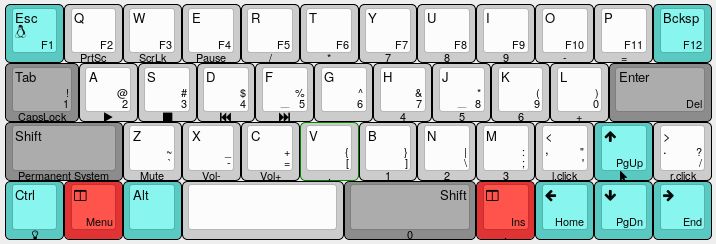
|
||||
|
||||
Notes:
|
||||
- The Windows/OS key is overlayed with the Esc one
|
||||
- To activate permanently the function/number/symbols layer you can use the "layer tap toggle" functionality (now set to the default 5 presses). For the system layer to be activated permanently is enough to hit shift in this layer (so with the two meta keys pressed)
|
||||
- From the System Layer you can "jump" to an additional Lights layer pressing the control key
|
||||
- Meta-Esc (or simply Esc from the System and Lights layers) and the keyboard is coming back to default key layer in case they are activated permanently
|
||||
|
||||
|
||||
And a view on the actual build:
|
||||
|
||||
|
||||
|
||||
In order to compile the module from qmk root directory use the command 'make bm43a:stevexyz'
|
||||
|
||||
And in order to upload the new firmware use the command: 'bin/qmk flash -kb bm43a -km stevexyz' (you can initiate programming with keyboard RESET key, that in this keymap has been moved on the backspace button in the "lights" layer)
|
||||
|
||||
8
keyboards/bm43a/keymaps/stevexyz/rules.mk
Normal file
8
keyboards/bm43a/keymaps/stevexyz/rules.mk
Normal file
@@ -0,0 +1,8 @@
|
||||
BOOTMAGIC_ENABLE = no # Virtual DIP switch configuration
|
||||
COMMAND_ENABLE = no # Commands for debug and configuration
|
||||
CONSOLE_ENABLE = no # Console for debug
|
||||
|
||||
MOUSEKEY_ENABLE = yes # Mouse keys
|
||||
EXTRAKEY_ENABLE = yes # Audio control and System control
|
||||
BACKLIGHT_ENABLE = yes # Enable keyboard backlight functionality
|
||||
RGBLIGHT_ENABLE = yes # Enable keyboard RGB underglow
|
||||
@@ -5,355 +5,451 @@
|
||||
"width": 15,
|
||||
"height": 5,
|
||||
"layouts": {
|
||||
"LAYOUT_ortho_5x14": {
|
||||
"layout": [
|
||||
{"label":"k00", "x":0, "y":0, "w":1.5},
|
||||
{"label":"k01", "x":1.5, "y":0},
|
||||
{"label":"k02", "x":2.5, "y":0},
|
||||
{"label":"k03", "x":3.5, "y":0},
|
||||
{"label":"k04", "x":4.5, "y":0},
|
||||
{"label":"k05", "x":5.5, "y":0},
|
||||
{"label":"k06", "x":6.5, "y":0},
|
||||
{"label":"k07", "x":7.5, "y":0},
|
||||
{"label":"k08", "x":8.5, "y":0},
|
||||
{"label":"k09", "x":9.5, "y":0},
|
||||
{"label":"k010", "x":10.5, "y":0},
|
||||
{"label":"k011", "x":11.5, "y":0},
|
||||
{"label":"k012", "x":12.5, "y":0},
|
||||
{"label":"k013", "x":13.5, "y":0, "w":1.5},
|
||||
{"label":"k10", "x":0, "y":1, "w":1.5},
|
||||
{"label":"k11", "x":1.5, "y":1},
|
||||
{"label":"k12", "x":2.5, "y":1},
|
||||
{"label":"k13", "x":3.5, "y":1},
|
||||
{"label":"k14", "x":4.5, "y":1},
|
||||
{"label":"k15", "x":5.5, "y":1},
|
||||
{"label":"k16", "x":6.5, "y":1},
|
||||
{"label":"k17", "x":7.5, "y":1},
|
||||
{"label":"k18", "x":8.5, "y":1},
|
||||
{"label":"k19", "x":9.5, "y":1},
|
||||
{"label":"k110", "x":10.5, "y":1},
|
||||
{"label":"k111", "x":11.5, "y":1},
|
||||
{"label":"k112", "x":12.5, "y":1},
|
||||
{"label":"k113", "x":13.5, "y":1, "w":1.5},
|
||||
{"label":"k20", "x":0, "y":2, "w":1.5},
|
||||
{"label":"k21", "x":1.5, "y":2},
|
||||
{"label":"k22", "x":2.5, "y":2},
|
||||
{"label":"k23", "x":3.5, "y":2},
|
||||
{"label":"k24", "x":4.5, "y":2},
|
||||
{"label":"k25", "x":5.5, "y":2},
|
||||
{"label":"k26", "x":6.5, "y":2},
|
||||
{"label":"k27", "x":7.5, "y":2},
|
||||
{"label":"k28", "x":8.5, "y":2},
|
||||
{"label":"k29", "x":9.5, "y":2},
|
||||
{"label":"k210", "x":10.5, "y":2},
|
||||
{"label":"k211", "x":11.5, "y":2},
|
||||
{"label":"k212", "x":12.5, "y":2},
|
||||
{"label":"k213", "x":13.5, "y":2, "w":1.5},
|
||||
{"label":"k30", "x":0, "y":3, "w":1.5},
|
||||
{"label":"k31", "x":1.5, "y":3},
|
||||
{"label":"k32", "x":2.5, "y":3},
|
||||
{"label":"k33", "x":3.5, "y":3},
|
||||
{"label":"k34", "x":4.5, "y":3},
|
||||
{"label":"k35", "x":5.5, "y":3},
|
||||
{"label":"k36", "x":6.5, "y":3},
|
||||
{"label":"k37", "x":7.5, "y":3},
|
||||
{"label":"k38", "x":8.5, "y":3},
|
||||
{"label":"k39", "x":9.5, "y":3},
|
||||
{"label":"k310", "x":10.5, "y":3},
|
||||
{"label":"k311", "x":11.5, "y":3},
|
||||
{"label":"k312", "x":12.5, "y":3},
|
||||
{"label":"k313", "x":13.5, "y":3, "w":1.5},
|
||||
{"label":"k40", "x":0, "y":4, "w":1.5},
|
||||
{"label":"k41", "x":1.5, "y":4},
|
||||
{"label":"k42", "x":2.5, "y":4},
|
||||
{"label":"k43", "x":3.5, "y":4},
|
||||
{"label":"k44", "x":4.5, "y":4},
|
||||
{"label":"k45", "x":5.5, "y":4},
|
||||
{"label":"k46", "x":6.5, "y":4},
|
||||
{"label":"k47", "x":7.5, "y":4},
|
||||
{"label":"k48", "x":8.5, "y":4},
|
||||
{"label":"k49", "x":9.5, "y":4},
|
||||
{"label":"k410", "x":10.5, "y":4},
|
||||
{"label":"k411", "x":11.5, "y":4},
|
||||
{"label":"k412", "x":12.5, "y":4},
|
||||
{"label":"k413", "x":13.5, "y":4, "w":1.5}
|
||||
]
|
||||
},
|
||||
"LAYOUT_ortho_hhkb": {
|
||||
"layout": [
|
||||
{"label":"k00", "x":0, "y":0, "w":1.5},
|
||||
{"label":"k01", "x":1.5, "y":0},
|
||||
{"label":"k02", "x":2.5, "y":0},
|
||||
{"label":"k03", "x":3.5, "y":0},
|
||||
{"label":"k04", "x":4.5, "y":0},
|
||||
{"label":"k05", "x":5.5, "y":0},
|
||||
{"label":"k06", "x":6.5, "y":0},
|
||||
{"label":"k07", "x":7.5, "y":0},
|
||||
{"label":"k08", "x":8.5, "y":0},
|
||||
{"label":"k09", "x":9.5, "y":0},
|
||||
{"label":"k010", "x":10.5, "y":0},
|
||||
{"label":"k011", "x":11.5, "y":0},
|
||||
{"label":"k012", "x":12.5, "y":0},
|
||||
{"label":"k013", "x":13.5, "y":0, "w":1.5},
|
||||
{"label":"k10", "x":0, "y":1, "w":1.5},
|
||||
{"label":"k11", "x":1.5, "y":1},
|
||||
{"label":"k12", "x":2.5, "y":1},
|
||||
{"label":"k13", "x":3.5, "y":1},
|
||||
{"label":"k14", "x":4.5, "y":1},
|
||||
{"label":"k15", "x":5.5, "y":1},
|
||||
{"label":"k16", "x":6.5, "y":1},
|
||||
{"label":"k17", "x":7.5, "y":1},
|
||||
{"label":"k18", "x":8.5, "y":1},
|
||||
{"label":"k19", "x":9.5, "y":1},
|
||||
{"label":"k110", "x":10.5, "y":1},
|
||||
{"label":"k111", "x":11.5, "y":1},
|
||||
{"label":"k112", "x":12.5, "y":1},
|
||||
{"label":"k113", "x":13.5, "y":1, "w":1.5},
|
||||
{"label":"k20", "x":0, "y":2, "w":1.5},
|
||||
{"label":"k21", "x":1.5, "y":2},
|
||||
{"label":"k22", "x":2.5, "y":2},
|
||||
{"label":"k23", "x":3.5, "y":2},
|
||||
{"label":"k24", "x":4.5, "y":2},
|
||||
{"label":"k25", "x":5.5, "y":2},
|
||||
{"label":"k26", "x":6.5, "y":2},
|
||||
{"label":"k27", "x":7.5, "y":2},
|
||||
{"label":"k28", "x":8.5, "y":2},
|
||||
{"label":"k29", "x":9.5, "y":2},
|
||||
{"label":"k210", "x":10.5, "y":2},
|
||||
{"label":"k211", "x":11.5, "y":2},
|
||||
{"label":"k212", "x":12.5, "y":2},
|
||||
{"label":"k213", "x":13.5, "y":2, "w":1.5},
|
||||
{"label":"k30", "x":0, "y":3, "w":1.5},
|
||||
{"label":"k31", "x":1.5, "y":3},
|
||||
{"label":"k32", "x":2.5, "y":3},
|
||||
{"label":"k33", "x":3.5, "y":3},
|
||||
{"label":"k34", "x":4.5, "y":3},
|
||||
{"label":"k35", "x":5.5, "y":3},
|
||||
{"label":"k36", "x":6.5, "y":3},
|
||||
{"label":"k37", "x":7.5, "y":3},
|
||||
{"label":"k38", "x":8.5, "y":3},
|
||||
{"label":"k39", "x":9.5, "y":3},
|
||||
{"label":"k310", "x":10.5, "y":3},
|
||||
{"label":"k311", "x":11.5, "y":3},
|
||||
{"label":"k312", "x":12.5, "y":3},
|
||||
{"label":"k313", "x":13.5, "y":3, "w":1.5},
|
||||
{"label":"k41", "x":1.5, "y":4},
|
||||
{"label":"k42", "x":2.5, "y":4},
|
||||
{"label":"k43", "x":3.5, "y":4},
|
||||
{"label":"k44", "x":4.5, "y":4},
|
||||
{"label":"k45", "x":5.5, "y":4, "w":2},
|
||||
{"label":"k47", "x":7.5, "y":4, "w":2},
|
||||
{"label":"k49", "x":9.5, "y":4},
|
||||
{"label":"k410", "x":10.5, "y":4},
|
||||
{"label":"k411", "x":11.5, "y":4},
|
||||
{"label":"k412", "x":12.5, "y":4}
|
||||
]
|
||||
},
|
||||
"LAYOUT_ortho_7u": {
|
||||
"layout": [
|
||||
{"label":"k00", "x":0, "y":0, "w":1.5},
|
||||
{"label":"k01", "x":1.5, "y":0},
|
||||
{"label":"k02", "x":2.5, "y":0},
|
||||
{"label":"k03", "x":3.5, "y":0},
|
||||
{"label":"k04", "x":4.5, "y":0},
|
||||
{"label":"k05", "x":5.5, "y":0},
|
||||
{"label":"k06", "x":6.5, "y":0},
|
||||
{"label":"k07", "x":7.5, "y":0},
|
||||
{"label":"k08", "x":8.5, "y":0},
|
||||
{"label":"k09", "x":9.5, "y":0},
|
||||
{"label":"k010", "x":10.5, "y":0},
|
||||
{"label":"k011", "x":11.5, "y":0},
|
||||
{"label":"k012", "x":12.5, "y":0},
|
||||
{"label":"k013", "x":13.5, "y":0, "w":1.5},
|
||||
{"label":"k10", "x":0, "y":1, "w":1.5},
|
||||
{"label":"k11", "x":1.5, "y":1},
|
||||
{"label":"k12", "x":2.5, "y":1},
|
||||
{"label":"k13", "x":3.5, "y":1},
|
||||
{"label":"k14", "x":4.5, "y":1},
|
||||
{"label":"k15", "x":5.5, "y":1},
|
||||
{"label":"k16", "x":6.5, "y":1},
|
||||
{"label":"k17", "x":7.5, "y":1},
|
||||
{"label":"k18", "x":8.5, "y":1},
|
||||
{"label":"k19", "x":9.5, "y":1},
|
||||
{"label":"k110", "x":10.5, "y":1},
|
||||
{"label":"k111", "x":11.5, "y":1},
|
||||
{"label":"k112", "x":12.5, "y":1},
|
||||
{"label":"k113", "x":13.5, "y":1, "w":1.5},
|
||||
{"label":"k20", "x":0, "y":2, "w":1.5},
|
||||
{"label":"k21", "x":1.5, "y":2},
|
||||
{"label":"k22", "x":2.5, "y":2},
|
||||
{"label":"k23", "x":3.5, "y":2},
|
||||
{"label":"k24", "x":4.5, "y":2},
|
||||
{"label":"k25", "x":5.5, "y":2},
|
||||
{"label":"k26", "x":6.5, "y":2},
|
||||
{"label":"k27", "x":7.5, "y":2},
|
||||
{"label":"k28", "x":8.5, "y":2},
|
||||
{"label":"k29", "x":9.5, "y":2},
|
||||
{"label":"k210", "x":10.5, "y":2},
|
||||
{"label":"k211", "x":11.5, "y":2},
|
||||
{"label":"k212", "x":12.5, "y":2},
|
||||
{"label":"k213", "x":13.5, "y":2, "w":1.5},
|
||||
{"label":"k30", "x":0, "y":3, "w":1.5},
|
||||
{"label":"k31", "x":1.5, "y":3},
|
||||
{"label":"k32", "x":2.5, "y":3},
|
||||
{"label":"k33", "x":3.5, "y":3},
|
||||
{"label":"k34", "x":4.5, "y":3},
|
||||
{"label":"k35", "x":5.5, "y":3},
|
||||
{"label":"k36", "x":6.5, "y":3},
|
||||
{"label":"k37", "x":7.5, "y":3},
|
||||
{"label":"k38", "x":8.5, "y":3},
|
||||
{"label":"k39", "x":9.5, "y":3},
|
||||
{"label":"k310", "x":10.5, "y":3},
|
||||
{"label":"k311", "x":11.5, "y":3},
|
||||
{"label":"k312", "x":12.5, "y":3},
|
||||
{"label":"k313", "x":13.5, "y":3, "w":1.5},
|
||||
{"label":"k41", "x":1.5, "y":4},
|
||||
{"label":"k42", "x":2.5, "y":4, "w":1.5},
|
||||
{"label":"k46", "x":4, "y":4, "w":7},
|
||||
{"label":"k411", "x":11, "y":4, "w":1.5},
|
||||
{"label":"k412", "x":12.5, "y":4}
|
||||
]
|
||||
},
|
||||
"LAYOUT_2u_arrow": {
|
||||
"layout": [
|
||||
{"label":"k00", "x":0, "y":0, "w":1.5},
|
||||
{"label":"k01", "x":1.5, "y":0},
|
||||
{"label":"k02", "x":2.5, "y":0},
|
||||
{"label":"k03", "x":3.5, "y":0},
|
||||
{"label":"k04", "x":4.5, "y":0},
|
||||
{"label":"k05", "x":5.5, "y":0},
|
||||
{"label":"k06", "x":6.5, "y":0},
|
||||
{"label":"k07", "x":7.5, "y":0},
|
||||
{"label":"k08", "x":8.5, "y":0},
|
||||
{"label":"k09", "x":9.5, "y":0},
|
||||
{"label":"k010", "x":10.5, "y":0},
|
||||
{"label":"k011", "x":11.5, "y":0},
|
||||
{"label":"k012", "x":12.5, "y":0},
|
||||
{"label":"k013", "x":13.5, "y":0, "w":1.5},
|
||||
{"label":"k10", "x":0, "y":1, "w":1.5},
|
||||
{"label":"k11", "x":1.5, "y":1},
|
||||
{"label":"k12", "x":2.5, "y":1},
|
||||
{"label":"k13", "x":3.5, "y":1},
|
||||
{"label":"k14", "x":4.5, "y":1},
|
||||
{"label":"k15", "x":5.5, "y":1},
|
||||
{"label":"k16", "x":6.5, "y":1},
|
||||
{"label":"k17", "x":7.5, "y":1},
|
||||
{"label":"k18", "x":8.5, "y":1},
|
||||
{"label":"k19", "x":9.5, "y":1},
|
||||
{"label":"k110", "x":10.5, "y":1},
|
||||
{"label":"k111", "x":11.5, "y":1},
|
||||
{"label":"k112", "x":12.5, "y":1},
|
||||
{"label":"k113", "x":13.5, "y":1, "w":1.5},
|
||||
{"label":"k20", "x":0, "y":2, "w":1.5},
|
||||
{"label":"k21", "x":1.5, "y":2},
|
||||
{"label":"k22", "x":2.5, "y":2},
|
||||
{"label":"k23", "x":3.5, "y":2},
|
||||
{"label":"k24", "x":4.5, "y":2},
|
||||
{"label":"k25", "x":5.5, "y":2},
|
||||
{"label":"k26", "x":6.5, "y":2},
|
||||
{"label":"k27", "x":7.5, "y":2},
|
||||
{"label":"k28", "x":8.5, "y":2},
|
||||
{"label":"k29", "x":9.5, "y":2},
|
||||
{"label":"k210", "x":10.5, "y":2},
|
||||
{"label":"k211", "x":11.5, "y":2},
|
||||
{"label":"k212", "x":12.5, "y":2, "w":1.5},
|
||||
{"label":"k213", "x":14, "y":2},
|
||||
{"label":"k30", "x":0, "y":3, "w":1.5},
|
||||
{"label":"k31", "x":1.5, "y":3},
|
||||
{"label":"k32", "x":2.5, "y":3},
|
||||
{"label":"k33", "x":3.5, "y":3},
|
||||
{"label":"k34", "x":4.5, "y":3},
|
||||
{"label":"k35", "x":5.5, "y":3},
|
||||
{"label":"k36", "x":6.5, "y":3},
|
||||
{"label":"k37", "x":7.5, "y":3},
|
||||
{"label":"k38", "x":8.5, "y":3},
|
||||
{"label":"k39", "x":9.5, "y":3},
|
||||
{"label":"k310", "x":10.5, "y":3},
|
||||
{"label":"k311", "x":11.5, "y":3, "w":1.5},
|
||||
{"label":"k312", "x":13, "y":3},
|
||||
{"label":"k313", "x":14, "y":3},
|
||||
{"label":"k40", "x":0, "y":4, "w":1.25},
|
||||
{"label":"k41", "x":1.25, "y":4, "w":1.25},
|
||||
{"label":"k42", "x":2.5, "y":4},
|
||||
{"label":"k43", "x":3.5, "y":4},
|
||||
{"label":"k44", "x":4.5, "y":4, "w":2},
|
||||
{"label":"k46", "x":6.5, "y":4, "w":2},
|
||||
{"label":"k48", "x":8.5, "y":4},
|
||||
{"label":"k49", "x":9.5, "y":4, "w":1.25},
|
||||
{"label":"k410", "x":10.75, "y":4, "w":1.25},
|
||||
{"label":"k411", "x":12, "y":4},
|
||||
{"label":"k412", "x":13, "y":4},
|
||||
{"label":"k413", "x":14, "y":4}
|
||||
]
|
||||
},
|
||||
"LAYOUT_625u_arrow": {
|
||||
"layout": [
|
||||
{"label":"k00", "x":0, "y":0, "w":1.5},
|
||||
{"label":"k01", "x":1.5, "y":0},
|
||||
{"label":"k02", "x":2.5, "y":0},
|
||||
{"label":"k03", "x":3.5, "y":0},
|
||||
{"label":"k04", "x":4.5, "y":0},
|
||||
{"label":"k05", "x":5.5, "y":0},
|
||||
{"label":"k06", "x":6.5, "y":0},
|
||||
{"label":"k07", "x":7.5, "y":0},
|
||||
{"label":"k08", "x":8.5, "y":0},
|
||||
{"label":"k09", "x":9.5, "y":0},
|
||||
{"label":"k010", "x":10.5, "y":0},
|
||||
{"label":"k011", "x":11.5, "y":0},
|
||||
{"label":"k012", "x":12.5, "y":0},
|
||||
{"label":"k013", "x":13.5, "y":0, "w":1.5},
|
||||
{"label":"k10", "x":0, "y":1, "w":1.5},
|
||||
{"label":"k11", "x":1.5, "y":1},
|
||||
{"label":"k12", "x":2.5, "y":1},
|
||||
{"label":"k13", "x":3.5, "y":1},
|
||||
{"label":"k14", "x":4.5, "y":1},
|
||||
{"label":"k15", "x":5.5, "y":1},
|
||||
{"label":"k16", "x":6.5, "y":1},
|
||||
{"label":"k17", "x":7.5, "y":1},
|
||||
{"label":"k18", "x":8.5, "y":1},
|
||||
{"label":"k19", "x":9.5, "y":1},
|
||||
{"label":"k110", "x":10.5, "y":1},
|
||||
{"label":"k111", "x":11.5, "y":1},
|
||||
{"label":"k112", "x":12.5, "y":1},
|
||||
{"label":"k113", "x":13.5, "y":1, "w":1.5},
|
||||
{"label":"k20", "x":0, "y":2, "w":1.5},
|
||||
{"label":"k21", "x":1.5, "y":2},
|
||||
{"label":"k22", "x":2.5, "y":2},
|
||||
{"label":"k23", "x":3.5, "y":2},
|
||||
{"label":"k24", "x":4.5, "y":2},
|
||||
{"label":"k25", "x":5.5, "y":2},
|
||||
{"label":"k26", "x":6.5, "y":2},
|
||||
{"label":"k27", "x":7.5, "y":2},
|
||||
{"label":"k28", "x":8.5, "y":2},
|
||||
{"label":"k29", "x":9.5, "y":2},
|
||||
{"label":"k210", "x":10.5, "y":2},
|
||||
{"label":"k211", "x":11.5, "y":2},
|
||||
{"label":"k212", "x":12.5, "y":2, "w":1.5},
|
||||
{"label":"k213", "x":14, "y":2},
|
||||
{"label":"k30", "x":0, "y":3, "w":1.5},
|
||||
{"label":"k31", "x":1.5, "y":3},
|
||||
{"label":"k32", "x":2.5, "y":3},
|
||||
{"label":"k33", "x":3.5, "y":3},
|
||||
{"label":"k34", "x":4.5, "y":3},
|
||||
{"label":"k35", "x":5.5, "y":3},
|
||||
{"label":"k36", "x":6.5, "y":3},
|
||||
{"label":"k37", "x":7.5, "y":3},
|
||||
{"label":"k38", "x":8.5, "y":3},
|
||||
{"label":"k39", "x":9.5, "y":3},
|
||||
{"label":"k310", "x":10.5, "y":3},
|
||||
{"label":"k311", "x":11.5, "y":3, "w":1.5},
|
||||
{"label":"k312", "x":13, "y":3},
|
||||
{"label":"k313", "x":14, "y":3},
|
||||
{"label":"k40", "x":0, "y":4, "w":1.25},
|
||||
{"label":"k41", "x":1.25, "y":4, "w":1.25},
|
||||
{"label":"k42", "x":2.5, "y":4},
|
||||
{"label":"k45", "x":3.5, "y":4, "w":6.25},
|
||||
{"label":"k49", "x":9.75, "y":4},
|
||||
{"label":"k410", "x":10.75, "y":4, "w":1.25},
|
||||
{"label":"k411", "x":12, "y":4},
|
||||
{"label":"k412", "x":13, "y":4},
|
||||
{"label":"k413", "x":14, "y":4}
|
||||
]
|
||||
}
|
||||
"LAYOUT_ortho_5x14": {
|
||||
"layout": [
|
||||
{"x": 0, "y": 0, "w": 1.5},
|
||||
{"x": 1.5, "y": 0},
|
||||
{"x": 2.5, "y": 0},
|
||||
{"x": 3.5, "y": 0},
|
||||
{"x": 4.5, "y": 0},
|
||||
{"x": 5.5, "y": 0},
|
||||
{"x": 6.5, "y": 0},
|
||||
{"x": 7.5, "y": 0},
|
||||
{"x": 8.5, "y": 0},
|
||||
{"x": 9.5, "y": 0},
|
||||
{"x": 10.5, "y": 0},
|
||||
{"x": 11.5, "y": 0},
|
||||
{"x": 12.5, "y": 0},
|
||||
{"x": 13.5, "y": 0, "w": 1.5},
|
||||
|
||||
{"x": 0, "y": 1, "w": 1.5},
|
||||
{"x": 1.5, "y": 1},
|
||||
{"x": 2.5, "y": 1},
|
||||
{"x": 3.5, "y": 1},
|
||||
{"x": 4.5, "y": 1},
|
||||
{"x": 5.5, "y": 1},
|
||||
{"x": 6.5, "y": 1},
|
||||
{"x": 7.5, "y": 1},
|
||||
{"x": 8.5, "y": 1},
|
||||
{"x": 9.5, "y": 1},
|
||||
{"x": 10.5, "y": 1},
|
||||
{"x": 11.5, "y": 1},
|
||||
{"x": 12.5, "y": 1},
|
||||
{"x": 13.5, "y": 1, "w": 1.5},
|
||||
|
||||
{"x": 0, "y": 2, "w": 1.5},
|
||||
{"x": 1.5, "y": 2},
|
||||
{"x": 2.5, "y": 2},
|
||||
{"x": 3.5, "y": 2},
|
||||
{"x": 4.5, "y": 2},
|
||||
{"x": 5.5, "y": 2},
|
||||
{"x": 6.5, "y": 2},
|
||||
{"x": 7.5, "y": 2},
|
||||
{"x": 8.5, "y": 2},
|
||||
{"x": 9.5, "y": 2},
|
||||
{"x": 10.5, "y": 2},
|
||||
{"x": 11.5, "y": 2},
|
||||
{"x": 12.5, "y": 2},
|
||||
{"x": 13.5, "y": 2, "w": 1.5},
|
||||
|
||||
{"x": 0, "y": 3, "w": 1.5},
|
||||
{"x": 1.5, "y": 3},
|
||||
{"x": 2.5, "y": 3},
|
||||
{"x": 3.5, "y": 3},
|
||||
{"x": 4.5, "y": 3},
|
||||
{"x": 5.5, "y": 3},
|
||||
{"x": 6.5, "y": 3},
|
||||
{"x": 7.5, "y": 3},
|
||||
{"x": 8.5, "y": 3},
|
||||
{"x": 9.5, "y": 3},
|
||||
{"x": 10.5, "y": 3},
|
||||
{"x": 11.5, "y": 3},
|
||||
{"x": 12.5, "y": 3},
|
||||
{"x": 13.5, "y": 3, "w": 1.5},
|
||||
|
||||
{"x": 0, "y": 4, "w": 1.5},
|
||||
{"x": 1.5, "y": 4},
|
||||
{"x": 2.5, "y": 4},
|
||||
{"x": 3.5, "y": 4},
|
||||
{"x": 4.5, "y": 4},
|
||||
{"x": 5.5, "y": 4},
|
||||
{"x": 6.5, "y": 4},
|
||||
{"x": 7.5, "y": 4},
|
||||
{"x": 8.5, "y": 4},
|
||||
{"x": 9.5, "y": 4},
|
||||
{"x": 10.5, "y": 4},
|
||||
{"x": 11.5, "y": 4},
|
||||
{"x": 12.5, "y": 4},
|
||||
{"x": 13.5, "y": 4, "w": 1.5}
|
||||
]
|
||||
},
|
||||
"LAYOUT_ortho_hhkb": {
|
||||
"layout": [
|
||||
{"x": 0, "y": 0, "w": 1.5},
|
||||
{"x": 1.5, "y": 0},
|
||||
{"x": 2.5, "y": 0},
|
||||
{"x": 3.5, "y": 0},
|
||||
{"x": 4.5, "y": 0},
|
||||
{"x": 5.5, "y": 0},
|
||||
{"x": 6.5, "y": 0},
|
||||
{"x": 7.5, "y": 0},
|
||||
{"x": 8.5, "y": 0},
|
||||
{"x": 9.5, "y": 0},
|
||||
{"x": 10.5, "y": 0},
|
||||
{"x": 11.5, "y": 0},
|
||||
{"x": 12.5, "y": 0},
|
||||
{"x": 13.5, "y": 0, "w": 1.5},
|
||||
|
||||
{"x": 0, "y": 1, "w": 1.5},
|
||||
{"x": 1.5, "y": 1},
|
||||
{"x": 2.5, "y": 1},
|
||||
{"x": 3.5, "y": 1},
|
||||
{"x": 4.5, "y": 1},
|
||||
{"x": 5.5, "y": 1},
|
||||
{"x": 6.5, "y": 1},
|
||||
{"x": 7.5, "y": 1},
|
||||
{"x": 8.5, "y": 1},
|
||||
{"x": 9.5, "y": 1},
|
||||
{"x": 10.5, "y": 1},
|
||||
{"x": 11.5, "y": 1},
|
||||
{"x": 12.5, "y": 1},
|
||||
{"x": 13.5, "y": 1, "w": 1.5},
|
||||
|
||||
{"x": 0, "y": 2, "w": 1.5},
|
||||
{"x": 1.5, "y": 2},
|
||||
{"x": 2.5, "y": 2},
|
||||
{"x": 3.5, "y": 2},
|
||||
{"x": 4.5, "y": 2},
|
||||
{"x": 5.5, "y": 2},
|
||||
{"x": 6.5, "y": 2},
|
||||
{"x": 7.5, "y": 2},
|
||||
{"x": 8.5, "y": 2},
|
||||
{"x": 9.5, "y": 2},
|
||||
{"x": 10.5, "y": 2},
|
||||
{"x": 11.5, "y": 2},
|
||||
{"x": 12.5, "y": 2},
|
||||
{"x": 13.5, "y": 2, "w": 1.5},
|
||||
|
||||
{"x": 0, "y": 3, "w": 1.5},
|
||||
{"x": 1.5, "y": 3},
|
||||
{"x": 2.5, "y": 3},
|
||||
{"x": 3.5, "y": 3},
|
||||
{"x": 4.5, "y": 3},
|
||||
{"x": 5.5, "y": 3},
|
||||
{"x": 6.5, "y": 3},
|
||||
{"x": 7.5, "y": 3},
|
||||
{"x": 8.5, "y": 3},
|
||||
{"x": 9.5, "y": 3},
|
||||
{"x": 10.5, "y": 3},
|
||||
{"x": 11.5, "y": 3},
|
||||
{"x": 12.5, "y": 3},
|
||||
{"x": 13.5, "y": 3, "w": 1.5},
|
||||
|
||||
{"x": 1.5, "y": 4},
|
||||
{"x": 2.5, "y": 4},
|
||||
{"x": 3.5, "y": 4},
|
||||
{"x": 4.5, "y": 4},
|
||||
{"x": 5.5, "y": 4, "w": 2},
|
||||
{"x": 7.5, "y": 4, "w": 2},
|
||||
{"x": 9.5, "y": 4},
|
||||
{"x": 10.5, "y": 4},
|
||||
{"x": 11.5, "y": 4},
|
||||
{"x": 12.5, "y": 4}
|
||||
]
|
||||
},
|
||||
"LAYOUT_ortho_7u": {
|
||||
"layout": [
|
||||
{"x": 0, "y": 0, "w": 1.5},
|
||||
{"x": 1.5, "y": 0},
|
||||
{"x": 2.5, "y": 0},
|
||||
{"x": 3.5, "y": 0},
|
||||
{"x": 4.5, "y": 0},
|
||||
{"x": 5.5, "y": 0},
|
||||
{"x": 6.5, "y": 0},
|
||||
{"x": 7.5, "y": 0},
|
||||
{"x": 8.5, "y": 0},
|
||||
{"x": 9.5, "y": 0},
|
||||
{"x": 10.5, "y": 0},
|
||||
{"x": 11.5, "y": 0},
|
||||
{"x": 12.5, "y": 0},
|
||||
{"x": 13.5, "y": 0, "w": 1.5},
|
||||
|
||||
{"x": 0, "y": 1, "w": 1.5},
|
||||
{"x": 1.5, "y": 1},
|
||||
{"x": 2.5, "y": 1},
|
||||
{"x": 3.5, "y": 1},
|
||||
{"x": 4.5, "y": 1},
|
||||
{"x": 5.5, "y": 1},
|
||||
{"x": 6.5, "y": 1},
|
||||
{"x": 7.5, "y": 1},
|
||||
{"x": 8.5, "y": 1},
|
||||
{"x": 9.5, "y": 1},
|
||||
{"x": 10.5, "y": 1},
|
||||
{"x": 11.5, "y": 1},
|
||||
{"x": 12.5, "y": 1},
|
||||
{"x": 13.5, "y": 1, "w": 1.5},
|
||||
|
||||
{"x": 0, "y": 2, "w": 1.5},
|
||||
{"x": 1.5, "y": 2},
|
||||
{"x": 2.5, "y": 2},
|
||||
{"x": 3.5, "y": 2},
|
||||
{"x": 4.5, "y": 2},
|
||||
{"x": 5.5, "y": 2},
|
||||
{"x": 6.5, "y": 2},
|
||||
{"x": 7.5, "y": 2},
|
||||
{"x": 8.5, "y": 2},
|
||||
{"x": 9.5, "y": 2},
|
||||
{"x": 10.5, "y": 2},
|
||||
{"x": 11.5, "y": 2},
|
||||
{"x": 12.5, "y": 2},
|
||||
{"x": 13.5, "y": 2, "w": 1.5},
|
||||
|
||||
{"x": 0, "y": 3, "w": 1.5},
|
||||
{"x": 1.5, "y": 3},
|
||||
{"x": 2.5, "y": 3},
|
||||
{"x": 3.5, "y": 3},
|
||||
{"x": 4.5, "y": 3},
|
||||
{"x": 5.5, "y": 3},
|
||||
{"x": 6.5, "y": 3},
|
||||
{"x": 7.5, "y": 3},
|
||||
{"x": 8.5, "y": 3},
|
||||
{"x": 9.5, "y": 3},
|
||||
{"x": 10.5, "y": 3},
|
||||
{"x": 11.5, "y": 3},
|
||||
{"x": 12.5, "y": 3},
|
||||
{"x": 13.5, "y": 3, "w": 1.5},
|
||||
|
||||
{"x": 1.5, "y": 4},
|
||||
{"x": 2.5, "y": 4, "w": 1.5},
|
||||
{"x": 4, "y": 4, "w": 7},
|
||||
{"x": 11, "y": 4, "w": 1.5},
|
||||
{"x": 12.5, "y": 4}
|
||||
]
|
||||
},
|
||||
"LAYOUT_2u_arrow": {
|
||||
"layout": [
|
||||
{"x": 0, "y": 0, "w": 1.5},
|
||||
{"x": 1.5, "y": 0},
|
||||
{"x": 2.5, "y": 0},
|
||||
{"x": 3.5, "y": 0},
|
||||
{"x": 4.5, "y": 0},
|
||||
{"x": 5.5, "y": 0},
|
||||
{"x": 6.5, "y": 0},
|
||||
{"x": 7.5, "y": 0},
|
||||
{"x": 8.5, "y": 0},
|
||||
{"x": 9.5, "y": 0},
|
||||
{"x": 10.5, "y": 0},
|
||||
{"x": 11.5, "y": 0},
|
||||
{"x": 12.5, "y": 0},
|
||||
{"x": 13.5, "y": 0, "w": 1.5},
|
||||
|
||||
{"x": 0, "y": 1, "w": 1.5},
|
||||
{"x": 1.5, "y": 1},
|
||||
{"x": 2.5, "y": 1},
|
||||
{"x": 3.5, "y": 1},
|
||||
{"x": 4.5, "y": 1},
|
||||
{"x": 5.5, "y": 1},
|
||||
{"x": 6.5, "y": 1},
|
||||
{"x": 7.5, "y": 1},
|
||||
{"x": 8.5, "y": 1},
|
||||
{"x": 9.5, "y": 1},
|
||||
{"x": 10.5, "y": 1},
|
||||
{"x": 11.5, "y": 1},
|
||||
{"x": 12.5, "y": 1},
|
||||
{"x": 13.5, "y": 1, "w": 1.5},
|
||||
|
||||
{"x": 0, "y": 2, "w": 1.5},
|
||||
{"x": 1.5, "y": 2},
|
||||
{"x": 2.5, "y": 2},
|
||||
{"x": 3.5, "y": 2},
|
||||
{"x": 4.5, "y": 2},
|
||||
{"x": 5.5, "y": 2},
|
||||
{"x": 6.5, "y": 2},
|
||||
{"x": 7.5, "y": 2},
|
||||
{"x": 8.5, "y": 2},
|
||||
{"x": 9.5, "y": 2},
|
||||
{"x": 10.5, "y": 2},
|
||||
{"x": 11.5, "y": 2},
|
||||
{"x": 12.5, "y": 2, "w": 1.5},
|
||||
{"x": 14, "y": 2},
|
||||
|
||||
{"x": 0, "y": 3, "w": 1.5},
|
||||
{"x": 1.5, "y": 3},
|
||||
{"x": 2.5, "y": 3},
|
||||
{"x": 3.5, "y": 3},
|
||||
{"x": 4.5, "y": 3},
|
||||
{"x": 5.5, "y": 3},
|
||||
{"x": 6.5, "y": 3},
|
||||
{"x": 7.5, "y": 3},
|
||||
{"x": 8.5, "y": 3},
|
||||
{"x": 9.5, "y": 3},
|
||||
{"x": 10.5, "y": 3},
|
||||
{"x": 11.5, "y": 3, "w": 1.5},
|
||||
{"x": 13, "y": 3},
|
||||
{"x": 14, "y": 3},
|
||||
|
||||
{"x": 0, "y": 4, "w": 1.25},
|
||||
{"x": 1.25, "y": 4, "w": 1.25},
|
||||
{"x": 2.5, "y": 4},
|
||||
{"x": 3.5, "y": 4},
|
||||
{"x": 4.5, "y": 4, "w": 2},
|
||||
{"x": 6.5, "y": 4, "w": 2},
|
||||
{"x": 8.5, "y": 4},
|
||||
{"x": 9.5, "y": 4, "w": 1.25},
|
||||
{"x": 10.75, "y": 4, "w": 1.25},
|
||||
{"x": 12, "y": 4},
|
||||
{"x": 13, "y": 4},
|
||||
{"x": 14, "y": 4}
|
||||
]
|
||||
},
|
||||
"LAYOUT_625u_arrow": {
|
||||
"layout": [
|
||||
{"x": 0, "y": 0, "w": 1.5},
|
||||
{"x": 1.5, "y": 0},
|
||||
{"x": 2.5, "y": 0},
|
||||
{"x": 3.5, "y": 0},
|
||||
{"x": 4.5, "y": 0},
|
||||
{"x": 5.5, "y": 0},
|
||||
{"x": 6.5, "y": 0},
|
||||
{"x": 7.5, "y": 0},
|
||||
{"x": 8.5, "y": 0},
|
||||
{"x": 9.5, "y": 0},
|
||||
{"x": 10.5, "y": 0},
|
||||
{"x": 11.5, "y": 0},
|
||||
{"x": 12.5, "y": 0},
|
||||
{"x": 13.5, "y": 0, "w": 1.5},
|
||||
|
||||
{"x": 0, "y": 1, "w": 1.5},
|
||||
{"x": 1.5, "y": 1},
|
||||
{"x": 2.5, "y": 1},
|
||||
{"x": 3.5, "y": 1},
|
||||
{"x": 4.5, "y": 1},
|
||||
{"x": 5.5, "y": 1},
|
||||
{"x": 6.5, "y": 1},
|
||||
{"x": 7.5, "y": 1},
|
||||
{"x": 8.5, "y": 1},
|
||||
{"x": 9.5, "y": 1},
|
||||
{"x": 10.5, "y": 1},
|
||||
{"x": 11.5, "y": 1},
|
||||
{"x": 12.5, "y": 1},
|
||||
{"x": 13.5, "y": 1, "w": 1.5},
|
||||
|
||||
{"x": 0, "y": 2, "w": 1.5},
|
||||
{"x": 1.5, "y": 2},
|
||||
{"x": 2.5, "y": 2},
|
||||
{"x": 3.5, "y": 2},
|
||||
{"x": 4.5, "y": 2},
|
||||
{"x": 5.5, "y": 2},
|
||||
{"x": 6.5, "y": 2},
|
||||
{"x": 7.5, "y": 2},
|
||||
{"x": 8.5, "y": 2},
|
||||
{"x": 9.5, "y": 2},
|
||||
{"x": 10.5, "y": 2},
|
||||
{"x": 11.5, "y": 2},
|
||||
{"x": 12.5, "y": 2, "w": 1.5},
|
||||
{"x": 14, "y": 2},
|
||||
|
||||
{"x": 0, "y": 3, "w": 1.5},
|
||||
{"x": 1.5, "y": 3},
|
||||
{"x": 2.5, "y": 3},
|
||||
{"x": 3.5, "y": 3},
|
||||
{"x": 4.5, "y": 3},
|
||||
{"x": 5.5, "y": 3},
|
||||
{"x": 6.5, "y": 3},
|
||||
{"x": 7.5, "y": 3},
|
||||
{"x": 8.5, "y": 3},
|
||||
{"x": 9.5, "y": 3},
|
||||
{"x": 10.5, "y": 3},
|
||||
{"x": 11.5, "y": 3, "w": 1.5},
|
||||
{"x": 13, "y": 3},
|
||||
{"x": 14, "y": 3},
|
||||
|
||||
{"x": 0, "y": 4, "w": 1.25},
|
||||
{"x": 1.25, "y": 4, "w": 1.25},
|
||||
{"x": 2.5, "y": 4},
|
||||
{"x": 3.5, "y": 4, "w": 6.25},
|
||||
{"x": 9.75, "y": 4},
|
||||
{"x": 10.75, "y": 4, "w": 1.25},
|
||||
{"x": 12, "y": 4},
|
||||
{"x": 13, "y": 4},
|
||||
{"x": 14, "y": 4}
|
||||
]
|
||||
},
|
||||
"LAYOUT_ortho_2x2u": {
|
||||
"layout": [
|
||||
{"x": 0, "y": 0, "w": 1.5},
|
||||
{"x": 1.5, "y": 0},
|
||||
{"x": 2.5, "y": 0},
|
||||
{"x": 3.5, "y": 0},
|
||||
{"x": 4.5, "y": 0},
|
||||
{"x": 5.5, "y": 0},
|
||||
{"x": 6.5, "y": 0},
|
||||
{"x": 7.5, "y": 0},
|
||||
{"x": 8.5, "y": 0},
|
||||
{"x": 9.5, "y": 0},
|
||||
{"x": 10.5, "y": 0},
|
||||
{"x": 11.5, "y": 0},
|
||||
{"x": 12.5, "y": 0},
|
||||
{"x": 13.5, "y": 0, "w": 1.5},
|
||||
|
||||
{"x": 0, "y": 1, "w": 1.5},
|
||||
{"x": 1.5, "y": 1},
|
||||
{"x": 2.5, "y": 1},
|
||||
{"x": 3.5, "y": 1},
|
||||
{"x": 4.5, "y": 1},
|
||||
{"x": 5.5, "y": 1},
|
||||
{"x": 6.5, "y": 1},
|
||||
{"x": 7.5, "y": 1},
|
||||
{"x": 8.5, "y": 1},
|
||||
{"x": 9.5, "y": 1},
|
||||
{"x": 10.5, "y": 1},
|
||||
{"x": 11.5, "y": 1},
|
||||
{"x": 12.5, "y": 1},
|
||||
{"x": 13.5, "y": 1, "w": 1.5},
|
||||
|
||||
{"x": 0, "y": 2, "w": 1.5},
|
||||
{"x": 1.5, "y": 2},
|
||||
{"x": 2.5, "y": 2},
|
||||
{"x": 3.5, "y": 2},
|
||||
{"x": 4.5, "y": 2},
|
||||
{"x": 5.5, "y": 2},
|
||||
{"x": 6.5, "y": 2},
|
||||
{"x": 7.5, "y": 2},
|
||||
{"x": 8.5, "y": 2},
|
||||
{"x": 9.5, "y": 2},
|
||||
{"x": 10.5, "y": 2},
|
||||
{"x": 11.5, "y": 2},
|
||||
{"x": 12.5, "y": 2},
|
||||
{"x": 13.5, "y": 2, "w": 1.5},
|
||||
|
||||
{"x": 0, "y": 3, "w": 1.5},
|
||||
{"x": 1.5, "y": 3},
|
||||
{"x": 2.5, "y": 3},
|
||||
{"x": 3.5, "y": 3},
|
||||
{"x": 4.5, "y": 3},
|
||||
{"x": 5.5, "y": 3},
|
||||
{"x": 6.5, "y": 3},
|
||||
{"x": 7.5, "y": 3},
|
||||
{"x": 8.5, "y": 3},
|
||||
{"x": 9.5, "y": 3},
|
||||
{"x": 10.5, "y": 3},
|
||||
{"x": 11.5, "y": 3},
|
||||
{"x": 12.5, "y": 3},
|
||||
{"x": 13.5, "y": 3, "w": 1.5},
|
||||
|
||||
{"x": 0, "y": 4, "w": 1.5},
|
||||
{"x": 1.5, "y": 4},
|
||||
{"x": 2.5, "y": 4},
|
||||
{"x": 3.5, "y": 4},
|
||||
{"x": 4.5, "y": 4},
|
||||
{"x": 5.5, "y": 4, "w": 2},
|
||||
{"x": 7.5, "y": 4, "w": 2},
|
||||
{"x": 9.5, "y": 4},
|
||||
{"x": 10.5, "y": 4},
|
||||
{"x": 11.5, "y": 4},
|
||||
{"x": 12.5, "y": 4},
|
||||
{"x": 13.5, "y": 4, "w": 1.5}
|
||||
]
|
||||
}
|
||||
}
|
||||
}
|
||||
}
|
||||
|
||||
@@ -26,21 +26,88 @@
|
||||
* The second converts the arguments into a two-dimensional array which
|
||||
* represents the switch matrix.
|
||||
*/
|
||||
#define LAYOUT_100u( \
|
||||
#define LAYOUT_1u( \
|
||||
k00 \
|
||||
) \
|
||||
{ \
|
||||
) { \
|
||||
{ k00 } \
|
||||
}
|
||||
|
||||
#define LAYOUT_125u LAYOUT_100u
|
||||
#define LAYOUT_150u LAYOUT_100u
|
||||
#define LAYOUT_175u LAYOUT_100u
|
||||
#define LAYOUT_200u LAYOUT_100u
|
||||
#define LAYOUT_225u LAYOUT_100u
|
||||
#define LAYOUT_275u LAYOUT_100u
|
||||
#define LAYOUT_300u LAYOUT_100u
|
||||
#define LAYOUT_600u LAYOUT_100u
|
||||
#define LAYOUT_625u LAYOUT_100u
|
||||
#define LAYOUT_700u LAYOUT_100u
|
||||
#define LAYOUT_iso LAYOUT_100u
|
||||
#define LAYOUT_1u25( \
|
||||
k00 \
|
||||
) { \
|
||||
{ k00 } \
|
||||
}
|
||||
|
||||
#define LAYOUT_1u5( \
|
||||
k00 \
|
||||
) { \
|
||||
{ k00 } \
|
||||
}
|
||||
|
||||
#define LAYOUT_1u75( \
|
||||
k00 \
|
||||
) { \
|
||||
{ k00 } \
|
||||
}
|
||||
|
||||
#define LAYOUT_2u( \
|
||||
k00 \
|
||||
) { \
|
||||
{ k00 } \
|
||||
}
|
||||
|
||||
#define LAYOUT_2u25( \
|
||||
k00 \
|
||||
) { \
|
||||
{ k00 } \
|
||||
}
|
||||
|
||||
#define LAYOUT_2u75( \
|
||||
k00 \
|
||||
) { \
|
||||
{ k00 } \
|
||||
}
|
||||
|
||||
#define LAYOUT_3u( \
|
||||
k00 \
|
||||
) { \
|
||||
{ k00 } \
|
||||
}
|
||||
|
||||
#define LAYOUT_6u( \
|
||||
k00 \
|
||||
) { \
|
||||
{ k00 } \
|
||||
}
|
||||
|
||||
#define LAYOUT_6u25( \
|
||||
k00 \
|
||||
) { \
|
||||
{ k00 } \
|
||||
}
|
||||
|
||||
#define LAYOUT_7u( \
|
||||
k00 \
|
||||
) { \
|
||||
{ k00 } \
|
||||
}
|
||||
|
||||
#define LAYOUT_isoenter( \
|
||||
k00 \
|
||||
) { \
|
||||
{ k00 } \
|
||||
}
|
||||
|
||||
// Backward compatibility TODO: remove these
|
||||
#define LAYOUT_100u LAYOUT_1u
|
||||
#define LAYOUT_125u LAYOUT_1u25
|
||||
#define LAYOUT_150u LAYOUT_1u5
|
||||
#define LAYOUT_175u LAYOUT_1u75
|
||||
#define LAYOUT_200u LAYOUT_2u
|
||||
#define LAYOUT_225u LAYOUT_2u25
|
||||
#define LAYOUT_275u LAYOUT_2u75
|
||||
#define LAYOUT_300u LAYOUT_3u
|
||||
#define LAYOUT_600u LAYOUT_6u
|
||||
#define LAYOUT_625u LAYOUT_6u25
|
||||
#define LAYOUT_700u LAYOUT_7u
|
||||
#define LAYOUT_iso LAYOUT_isoenter
|
||||
|
||||
@@ -1,56 +1,69 @@
|
||||
{
|
||||
"keyboard_name": "fm2u",
|
||||
"url": "",
|
||||
"maintainer": "qmk",
|
||||
"width": 1,
|
||||
"height": 1,
|
||||
"keyboard_name": "Botanical Keyboards FM2U",
|
||||
"url": "",
|
||||
"maintainer": "qmk",
|
||||
"width": 1,
|
||||
"height": 1,
|
||||
"layouts": {
|
||||
"LAYOUT_100u": {
|
||||
"layout": [{"x":0, "y":0}]
|
||||
"LAYOUT_1u": {
|
||||
"layout": [
|
||||
{"x": 0, "y": 0}
|
||||
]
|
||||
},
|
||||
|
||||
"LAYOUT_125u": {
|
||||
"layout": [{"x":0, "y":0, "w":1.25}]
|
||||
"LAYOUT_1u25": {
|
||||
"layout": [
|
||||
{"x": 0, "y": 0, "w": 1.25}
|
||||
]
|
||||
},
|
||||
|
||||
"LAYOUT_150u": {
|
||||
"layout": [{"x":0, "y":0, "w":1.50}]
|
||||
"LAYOUT_1u5": {
|
||||
"layout": [
|
||||
{"x": 0, "y": 0, "w": 1.50}
|
||||
]
|
||||
},
|
||||
|
||||
"LAYOUT_175u": {
|
||||
"layout": [{"x":0, "y":0, "w":1.75}]
|
||||
"LAYOUT_1u75": {
|
||||
"layout": [
|
||||
{"x": 0, "y": 0, "w": 1.75}
|
||||
]
|
||||
},
|
||||
|
||||
"LAYOUT_200u": {
|
||||
"layout": [{"x":0, "y":0, "w":2.00}]
|
||||
"LAYOUT_2u": {
|
||||
"layout": [
|
||||
{"x": 0, "y": 0, "w": 2}
|
||||
]
|
||||
},
|
||||
|
||||
"LAYOUT_225u": {
|
||||
"layout": [{"x":0, "y":0, "w":2.25}]
|
||||
"LAYOUT_2u25": {
|
||||
"layout": [
|
||||
{"x": 0, "y": 0, "w": 2.25}
|
||||
]
|
||||
},
|
||||
|
||||
"LAYOUT_275u": {
|
||||
"layout": [{"x":0, "y":0, "w":2.75}]
|
||||
"LAYOUT_2u75": {
|
||||
"layout": [
|
||||
{"x": 0, "y": 0, "w": 2.75}
|
||||
]
|
||||
},
|
||||
|
||||
"LAYOUT_300u": {
|
||||
"layout": [{"x":0, "y":0, "w":3.00}]
|
||||
"LAYOUT_3u": {
|
||||
"layout": [
|
||||
{"x": 0, "y": 0, "w": 3}
|
||||
]
|
||||
},
|
||||
|
||||
"LAYOUT_600u": {
|
||||
"layout": [{"x":0, "y":0, "w":6.00}]
|
||||
"LAYOUT_6u": {
|
||||
"layout": [
|
||||
{"x": 0, "y": 0, "w": 6}
|
||||
]
|
||||
},
|
||||
|
||||
"LAYOUT_625u": {
|
||||
"layout": [{"x":0, "y":0, "w":6.25}]
|
||||
"LAYOUT_6u25": {
|
||||
"layout": [
|
||||
{"x": 0, "y": 0, "w": 6.25}
|
||||
]
|
||||
},
|
||||
|
||||
"LAYOUT_700u": {
|
||||
"layout": [{"x":0, "y":0, "w":7.00}]
|
||||
"LAYOUT_7u": {
|
||||
"layout": [
|
||||
{"x": 0, "y": 0, "w": 7}
|
||||
]
|
||||
},
|
||||
|
||||
"LAYOUT_iso": {
|
||||
"layout": [{"x":0.25, "y":0, "w":1.25, "h":2}]
|
||||
"LAYOUT_isoenter": {
|
||||
"layout": [
|
||||
{"x": 0.25, "y": 0, "w": 1.25, "h": 2}
|
||||
]
|
||||
}
|
||||
}
|
||||
}
|
||||
|
||||
@@ -15,11 +15,9 @@
|
||||
*/
|
||||
#include QMK_KEYBOARD_H
|
||||
|
||||
|
||||
const uint16_t PROGMEM keymaps[][MATRIX_ROWS][MATRIX_COLS] = {
|
||||
/* Base */
|
||||
[0] = LAYOUT_100u(
|
||||
[0] = LAYOUT_2u(
|
||||
KC_B
|
||||
)
|
||||
};
|
||||
|
||||
|
||||
@@ -18,20 +18,19 @@
|
||||
|
||||
const uint16_t PROGMEM keymaps[][MATRIX_ROWS][MATRIX_COLS] = {
|
||||
/* Base */
|
||||
[0] = LAYOUT_100u(
|
||||
[0] = LAYOUT_2u(
|
||||
KC_B
|
||||
),
|
||||
|
||||
[1] = LAYOUT_100u(
|
||||
[1] = LAYOUT_2u(
|
||||
KC_TRNS
|
||||
),
|
||||
|
||||
[2] = LAYOUT_100u(
|
||||
[2] = LAYOUT_2u(
|
||||
KC_TRNS
|
||||
),
|
||||
|
||||
[3] = LAYOUT_100u(
|
||||
[3] = LAYOUT_2u(
|
||||
KC_TRNS
|
||||
),
|
||||
)
|
||||
};
|
||||
|
||||
|
||||
@@ -2,6 +2,91 @@
|
||||
"keyboard_name": "Chimera65",
|
||||
"url": "https://cannonkeys.com",
|
||||
"maintainer": "awkannan",
|
||||
"width": 16,
|
||||
"height": 5
|
||||
"width": 16.5,
|
||||
"height": 5.25,
|
||||
"layouts": {
|
||||
"LAYOUT_default": {
|
||||
"layout": [
|
||||
{"x": 0, "y": 0},
|
||||
{"x": 1, "y": 0},
|
||||
{"x": 2, "y": 0},
|
||||
{"x": 3, "y": 0},
|
||||
{"x": 4, "y": 0},
|
||||
{"x": 5, "y": 0},
|
||||
{"x": 6, "y": 0},
|
||||
{"x": 7, "y": 0},
|
||||
{"x": 8, "y": 0},
|
||||
{"x": 9, "y": 0},
|
||||
{"x": 10, "y": 0},
|
||||
{"x": 11, "y": 0},
|
||||
{"x": 12, "y": 0},
|
||||
{"x": 13, "y": 0},
|
||||
{"x": 14, "y": 0},
|
||||
|
||||
{"x": 0, "y": 1, "w": 1.5},
|
||||
{"x": 1.5, "y": 1},
|
||||
{"x": 2.5, "y": 1},
|
||||
{"x": 3.5, "y": 1},
|
||||
{"x": 4.5, "y": 1},
|
||||
{"x": 5.5, "y": 1},
|
||||
{"x": 6.5, "y": 1},
|
||||
{"x": 7.5, "y": 1},
|
||||
{"x": 8.5, "y": 1},
|
||||
{"x": 9.5, "y": 1},
|
||||
{"x": 10.5, "y": 1},
|
||||
{"x": 11.5, "y": 1},
|
||||
{"x": 12.5, "y": 1},
|
||||
{"x": 13.5, "y": 1, "w": 1.5},
|
||||
|
||||
{"x": 15.5, "y": 1},
|
||||
|
||||
{"x": 0, "y": 2, "w": 1.75},
|
||||
{"x": 1.75, "y": 2},
|
||||
{"x": 2.75, "y": 2},
|
||||
{"x": 3.75, "y": 2},
|
||||
{"x": 4.75, "y": 2},
|
||||
{"x": 5.75, "y": 2},
|
||||
{"x": 6.75, "y": 2},
|
||||
{"x": 7.75, "y": 2},
|
||||
{"x": 8.75, "y": 2},
|
||||
{"x": 9.75, "y": 2},
|
||||
{"x": 10.75, "y": 2},
|
||||
{"x": 11.75, "y": 2},
|
||||
{"x": 12.75, "y": 2},
|
||||
{"x": 13.75, "y": 2, "w": 1.25},
|
||||
|
||||
{"x": 15.5, "y": 2},
|
||||
|
||||
{"x": 0, "y": 3, "w": 1.25},
|
||||
{"x": 1.25, "y": 3},
|
||||
{"x": 2.25, "y": 3},
|
||||
{"x": 3.25, "y": 3},
|
||||
{"x": 4.25, "y": 3},
|
||||
{"x": 5.25, "y": 3},
|
||||
{"x": 6.25, "y": 3},
|
||||
{"x": 7.25, "y": 3},
|
||||
{"x": 8.25, "y": 3},
|
||||
{"x": 9.25, "y": 3},
|
||||
{"x": 10.25, "y": 3},
|
||||
{"x": 11.25, "y": 3},
|
||||
{"x": 12.25, "y": 3, "w": 1.75},
|
||||
|
||||
{"x": 14.25, "y": 3.25},
|
||||
|
||||
{"x": 15.5, "y": 3},
|
||||
|
||||
{"x": 0, "y": 4, "w": 1.25},
|
||||
{"x": 1.25, "y": 4, "w": 1.25},
|
||||
{"x": 2.5, "y": 4, "w": 1.25},
|
||||
{"x": 3.75, "y": 4, "w": 6.25},
|
||||
{"x": 10, "y": 4},
|
||||
{"x": 11, "y": 4},
|
||||
{"x": 12, "y": 4},
|
||||
|
||||
{"x": 13.25, "y": 4.25},
|
||||
{"x": 14.25, "y": 4.25},
|
||||
{"x": 15.25, "y": 4.25}
|
||||
]
|
||||
}
|
||||
}
|
||||
}
|
||||
|
||||
@@ -18,10 +18,10 @@ along with this program. If not, see <http://www.gnu.org/licenses/>.
|
||||
#pragma once
|
||||
|
||||
/* USB Device descriptor parameter */
|
||||
#define VENDOR_ID 0xFEED
|
||||
#define PRODUCT_ID 0x6464
|
||||
#define VENDOR_ID 0xCA04
|
||||
#define PRODUCT_ID 0x6060
|
||||
#define DEVICE_VER 0x0001
|
||||
#define MANUFACTURER QMK
|
||||
#define MANUFACTURER CannonKeys
|
||||
#define PRODUCT Practice 60
|
||||
#define DESCRIPTION Practice 60
|
||||
|
||||
|
||||
35
keyboards/cannonkeys/practice60/keymaps/via/keymap.c
Normal file
35
keyboards/cannonkeys/practice60/keymaps/via/keymap.c
Normal file
@@ -0,0 +1,35 @@
|
||||
#include QMK_KEYBOARD_H
|
||||
|
||||
const uint16_t PROGMEM keymaps[][MATRIX_ROWS][MATRIX_COLS] = {
|
||||
[0] = LAYOUT_60_ansi(
|
||||
KC_GRV, KC_1, KC_2, KC_3, KC_4, KC_5, KC_6, KC_7, KC_8, KC_9, KC_0, KC_MINS, KC_EQL, KC_BSPC,
|
||||
KC_TAB, KC_Q, KC_W, KC_E, KC_R, KC_T, KC_Y, KC_U, KC_I, KC_O, KC_P, KC_LBRC, KC_RBRC, KC_BSLS,
|
||||
LT(1,KC_CAPS), KC_A, KC_S, KC_D, KC_F, KC_G, KC_H, KC_J, KC_K, KC_L, KC_SCLN, KC_QUOT, KC_ENT,
|
||||
KC_LSFT, KC_Z, KC_X, KC_C, KC_V, KC_B, KC_N, KC_M, KC_COMM, KC_DOT, KC_SLSH, MT(MOD_RSFT,KC_UP),
|
||||
KC_LCTL, KC_LGUI, KC_LALT , KC_SPC, KC_RALT, LT(1,KC_LEFT), LT(2,KC_DOWN), MT(MOD_RCTL,KC_RGHT)
|
||||
),
|
||||
|
||||
[1] = LAYOUT_60_ansi(
|
||||
KC_ESC, KC_F1, KC_F2, KC_F3, KC_F4, KC_F5, KC_F6, KC_F7, KC_F8, KC_F9, KC_F10, KC_F11, KC_F12, KC_DEL,
|
||||
KC_TRNS, KC_TRNS, KC_UP, KC_TRNS, KC_TRNS, KC_TRNS, KC_TRNS, KC_TRNS, KC_TRNS, KC_TRNS, KC_PSCR, KC_HOME, KC_END, KC_TRNS,
|
||||
KC_TRNS, KC_LEFT, KC_DOWN, KC_RGHT, KC_TRNS, KC_TRNS, KC_TRNS, KC_TRNS, KC_TRNS, KC_TRNS, KC_PGUP, KC_PGDN, KC_TRNS,
|
||||
KC_TRNS, KC_MPRV, KC_MPLY, KC_MNXT, KC_TRNS, KC_VOLD, KC_VOLU, KC_MUTE, KC_TRNS, KC_INS, KC_DEL, KC_TRNS,
|
||||
KC_TRNS, KC_TRNS, KC_TRNS, KC_TRNS, KC_TRNS, KC_TRNS, KC_MENU, KC_TRNS
|
||||
),
|
||||
|
||||
[2] = LAYOUT_60_ansi(
|
||||
KC_TRNS, KC_TRNS, KC_TRNS, KC_TRNS, KC_TRNS, KC_TRNS, KC_TRNS, KC_TRNS, KC_TRNS, KC_TRNS, BL_TOGG, BL_DEC, BL_INC, KC_TRNS,
|
||||
RGB_TOG, RGB_MOD, RGB_HUI, RGB_SAI, RGB_VAI, KC_TRNS, KC_TRNS, KC_TRNS, KC_TRNS, KC_TRNS, KC_TRNS, KC_TRNS, KC_TRNS, RESET,
|
||||
KC_TRNS, RGB_RMOD, RGB_HUD, RGB_SAD, RGB_VAD, KC_TRNS, KC_TRNS, KC_TRNS, KC_TRNS, KC_TRNS, KC_TRNS, KC_TRNS, KC_TRNS,
|
||||
KC_TRNS, KC_TRNS, KC_TRNS, KC_TRNS, KC_TRNS, KC_TRNS, KC_TRNS, KC_TRNS, KC_TRNS, KC_TRNS, KC_TRNS, KC_TRNS,
|
||||
KC_TRNS, KC_TRNS, KC_TRNS, KC_TRNS, KC_TRNS, KC_TRNS, KC_TRNS, KC_TRNS
|
||||
),
|
||||
|
||||
[3] = LAYOUT_60_ansi(
|
||||
KC_TRNS, KC_TRNS, KC_TRNS, KC_TRNS, KC_TRNS, KC_TRNS, KC_TRNS, KC_TRNS, KC_TRNS, KC_TRNS, KC_TRNS, KC_TRNS, KC_TRNS, KC_TRNS,
|
||||
KC_TRNS, KC_TRNS, KC_TRNS, KC_TRNS, KC_TRNS, KC_TRNS, KC_TRNS, KC_TRNS, KC_TRNS, KC_TRNS, KC_TRNS, KC_TRNS, KC_TRNS, KC_TRNS,
|
||||
KC_TRNS, KC_TRNS, KC_TRNS, KC_TRNS, KC_TRNS, KC_TRNS, KC_TRNS, KC_TRNS, KC_TRNS, KC_TRNS, KC_TRNS, KC_TRNS, KC_TRNS,
|
||||
KC_TRNS, KC_TRNS, KC_TRNS, KC_TRNS, KC_TRNS, KC_TRNS, KC_TRNS, KC_TRNS, KC_TRNS, KC_TRNS, KC_TRNS, KC_TRNS,
|
||||
KC_TRNS, KC_TRNS, KC_TRNS, KC_TRNS, KC_TRNS, KC_TRNS, KC_TRNS, KC_TRNS
|
||||
)
|
||||
};
|
||||
1
keyboards/cannonkeys/practice60/keymaps/via/rules.mk
Normal file
1
keyboards/cannonkeys/practice60/keymaps/via/rules.mk
Normal file
@@ -0,0 +1 @@
|
||||
VIA_ENABLE = yes
|
||||
@@ -9,4 +9,11 @@ Make example for this keyboard (after setting up your build environment):
|
||||
|
||||
make cannonkeys/practice60:default
|
||||
|
||||
Flashing example for this keyboard:
|
||||
|
||||
make cannonkeys/practice60:default:flash
|
||||
|
||||
See the [build environment setup](https://docs.qmk.fm/#/getting_started_build_tools) and the [make instructions](https://docs.qmk.fm/#/getting_started_make_guide) for more information. Brand new to QMK? Start with our [Complete Newbs Guide](https://docs.qmk.fm/#/newbs).
|
||||
|
||||
Build guide available at: https://docs.cannonkeys.com/bluepill-build/
|
||||
Blue Pill flashing guide at: https://docs.cannonkeys.com/flashing/
|
||||
|
||||
17
keyboards/choc_taro/choc_taro.c
Normal file
17
keyboards/choc_taro/choc_taro.c
Normal file
@@ -0,0 +1,17 @@
|
||||
/* Copyright 2020 kakunpc
|
||||
*
|
||||
* This program is free software: you can redistribute it and/or modify
|
||||
* it under the terms of the GNU General Public License as published by
|
||||
* the Free Software Foundation, either version 2 of the License, or
|
||||
* (at your option) any later version.
|
||||
*
|
||||
* This program is distributed in the hope that it will be useful,
|
||||
* but WITHOUT ANY WARRANTY; without even the implied warranty of
|
||||
* MERCHANTABILITY or FITNESS FOR A PARTICULAR PURPOSE. See the
|
||||
* GNU General Public License for more details.
|
||||
*
|
||||
* You should have received a copy of the GNU General Public License
|
||||
* along with this program. If not, see <http://www.gnu.org/licenses/>.
|
||||
*/
|
||||
|
||||
#include "choc_taro.h"
|
||||
342
keyboards/choc_taro/choc_taro.h
Normal file
342
keyboards/choc_taro/choc_taro.h
Normal file
@@ -0,0 +1,342 @@
|
||||
/* Copyright 2020 kakunpc
|
||||
*
|
||||
* This program is free software: you can redistribute it and/or modify
|
||||
* it under the terms of the GNU General Public License as published by
|
||||
* the Free Software Foundation, either version 2 of the License, or
|
||||
* (at your option) any later version.
|
||||
*
|
||||
* This program is distributed in the hope that it will be useful,
|
||||
* but WITHOUT ANY WARRANTY; without even the implied warranty of
|
||||
* MERCHANTABILITY or FITNESS FOR A PARTICULAR PURPOSE. See the
|
||||
* GNU General Public License for more details.
|
||||
*
|
||||
* You should have received a copy of the GNU General Public License
|
||||
* along with this program. If not, see <http://www.gnu.org/licenses/>.
|
||||
*/
|
||||
|
||||
#pragma once
|
||||
|
||||
#include "quantum.h"
|
||||
|
||||
/* This is a shortcut to help you visually see your layout.
|
||||
*
|
||||
* The first section contains all of the arguments representing the physical
|
||||
* layout of the board and position of the keys.
|
||||
*
|
||||
* The second converts the arguments into a two-dimensional array which
|
||||
* represents the switch matrix.
|
||||
*/
|
||||
|
||||
/* LAYOUT_all
|
||||
* ┌───┬───┬───┬───┬───┬───┬───┬───┬───┬───┬───┬───┬───┬───┬───┐
|
||||
* │001│002│003│004│005│006│007│008│009│010│011│012│013│014│015│
|
||||
* ├───┴─┬─┴─┬─┴─┬─┴─┬─┴─┬─┴─┬─┴─┬─┴─┬─┴─┬─┴─┬─┴─┬─┴─┬─┴─┬─┴───┤
|
||||
* │101 │102│103│104│105│106│107│108│109│110│111│112│113│114 │
|
||||
* ├─────┴┬──┴┬──┴┬──┴┬──┴┬──┴┬──┴┬──┴┬──┴┬──┴┬──┴┬──┴┬──┴─────┤
|
||||
* │201 │202│203│204│205│206│207│208│209│210│211│212│213 │
|
||||
* ├────┬─┴─┬─┴─┬─┴─┬─┴─┬─┴─┬─┴─┬─┴─┬─┴─┬─┴─┬─┴─┬─┴─┬─┴────┬───┤
|
||||
* │301 │301│302│303│304│305│306│307│308│309│310│311│312 │313│
|
||||
* ├────┼───┴┬──┴─┬─┴───┴──┬┴───┼───┴───┴──┬┴──┬┴──┬┴──┬───┴───┤
|
||||
* │▓▓▓▓│401 │402 │403 │404 │405 │406│407│408│▓▓▓▓▓▓▓│
|
||||
* └────┴────┴────┴────────┴────┴──────────┴───┴───┴───┴───────┘
|
||||
*/
|
||||
#define LAYOUT_all( \
|
||||
k001, k002, k003, k004, k005, k006, k007, k008, k009, k010, k011, k012, k013, k014, k015, \
|
||||
k101, k102, k103, k104, k105, k106, k107, k108, k109, k110, k111, k112, k113, k114, \
|
||||
k201, k202, k203, k204, k205, k206, k207, k208, k209, k210, k211, k212, k213, \
|
||||
k301, k302, k303, k304, k305, k306, k307, k308, k309, k310, k311, k312, k313, \
|
||||
k401, k402, k403, k404, k405, k406, k407, k408 \
|
||||
) \
|
||||
{ \
|
||||
{ k009, k109, k209, k309, KC_NO } , \
|
||||
{ k010, k110, k210, k310, KC_NO } , \
|
||||
{ k011, k111, k211, k311, KC_NO } , \
|
||||
{ k012, k112, k212, k312, KC_NO } , \
|
||||
{ k013, k113, k213, k313, KC_NO } , \
|
||||
{ k014, k114, KC_NO, KC_NO, KC_NO } , \
|
||||
{ k015, KC_NO, KC_NO, KC_NO, KC_NO } , \
|
||||
{ KC_NO, KC_NO, KC_NO, KC_NO, KC_NO } , \
|
||||
{ k001, k101, k201, k301, k401 } , \
|
||||
{ k002, k102, k202, k302, k402 } , \
|
||||
{ k003, k103, k203, k303, k403 } , \
|
||||
{ k004, k104, k204, k304, k404 } , \
|
||||
{ k005, k105, k205, k305, k405 } , \
|
||||
{ k006, k106, k206, k306, k406 } , \
|
||||
{ k007, k107, k207, k307, k407 } , \
|
||||
{ k008, k108, k208, k308, k408 } \
|
||||
}
|
||||
|
||||
/* LAYOUT_ansi
|
||||
* ┌───┬───┬───┬───┬───┬───┬───┬───┬───┬───┬───┬───┬───┬───────┐
|
||||
* │001│002│003│004│005│006│007│008│009│010│011│012│013│ 014 │
|
||||
* ├───┴─┬─┴─┬─┴─┬─┴─┬─┴─┬─┴─┬─┴─┬─┴─┬─┴─┬─┴─┬─┴─┬─┴─┬─┴─┬─────┤
|
||||
* │101 │102│103│104│105│106│107│108│109│110│111│112│113│114 │
|
||||
* ├─────┴┬──┴┬──┴┬──┴┬──┴┬──┴┬──┴┬──┴┬──┴┬──┴┬──┴┬──┴┬──┴─────┤
|
||||
* │201 │202│203│204│205│206│207│208│209│210│211│212│213 │
|
||||
* ├────┬─┴─┬─┴─┬─┴─┬─┴─┬─┴─┬─┴─┬─┴─┬─┴─┬─┴─┬─┴─┬─┴─┬─┴────────┤
|
||||
* │301 │301│302│303│304│305│306│307│308│309│310│311│ 312 │
|
||||
* ├────┼───┴┬──┴─┬─┴───┴──┬┴───┼───┴───┴──┬┴──┬┴──┬┴──┬───────┤
|
||||
* │▓▓▓▓│401 │402 │403 │404 │405 │406│407│408│▓▓▓▓▓▓▓│
|
||||
* └────┴────┴────┴────────┴────┴──────────┴───┴───┴───┴───────┘
|
||||
*/
|
||||
#define LAYOUT_ansi( \
|
||||
k001, k002, k003, k004, k005, k006, k007, k008, k009, k010, k011, k012, k013, k014, \
|
||||
k101, k102, k103, k104, k105, k106, k107, k108, k109, k110, k111, k112, k113, k114, \
|
||||
k201, k202, k203, k204, k205, k206, k207, k208, k209, k210, k211, k212, k213, \
|
||||
k301, k302, k303, k304, k305, k306, k307, k308, k309, k310, k311, k312, \
|
||||
k401, k402, k403, k404, k405, k406, k407, k408 \
|
||||
) \
|
||||
{ \
|
||||
{ k009, k109, k209, k309, KC_NO } , \
|
||||
{ k010, k110, k210, k310, KC_NO } , \
|
||||
{ k011, k111, k211, k311, KC_NO } , \
|
||||
{ k012, k112, k212, k312, KC_NO } , \
|
||||
{ k013, k113, k213, KC_NO, KC_NO } , \
|
||||
{ k014, k114, KC_NO, KC_NO, KC_NO } , \
|
||||
{ KC_NO, KC_NO, KC_NO, KC_NO, KC_NO } , \
|
||||
{ KC_NO, KC_NO, KC_NO, KC_NO, KC_NO } , \
|
||||
{ k001, k101, k201, k301, k401 } , \
|
||||
{ k002, k102, k202, k302, k402 } , \
|
||||
{ k003, k103, k203, k303, k403 } , \
|
||||
{ k004, k104, k204, k304, k404 } , \
|
||||
{ k005, k105, k205, k305, k405 } , \
|
||||
{ k006, k106, k206, k306, k406 } , \
|
||||
{ k007, k107, k207, k307, k407 } , \
|
||||
{ k008, k108, k208, k308, k408 } \
|
||||
}
|
||||
|
||||
/* LAYOUT_ansi_split_bs
|
||||
* ┌───┬───┬───┬───┬───┬───┬───┬───┬───┬───┬───┬───┬───┬───┬───┐
|
||||
* │001│002│003│004│005│006│007│008│009│010│011│012│013│014│015│
|
||||
* ├───┴─┬─┴─┬─┴─┬─┴─┬─┴─┬─┴─┬─┴─┬─┴─┬─┴─┬─┴─┬─┴─┬─┴─┬─┴─┬─┴───┤
|
||||
* │101 │102│103│104│105│106│107│108│109│110│111│112│113│114 │
|
||||
* ├─────┴┬──┴┬──┴┬──┴┬──┴┬──┴┬──┴┬──┴┬──┴┬──┴┬──┴┬──┴┬──┴─────┤
|
||||
* │201 │202│203│204│205│206│207│208│209│210│211│212│213 │
|
||||
* ├────┬─┴─┬─┴─┬─┴─┬─┴─┬─┴─┬─┴─┬─┴─┬─┴─┬─┴─┬─┴─┬─┴─┬─┴────────┤
|
||||
* │301 │301│302│303│304│305│306│307│308│309│310│311│ 312 │
|
||||
* ├────┼───┴┬──┴─┬─┴───┴──┬┴───┼───┴───┴──┬┴──┬┴──┬┴──┬───────┤
|
||||
* │▓▓▓▓│401 │402 │403 │404 │405 │406│407│408│▓▓▓▓▓▓▓│
|
||||
* └────┴────┴────┴────────┴────┴──────────┴───┴───┴───┴───────┘
|
||||
*/
|
||||
#define LAYOUT_ansi_split_bs( \
|
||||
k001, k002, k003, k004, k005, k006, k007, k008, k009, k010, k011, k012, k013, k014, k015, \
|
||||
k101, k102, k103, k104, k105, k106, k107, k108, k109, k110, k111, k112, k113, k114, \
|
||||
k201, k202, k203, k204, k205, k206, k207, k208, k209, k210, k211, k212, k213, \
|
||||
k301, k302, k303, k304, k305, k306, k307, k308, k309, k310, k311, k312, \
|
||||
k401, k402, k403, k404, k405, k406, k407, k408 \
|
||||
) \
|
||||
{ \
|
||||
{ k009, k109, k209, k309, KC_NO } , \
|
||||
{ k010, k110, k210, k310, KC_NO } , \
|
||||
{ k011, k111, k211, k311, KC_NO } , \
|
||||
{ k012, k112, k212, k312, KC_NO } , \
|
||||
{ k013, k113, k213, KC_NO, KC_NO } , \
|
||||
{ k014, k114, KC_NO, KC_NO, KC_NO } , \
|
||||
{ k015, KC_NO, KC_NO, KC_NO, KC_NO } , \
|
||||
{ KC_NO, KC_NO, KC_NO, KC_NO, KC_NO } , \
|
||||
{ k001, k101, k201, k301, k401 } , \
|
||||
{ k002, k102, k202, k302, k402 } , \
|
||||
{ k003, k103, k203, k303, k403 } , \
|
||||
{ k004, k104, k204, k304, k404 } , \
|
||||
{ k005, k105, k205, k305, k405 } , \
|
||||
{ k006, k106, k206, k306, k406 } , \
|
||||
{ k007, k107, k207, k307, k407 } , \
|
||||
{ k008, k108, k208, k308, k408 } \
|
||||
}
|
||||
|
||||
|
||||
/* LAYOUT_ansi_split_rshift
|
||||
* ┌───┬───┬───┬───┬───┬───┬───┬───┬───┬───┬───┬───┬───┬───────┐
|
||||
* │001│002│003│004│005│006│007│008│009│010│011│012│013│ 014 │
|
||||
* ├───┴─┬─┴─┬─┴─┬─┴─┬─┴─┬─┴─┬─┴─┬─┴─┬─┴─┬─┴─┬─┴─┬─┴─┬─┴─┬─────┤
|
||||
* │101 │102│103│104│105│106│107│108│109│110│111│112│113│114 │
|
||||
* ├─────┴┬──┴┬──┴┬──┴┬──┴┬──┴┬──┴┬──┴┬──┴┬──┴┬──┴┬──┴┬──┴─────┤
|
||||
* │201 │202│203│204│205│206│207│208│209│210│211│212│213 │
|
||||
* ├────┬─┴─┬─┴─┬─┴─┬─┴─┬─┴─┬─┴─┬─┴─┬─┴─┬─┴─┬─┴─┬─┴─┬─┴────┬───┤
|
||||
* │301 │301│302│303│304│305│306│307│308│309│310│311│312 │313│
|
||||
* ├────┼───┴┬──┴─┬─┴───┴──┬┴───┼───┴───┴──┬┴──┬┴──┬┴──┬───┴───┤
|
||||
* │▓▓▓▓│401 │402 │403 │404 │405 │406│407│408│▓▓▓▓▓▓▓│
|
||||
* └────┴────┴────┴────────┴────┴──────────┴───┴───┴───┴───────┘
|
||||
*/
|
||||
#define LAYOUT_ansi_split_rshift( \
|
||||
k001, k002, k003, k004, k005, k006, k007, k008, k009, k010, k011, k012, k013, k014, \
|
||||
k101, k102, k103, k104, k105, k106, k107, k108, k109, k110, k111, k112, k113, k114, \
|
||||
k201, k202, k203, k204, k205, k206, k207, k208, k209, k210, k211, k212, k213, \
|
||||
k301, k302, k303, k304, k305, k306, k307, k308, k309, k310, k311, k312, k313, \
|
||||
k401, k402, k403, k404, k405, k406, k407, k408 \
|
||||
) \
|
||||
{ \
|
||||
{ k009, k109, k209, k309, KC_NO } , \
|
||||
{ k010, k110, k210, k310, KC_NO } , \
|
||||
{ k011, k111, k211, k311, KC_NO } , \
|
||||
{ k012, k112, k212, k312, KC_NO } , \
|
||||
{ k013, k113, k213, k313, KC_NO } , \
|
||||
{ k014, k114, KC_NO, KC_NO, KC_NO } , \
|
||||
{ KC_NO, KC_NO, KC_NO, KC_NO, KC_NO } , \
|
||||
{ KC_NO, KC_NO, KC_NO, KC_NO, KC_NO } , \
|
||||
{ k001, k101, k201, k301, k401 } , \
|
||||
{ k002, k102, k202, k302, k402 } , \
|
||||
{ k003, k103, k203, k303, k403 } , \
|
||||
{ k004, k104, k204, k304, k404 } , \
|
||||
{ k005, k105, k205, k305, k405 } , \
|
||||
{ k006, k106, k206, k306, k406 } , \
|
||||
{ k007, k107, k207, k307, k407 } , \
|
||||
{ k008, k108, k208, k308, k408 } \
|
||||
}
|
||||
|
||||
|
||||
/* LAYOUT_iso
|
||||
* ┌───┬───┬───┬───┬───┬───┬───┬───┬───┬───┬───┬───┬───┬───────┐
|
||||
* │001│002│003│004│005│006│007│008│009│010│011│012│013│ 014 │
|
||||
* ├───┴─┬─┴─┬─┴─┬─┴─┬─┴─┬─┴─┬─┴─┬─┴─┬─┴─┬─┴─┬─┴─┬─┴─┬─┴─┬─────┤
|
||||
* │101 │102│103│104│105│106│107│108│109│110│111│112│113│ │
|
||||
* ├─────┴┬──┴┬──┴┬──┴┬──┴┬──┴┬──┴┬──┴┬──┴┬──┴┬──┴┬──┴┬──┴┐114 │
|
||||
* │201 │202│203│204│205│206│207│208│209│210│211│212│213│ │
|
||||
* ├────┬─┴─┬─┴─┬─┴─┬─┴─┬─┴─┬─┴─┬─┴─┬─┴─┬─┴─┬─┴─┬─┴─┬─┴───┴────┤
|
||||
* │301 │301│302│303│304│305│306│307│308│309│310│311│ 312 │
|
||||
* ├────┼───┴┬──┴─┬─┴───┴──┬┴───┼───┴───┴──┬┴──┬┴──┬┴──┬───────┤
|
||||
* │▓▓▓▓│401 │402 │403 │404 │405 │406│407│408│▓▓▓▓▓▓▓│
|
||||
* └────┴────┴────┴────────┴────┴──────────┴───┴───┴───┴───────┘
|
||||
*/
|
||||
#define LAYOUT_iso( \
|
||||
k001, k002, k003, k004, k005, k006, k007, k008, k009, k010, k011, k012, k013, k014, \
|
||||
k101, k102, k103, k104, k105, k106, k107, k108, k109, k110, k111, k112, k113, k114, \
|
||||
k201, k202, k203, k204, k205, k206, k207, k208, k209, k210, k211, k212, k213, \
|
||||
k301, k302, k303, k304, k305, k306, k307, k308, k309, k310, k311, k312, \
|
||||
k401, k402, k403, k404, k405, k406, k407, k408 \
|
||||
) \
|
||||
{ \
|
||||
{ k009, k109, k209, k309, KC_NO } , \
|
||||
{ k010, k110, k210, k310, KC_NO } , \
|
||||
{ k011, k111, k211, k311, KC_NO } , \
|
||||
{ k012, k112, k212, k312, KC_NO } , \
|
||||
{ k013, k113, k213, KC_NO, KC_NO } , \
|
||||
{ k014, k114, KC_NO, KC_NO, KC_NO } , \
|
||||
{ KC_NO, KC_NO, KC_NO, KC_NO, KC_NO } , \
|
||||
{ KC_NO, KC_NO, KC_NO, KC_NO, KC_NO } , \
|
||||
{ k001, k101, k201, k301, k401 } , \
|
||||
{ k002, k102, k202, k302, k402 } , \
|
||||
{ k003, k103, k203, k303, k403 } , \
|
||||
{ k004, k104, k204, k304, k404 } , \
|
||||
{ k005, k105, k205, k305, k405 } , \
|
||||
{ k006, k106, k206, k306, k406 } , \
|
||||
{ k007, k107, k207, k307, k407 } , \
|
||||
{ k008, k108, k208, k308, k408 } \
|
||||
}
|
||||
|
||||
/* LAYOUT_iso_split_rshift
|
||||
* ┌───┬───┬───┬───┬───┬───┬───┬───┬───┬───┬───┬───┬───┬───────┐
|
||||
* │001│002│003│004│005│006│007│008│009│010│011│012│013│ 014 │
|
||||
* ├───┴─┬─┴─┬─┴─┬─┴─┬─┴─┬─┴─┬─┴─┬─┴─┬─┴─┬─┴─┬─┴─┬─┴─┬─┴─┬─────┤
|
||||
* │101 │102│103│104│105│106│107│108│109│110│111│112│113│ │
|
||||
* ├─────┴┬──┴┬──┴┬──┴┬──┴┬──┴┬──┴┬──┴┬──┴┬──┴┬──┴┬──┴┬──┴┐114 │
|
||||
* │201 │202│203│204│205│206│207│208│209│210│211│212│213│ │
|
||||
* ├────┬─┴─┬─┴─┬─┴─┬─┴─┬─┴─┬─┴─┬─┴─┬─┴─┬─┴─┬─┴─┬─┴─┬─┴───┴┬───┤
|
||||
* │301 │301│302│303│304│305│306│307│308│309│310│311│312 │313│
|
||||
* ├────┼───┴┬──┴─┬─┴───┴──┬┴───┼───┴───┴──┬┴──┬┴──┬┴──┬───┴───┤
|
||||
* │▓▓▓▓│401 │402 │403 │404 │405 │406│407│408│▓▓▓▓▓▓▓│
|
||||
* └────┴────┴────┴────────┴────┴──────────┴───┴───┴───┴───────┘
|
||||
*/
|
||||
#define LAYOUT_iso_split_rshift( \
|
||||
k001, k002, k003, k004, k005, k006, k007, k008, k009, k010, k011, k012, k013, k014, \
|
||||
k101, k102, k103, k104, k105, k106, k107, k108, k109, k110, k111, k112, k113, k114, \
|
||||
k201, k202, k203, k204, k205, k206, k207, k208, k209, k210, k211, k212, k213, \
|
||||
k301, k302, k303, k304, k305, k306, k307, k308, k309, k310, k311, k312, k313, \
|
||||
k401, k402, k403, k404, k405, k406, k407, k408 \
|
||||
) \
|
||||
{ \
|
||||
{ k009, k109, k209, k309, KC_NO } , \
|
||||
{ k010, k110, k210, k310, KC_NO } , \
|
||||
{ k011, k111, k211, k311, KC_NO } , \
|
||||
{ k012, k112, k212, k312, KC_NO } , \
|
||||
{ k013, k113, k213, k313, KC_NO } , \
|
||||
{ k014, k114, KC_NO, KC_NO, KC_NO } , \
|
||||
{ KC_NO, KC_NO, KC_NO, KC_NO, KC_NO } , \
|
||||
{ KC_NO, KC_NO, KC_NO, KC_NO, KC_NO } , \
|
||||
{ k001, k101, k201, k301, k401 } , \
|
||||
{ k002, k102, k202, k302, k402 } , \
|
||||
{ k003, k103, k203, k303, k403 } , \
|
||||
{ k004, k104, k204, k304, k404 } , \
|
||||
{ k005, k105, k205, k305, k405 } , \
|
||||
{ k006, k106, k206, k306, k406 } , \
|
||||
{ k007, k107, k207, k307, k407 } , \
|
||||
{ k008, k108, k208, k308, k408 } \
|
||||
}
|
||||
|
||||
/* LAYOUT_iso_split_bs
|
||||
* ┌───┬───┬───┬───┬───┬───┬───┬───┬───┬───┬───┬───┬───┬───┬───┐
|
||||
* │001│002│003│004│005│006│007│008│009│010│011│012│013│014│015│
|
||||
* ├───┴─┬─┴─┬─┴─┬─┴─┬─┴─┬─┴─┬─┴─┬─┴─┬─┴─┬─┴─┬─┴─┬─┴─┬─┴─┬─┴───┤
|
||||
* │101 │102│103│104│105│106│107│108│109│110│111│112│113│ │
|
||||
* ├─────┴┬──┴┬──┴┬──┴┬──┴┬──┴┬──┴┬──┴┬──┴┬──┴┬──┴┬──┴┬──┴┐114 │
|
||||
* │201 │202│203│204│205│206│207│208│209│210│211│212│213│ │
|
||||
* ├────┬─┴─┬─┴─┬─┴─┬─┴─┬─┴─┬─┴─┬─┴─┬─┴─┬─┴─┬─┴─┬─┴─┬─┴───┴────┤
|
||||
* │301 │301│302│303│304│305│306│307│308│309│310│311│ 312 │
|
||||
* ├────┼───┴┬──┴─┬─┴───┴──┬┴───┼───┴───┴──┬┴──┬┴──┬┴──┬───────┤
|
||||
* │▓▓▓▓│401 │402 │403 │404 │405 │406│407│408│▓▓▓▓▓▓▓│
|
||||
* └────┴────┴────┴────────┴────┴──────────┴───┴───┴───┴───────┘
|
||||
*/
|
||||
#define LAYOUT_iso_split_bs( \
|
||||
k001, k002, k003, k004, k005, k006, k007, k008, k009, k010, k011, k012, k013, k014, k015, \
|
||||
k101, k102, k103, k104, k105, k106, k107, k108, k109, k110, k111, k112, k113, k114, \
|
||||
k201, k202, k203, k204, k205, k206, k207, k208, k209, k210, k211, k212, k213, \
|
||||
k301, k302, k303, k304, k305, k306, k307, k308, k309, k310, k311, k312, \
|
||||
k401, k402, k403, k404, k405, k406, k407, k408 \
|
||||
) \
|
||||
{ \
|
||||
{ k009, k109, k209, k309, KC_NO } , \
|
||||
{ k010, k110, k210, k310, KC_NO } , \
|
||||
{ k011, k111, k211, k311, KC_NO } , \
|
||||
{ k012, k112, k212, k312, KC_NO } , \
|
||||
{ k013, k113, k213, KC_NO, KC_NO } , \
|
||||
{ k014, k114, KC_NO, KC_NO, KC_NO } , \
|
||||
{ k015, KC_NO, KC_NO, KC_NO, KC_NO } , \
|
||||
{ KC_NO, KC_NO, KC_NO, KC_NO, KC_NO } , \
|
||||
{ k001, k101, k201, k301, k401 } , \
|
||||
{ k002, k102, k202, k302, k402 } , \
|
||||
{ k003, k103, k203, k303, k403 } , \
|
||||
{ k004, k104, k204, k304, k404 } , \
|
||||
{ k005, k105, k205, k305, k405 } , \
|
||||
{ k006, k106, k206, k306, k406 } , \
|
||||
{ k007, k107, k207, k307, k407 } , \
|
||||
{ k008, k108, k208, k308, k408 } \
|
||||
}
|
||||
|
||||
/* LAYOUT_iso_split_bs_rshift
|
||||
* ┌───┬───┬───┬───┬───┬───┬───┬───┬───┬───┬───┬───┬───┬───┬───┐
|
||||
* │001│002│003│004│005│006│007│008│009│010│011│012│013│014│015│
|
||||
* ├───┴─┬─┴─┬─┴─┬─┴─┬─┴─┬─┴─┬─┴─┬─┴─┬─┴─┬─┴─┬─┴─┬─┴─┬─┴─┬─┴───┤
|
||||
* │101 │102│103│104│105│106│107│108│109│110│111│112│113│ │
|
||||
* ├─────┴┬──┴┬──┴┬──┴┬──┴┬──┴┬──┴┬──┴┬──┴┬──┴┬──┴┬──┴┬──┴┐114 │
|
||||
* │201 │202│203│204│205│206│207│208│209│210│211│212│213│ │
|
||||
* ├────┬─┴─┬─┴─┬─┴─┬─┴─┬─┴─┬─┴─┬─┴─┬─┴─┬─┴─┬─┴─┬─┴─┬─┴───┴┬───┤
|
||||
* │301 │301│302│303│304│305│306│307│308│309│310│311│312 │313│
|
||||
* ├────┼───┴┬──┴─┬─┴───┴──┬┴───┼───┴───┴──┬┴──┬┴──┬┴──┬───┴───┤
|
||||
* │▓▓▓▓│401 │402 │403 │404 │405 │406│407│408│▓▓▓▓▓▓▓│
|
||||
* └────┴────┴────┴────────┴────┴──────────┴───┴───┴───┴───────┘
|
||||
*/
|
||||
#define LAYOUT_iso_split_bs_rshift( \
|
||||
k001, k002, k003, k004, k005, k006, k007, k008, k009, k010, k011, k012, k013, k014, k015, \
|
||||
k101, k102, k103, k104, k105, k106, k107, k108, k109, k110, k111, k112, k113, k114, \
|
||||
k201, k202, k203, k204, k205, k206, k207, k208, k209, k210, k211, k212, k213, \
|
||||
k301, k302, k303, k304, k305, k306, k307, k308, k309, k310, k311, k312, k313, \
|
||||
k401, k402, k403, k404, k405, k406, k407, k408 \
|
||||
) \
|
||||
{ \
|
||||
{ k009, k109, k209, k309, KC_NO } , \
|
||||
{ k010, k110, k210, k310, KC_NO } , \
|
||||
{ k011, k111, k211, k311, KC_NO } , \
|
||||
{ k012, k112, k212, k312, KC_NO } , \
|
||||
{ k013, k113, k213, k313, KC_NO } , \
|
||||
{ k014, k114, KC_NO, KC_NO, KC_NO } , \
|
||||
{ k015, KC_NO, KC_NO, KC_NO, KC_NO } , \
|
||||
{ KC_NO, KC_NO, KC_NO, KC_NO, KC_NO } , \
|
||||
{ k001, k101, k201, k301, k401 } , \
|
||||
{ k002, k102, k202, k302, k402 } , \
|
||||
{ k003, k103, k203, k303, k403 } , \
|
||||
{ k004, k104, k204, k304, k404 } , \
|
||||
{ k005, k105, k205, k305, k405 } , \
|
||||
{ k006, k106, k206, k306, k406 } , \
|
||||
{ k007, k107, k207, k307, k407 } , \
|
||||
{ k008, k108, k208, k308, k408 } \
|
||||
}
|
||||
Some files were not shown because too many files have changed in this diff Show More
Reference in New Issue
Block a user